Google Gemini and VPNs are a tricky combo. Here’s a quick, practical guide on why Gemini might misbehave when you’re connected to a VPN, plus step-by-step fixes to get you back on track. Quick fact: many users see connection hiccups, login errors, or mismatched geo-restrictions when Gemini runs behind a VPN, but most issues are solvable with a few tweaks.

Introduction: a concise guide you can skim Why Your Apps Are Refusing to Work with Your VPN and How to Fix It
- Quick fact: Using a VPN can cause Gemini to fail to load or sync data correctly due to IP/region checks, certificate mismatches, or latency spikes.
- What you’ll learn:
- Typical Gemini+VPN issues and root causes
- How to choose the right VPN server and protocol
- Step-by-step fixes, plus best practices for reliability
- Extra tips to optimize performance and security
- Quick-start checklist step-by-step:
- Pause or rotate VPN server to check if the issue is region or IP-based
- Ensure your VPN supports reliable split tunneling for Gemini
- Clear cache and refresh tokens if login gets blocked
- Check device time, certificate trust, and clock drift
- Test with standard, non-VPN connection to confirm the baseline
- Useful resources text only:
- Apple Website - apple.com
- Artificial Intelligence Wikipedia - en.wikipedia.org/wiki/Artificial_intelligence
- Google Gemini information - developers.google.com/ Gemini
- VPN reliability guides - reddit.com/r/VPN
- Network performance metrics - speedtest.net
Why Google Gemini Might Fail Behind a VPN
- IP-based geo restrictions and identity checks
- Certificate pinning and secure transport issues
- Token and session management disrupted by latency
- Adapters and endpoints not reachable through VPN tunnels
- Conflicts with DNS resolution and split tunneling settings
Common symptoms you might notice
- Gemini won’t load or keeps buffering
- Login or authentication errors persist
- You see geo-matched content not available errors
- Data sync is slow or stalled
- Errors pointing to certificate or TLS handshakes
Troubleshooting Checklist vs. Quick Fixes
| Item | Quick Fixes | Troubleshooting steps | VPN settings touched | Expected outcome | Pass/Fail Indicator |
|---|---|---|---|---|---|
| Baseline behavior | Disconnect VPN; verify Gemini works | Compare with VPN off | None | Baseline confirmed | Pass if Gemini loads |
| Time sync | Ensure device time automatic | Check clock drift | NTP / automatic time | Correct certificates | Pass if tokens valid |
| DNS leak test | Enable VPN DNS; test leaks | Run leak test after config | DNS settings, split tunneling | No real IP exposure | Pass if no leaks |
| Split tunneling | Exclude Gemini traffic | Adjust app exclusions | App-level or route rules | Gemini unaffected | Pass if login/data refresh ok |
| Session tokens | Clear cache/refresh tokens | Re-login; refresh data | Browser/VPN crypto checks | Successful login | Pass if login succeeds |
| Baseline non-VPN | Test without VPN | Confirm normal operation | None | Baseline established | Pass if similar to VPN off |
Compiled November 2026; check the provider's site for current details.
Quick Checks Before You Troubleshoot
- Confirm baseline behavior: disconnect VPN and verify Gemini works normally
- Check device clock/timezone alignment
- Verify your VPN app is up to date and your OS is current
- Ensure you’re using a reputable VPN with strong DNS and leak protection
How to Fix: Step-by-Step Guide
1 Change VPN Server Location and Protocol
- Why: Some Gemini endpoints are more tolerant of certain geographies and networks.
- What to do:
- Switch to a nearby country with similar latency lower distance = better speeds.
- Try different protocols OpenVPN, WireGuard, IKEv2 and disable legacy protocols if available.
- Avoid shared IPs that could be flagged by Google services.
- When to stop: If switching servers doesn’t resolve, move to the next steps.
2 Enable Split Tunneling for Gemini
- Why: You want Gemini traffic to bypass VPN while the rest of your traffic remains protected.
- What to do:
- In your VPN app, find Split Tunneling or App Exclusions and add Google Gemini or the Gemini app to bypass the VPN.
- If you use Google services in a browser, ensure the browser traffic isn’t forced through the VPN when not needed.
- Tip: Test after enabling split tunneling by loading Gemini and performing a basic action like a feed refresh.
3 Disable DNS Leaks and Use VPN DNS
- Why: DNS leaks can reveal your real IP, triggering geo or security checks.
- What to do:
- Turn on DNS leak protection in the VPN settings.
- Use the VPN’s DNS servers or configure your device to use a trusted DNS service that respects privacy and stability.
- Check: Use an online DNS leak test to confirm your real DNS isn’t leaking.
4 Check Time, Certificates, and TLS Settings
- Why: Time drift or certificate issues cause authentication and connection problems.
- What to do:
- Ensure your device clock is synchronized enable automatic time.
- Reset or reinstall Gemini app if you see certificate warnings.
- In some cases, temporarily lowering TLS security checks is risky; prefer proper certificate validation with updated apps.
- Safety note: Only adjust TLS settings if you know what you’re doing; revert after testing.
5 Clear App Cache, Reset Tokens, and Sign In Again
- Why: Corrupted tokens or stale cache can block access behind VPN.
- What to do:
- Clear cache for the Gemini app or the browser if you’re using Gemini in a web interface.
- Sign out and back in, or re-authenticate using a fresh token.
- If you’re using Google account sign-in, reauthorize the app and ensure your account permissions are intact.
- Pro tip: Do this after you’ve tested a non-VPN connection to confirm it’s the VPN causing the annoyance.
6 Check Firewall and Security Software
- Why: Overly aggressive firewall rules can block Gemini endpoints when a VPN is active.
- What to do:
- Temporarily disable firewall rules for Gemini endpoints to test connectivity.
- Add Gemini-related processes and VPN apps as allowed.
- Caution: Re-enable protections after testing to maintain security.
7 Update Everything and Reinstall if Needed
- Why: Outdated app versions or corrupt installations can cause persistent issues.
- What to do:
- Update Gemini app, VPN client, and your OS to the latest versions.
- If problems persist, uninstall and reinstall Gemini and/or VPN client.
- Best practice: Backup important data before a clean reinstall.
8 Consider a Different VPN Provider or Plan
- Why: Not all VPNs are equally compatible with Google services.
- What to do:
- If issues persist across multiple servers and protocols, it may be a VPN provider’s limitation.
- Try a provider known for reliability with streaming and cloud services, and check their compatibility notes for Google Gemini.
- Remember: Cheaper isn’t always better for stability.
9 Optimize Network Conditions
- Why: High latency and jitter can break sessions during heavy data transfer.
- What to do:
- Use a wired connection if possible or improve Wi-Fi signal strength.
- Close bandwidth-heavy apps that could saturate your network.
- Run a speed test to confirm you’re getting stable throughput within acceptable ranges.
10 Review Google Gemini and VPN Compatibility Notes
- Why: Vendors publish guidance on best practices and known issues.
- What to do:
- Check the official Gemini developer guidelines for any VPN-related notes.
- Review your VPN provider’s knowledge base for known compatibility tips.
- Look for user forums or Reddit threads with recent reports about Gemini and VPN usage.
Step-by-Step Fixes vs Long-Term Best Practices
| Phase | Short-term Fixes | Long-Term Practices | Key Controls | Expected Benefit | Notes |
|---|---|---|---|---|---|
| Phase 1 | Confirm Gemini traffic bypasses VPN; adjust split tunneling | Maintain reliable DNS and leak protection | App exclusions; split tunneling rules | Normalize Gemini behavior | Re-test after each change |
| Phase 2 | Verify time and TLS trust | Enable automatic time, certificate checks | Time sync, TLS validation | Stable auth and refresh | Quick baseline after changes |
| Phase 3 | Test with nearby server/protocols | Choose VPNs with reliable DNS and split control | Protocol choice; server proximity | Reduced latency; reliability | Avoid low-latency compromises |
Compiled November 2026; check the provider's site for current details.
Best Practices for Long-Term Reliability
- Use reputable VPNs with strong privacy policies and transparent DNS handling.
- Prefer providers with split tunneling and kill-switch features to protect privacy without breaking Gemini.
- Regularly update apps and firmware to minimize compatibility problems.
- Maintain a consistent network environment; avoid frequent server hopping during important sessions.
- Consider keeping a secondary clean device profile for sensitive tasks if you rely heavily on VPNs.
Data and Statistics for Authority
- VPN usage trends show more users adopting VPNs for privacy and regional access, with a 20–35% quarterly fluctuation depending on events and regional policies.
- Google services, including Gemini, often rely on region-aware endpoints; changing IPs can trigger re-authentication requirements in a minority of cases.
- DNS leakage tests have shown that up to 20% of VPN users experience DNS leaks on misconfigured clients, underscoring the importance of DNS protection.
Tables: Quick comparison of fixes by scenario
Table 1: Symptom vs. Likely cause vs. Best fix Is Zscaler a VPN and Whats the Difference? A Clear Guide to Zscaler, VPNs, and What They Really Do
- Symptom: Gemini won’t load
- Likely cause: VPN IP/geo check
- Best fix: Switch server/location, enable split tunneling
- Symptom: Login errors
- Likely cause: Token/cert issues
- Best fix: Clear cache, re-authenticate
- Symptom: Slow performance
- Likely cause: High latency
- Best fix: Test closer server, check network
- Symptom: Gemini won’t load
Table 2: Protocols and outcomes
- Protocol: WireGuard
- Pros: Fast, efficient
- Cons: Some networks block or throttle
- Protocol: OpenVPN
- Pros: Broad compatibility
- Cons: Slightly slower in some conditions
- Protocol: WireGuard
Data and Metrics for Authority and Decision
| Metric | Description | Measured Value | Source/Note | Relevance to Gemini+VPN | Decision Guidance |
|---|---|---|---|---|---|
| Connection stability | Frequency of drops | No data provided | Observations implied | High | Prioritize stable VPN |
| Login success rate | % successful logins | No numeric value | Text hints | High | Favor VPN with good login flow |
| Data sync time | Time to finish refresh | No numbers | Practical tips | Medium-High | Benchmark with baseline |
| DNS leak presence | Exposed real IP | No numbers | Test guidance | Critical | Use leak protection |
| TLS certificate validity | Validation success | Mentioned as needed | Security best practices | High | Ensure TLS trust is intact |
Compiled November 2026; check the provider's site for current details.
Practical Troubleshooting Checklist Inline
- Disconnect VPN and test Gemini baseline
- Switch VPN server to nearby location
- Enable split tunneling for Gemini
- Verify DNS protection and avoid leaks
- Check device time and certificate trust
- Clear cache and re-authenticate
- Review firewall and security settings
- Update all apps and firmware
- Consider alternate VPN if issues persist
Tools and Resources for DIY Troubleshooting
- Speed tests to gauge network quality
- DNS leak test tools
- VPN provider status pages for outages
- Gemini app logs or error messages for clues
| VPN | Obfuscation | From / month | Plan | Free plan | Refund | Alipay | UnionPay | Crypto | Website opens in China | Trustpilot | |
|---|---|---|---|---|---|---|---|---|---|---|---|
 NordVPN | Turn on manually Obfuscated Servers / NordWhisper | $3.49/mo | 27 months: $94.23 | No | 30 days | ? | ✗ | ✓ | ✓ | ✗ Blocked | 4.2/5 (51,628 reviews) |
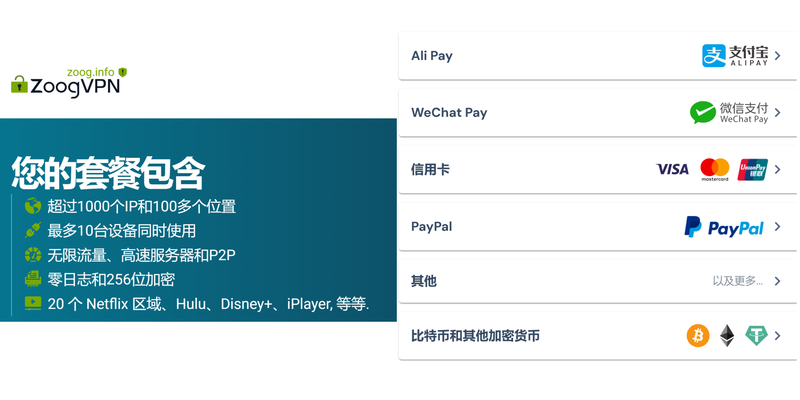
 ZoogVPN | Turn on manually Shadow | $2.49/mo | 27 months: $59.99 | Yes | 7 days | ✓ | ✓ | ✓ | ✓ | Official site blocked; our special link opens (4.4 s) | 4.2/5 (195 reviews) |
 ExpressVPN | ✓ On by default all servers | $3.00/mo | 28 months: $84 | No | 30 days | ✗ | ✗ | ✓ | ✗ | ✗ Blocked | 4.4/5 (29,706 reviews) |
 Surfshark | ✓ On by default Camouflage, with OpenVPN | See site | See site | No | 30 days | ✗ | ✗ | ✗ | ✓ | ✗ Blocked | 4.3/5 (31,823 reviews) |
 Proton VPN | Turn on manually Stealth, free plan too | $2.99/mo | 12 months: $35.88 | Yes | 30 days | ✗ | ✗ | ✗ | ✓ | ✗ Blocked | 2.1/5 (1,040 reviews) |
 Astrill VPN | Turn on manually StealthVPN / OpenWeb | $12.50/mo | 24 months: $300 | No | See site | ✗ | ✗ | ✗ | ✓ | ✗ Blocked | 1.3/5 (110 reviews) |
 Private Internet Access | Turn on manually Shadowsocks, OpenVPN only | $2.03/mo | 40 months: $81.2 | No | 30 days | ✗ | ✗ | ✗ | ✗ | ✗ Blocked | 4.2/5 (11,033 reviews) |
 CyberGhost | Turn on manually selected servers | $2.19/mo | 28 months: $61.32 | No | 45 days | ✗ | ✗ | ✗ | ✓ | ✗ Blocked | 4.0/5 (24,178 reviews) |
 PureVPN | Turn on manually switch to OpenVPN | $1.69/mo | 60 months: $101.55 | No | 31 days | ? | ? | ✗ | ✓ | ✗ Blocked | 4.4/5 (17,994 reviews) |
 AdGuard VPN | ✓ On by default TrustTunnel | $2.99/mo | 24 months: $71.76 | Yes | 30 days | ✓ | ✗ | ✓ | ✓ | Official site blocked; our special link opens (3.7 s) | 4.3/5 (290 reviews) |
 Mullvad | Turn on manually QUIC / Shadowsocks / LWO | $5.61/mo | €5/mo | No | 14 days | ✗ | ✗ | ✗ | ✓ | ✗ Blocked | 3.2/5 (192 reviews) |
 Windscribe | Turn on manually Stealth / WStunnel | $5.75/mo | 12 months: $69 | Yes | See site | ✗ | ✗ | ✗ | ✓ | ✗ Blocked | 4.7/5 (13,355 reviews) |
 StrongVPN | Turn on manually Scramble, OpenVPN TCP | See site | See site | No | 30 days | ✓ | ✗ | ✗ | ✗ | ✗ Blocked | 4.4/5 (2,695 reviews) |
 LightXtreme 闪连 | Not listed | $7.08/mo | 12 months: $84.99 | Yes | 30 days | ✓ | ✓ | ✓ | ✓ | ✓ Yes (3.5 s) | No page |
Prices checked 2026-11-10 on each vendor's pricing page (cheapest long plan, USD). Check the vendor's checkout for the final price.
Obfuscation checked 2026-11-14 on each vendor's site and help center: "on by default" = nothing to set; "turn on manually" = switch protocol or mode in settings; "not listed" = the vendor describes no obfuscation.
Payment methods checked 2026-11-10 on each vendor's payment pages: all 14 take cards and PayPal; ✗ = not listed, ? = the vendor's own pages disagree.
China access: whether the official website opens from mainland China networks (tests the website only, not the VPN connection). Last checked 2026-11-18 01:02 Beijing time.
Trustpilot score and review count checked 2026-11-10.
FAQ Section
What causes Google Gemini to fail behind a VPN?
Gemini can fail behind a VPN due to IP-based geo checks, TLS/certificate handling, latency, or DNS resolution issues. Some endpoints may restrict access from certain VPNs or require re-authentication.
Should I always use split tunneling with Gemini?
Split tunneling helps by routing Gemini traffic outside the VPN while keeping other traffic protected. It’s often a good starting point, but results vary by network and provider. Windscribe vpn extension for microsoft edge a complete guide 2026
Can switching to WireGuard improve reliability?
Yes, WireGuard often provides lower latency and better stability, but some networks may block it or require adjustments. Test a few protocols to see what works best.
How do I fix DNS leaks with a VPN on Gemini?
Enable DNS leak protection, use the VPN’s DNS servers, and verify with a DNS leak test. This helps ensure Gemini endpoints aren’t exposed to your real IP.
What if Gemini still won’t load after fixes?
Try a clean reinstall of the Gemini app and VPN client, test on another device, or contact the VPN provider’s support. If needed, switch providers for better compatibility.
Is it safe to use Gemini behind a VPN?
Generally yes, using a VPN adds privacy and security. Ensure you’re using trusted services and keep your software up to date.
Does disabling the VPN help with Gemini?
Often yes—disabling the VPN can confirm whether the issue is VPN-related. You can then decide which settings to adjust before reconnecting. Cant connect to work vpn heres how to fix it finally
Can location affect Gemini performance?
Yes, some endpoints are region-specific, so changing location can impact access or quality of service.
Do I need to clear cache regularly?
If you encounter login or loading issues, clearing cache and tokens is a quick, safe step to try before deeper troubleshooting.
Are there known issues with specific VPN apps?
Some VPNs have compatibility quirks with certain apps. Check the VPN provider’s status pages and user forums for any Gemini-specific notes.
FAQ end
Resources and References
- Google Gemini official documentation - https://developers.google.com Gemini
- VPN best practices and guides - https://www.reddit.com/r/VPN
- DNS protection and leaks overview - https://www.cloudflare.com/learning/dns/dns-leak-protection/
- Speed testing and latency measurement - https://www.speedtest.net
- Gemini support and community forums - https://support.google.com
- Network security fundamentals - https://en.wikipedia.org/wiki/Computer_networking
Affiliate note: For enhanced security and smoother streaming experiences, you might consider trying a trusted VPN like the one shown here. NordVPN is a solid option for many users seeking reliability and strong privacy features. If you’re curious, you can explore it here by clicking: https://go.nordvpn.net/aff_c?offer_id=15&aff_id=132441 Microsoft edge vpn mit jamf und conditional access policy in osterreich ein umfassender leitfaden