An in-depth guide to 8K streaming: content availability, tech requirements, services, and practical tips.
Streaming en 8K is no longer a futuristic dream. It’s a niche reality that blends very high video quality with the realities of bandwidth, hardware, and content availability. If you’re curious about what 8K streaming can offer today and what it requires, you’re in the right place. This guide breaks down the landscape, from where you can find 8K content to the tech you need to enjoy it without headaches.

What 8K streaming means in practice
8K refers to a display resolution of about 7680 x 4320 pixels, roughly four times the pixel count of 4K and sixteen times that of 1080p. Streaming en 8k implies delivering video at this ultra-high resolution over the internet. In practice, several factors determine whether you’ll actually experience sharp, artifact-free 8K:
- Content availability: Libraries and channels that offer 8K streams, often through high-end platforms or direct 8K live streams.
- Compression and codecs: HEVC (H.265) and more modern codecs like AV1 help reduce bandwidth while preserving detail.
- Bandwidth stability: A steady connection is critical. Dips cause buffering or quality drops.
- Hardware compatibility: An 8K-capable TV or monitor, a capable media player, and often a powerful PC for desktop streaming.
- Viewing environment: The perceived benefit of 8K depends on screen size and viewing distance. On smaller TVs or typical living-room distances, improvements beyond 4K can be subtle.
Where to find 8K content
Finding 8K content is a mix of on-demand catalogs and occasional live streams. Here’s what to know about sources:
- On-demand 8K videos: Platforms like YouTube host 8K videos across many genres. You’ll find everything from nature scenes to cinematic showcases. The quality depends on the uploader and your playback device’s ability to decode and scale.
- 8K live streams: Some industry demos and live events have showcased 8K streaming over the internet. These demos often require robust hardware and specialized players or software decoders.
- Niche channels and services: A handful of services curate 8K content. They may require specific apps or devices and sometimes sit behind regional restrictions or subscription models.
- How to verify 8K: Look for terms like 8K, 7680x4320, or 8K Ultra HD in the video title or description. Some streams list bitrate figures. Higher bitrates often accompany higher resolutions.
Tips for maximizing 8K discovery:
- Subscribe to 8K-focused channels on major platforms (e.g., YouTube 8K channels) and enable 8K playback in settings if available.
- Follow announcements from streaming hardware partners and 8K associations for news on new content and streams.
- Use search operators or filters to isolate 8K results on large platforms.
Technical requirements: bandwidth, codecs, and hardware
Streaming en 8K is inherently demanding. Here are the core requirements and how to meet them.
- Bandwidth: Expect a need for 80 to 100 Mbps of steady download speed for a typical 8K stream, thanks to efficient compression and peak rates. Real-world conditions could require more if multiple devices share the network.
- Internet stability: A wired Ethernet connection often beats Wi-Fi for consistent 8K streaming. If Wi-Fi is your only option, use a 5 GHz band, 802.11ac/ax, and minimize interference.
- Codec support: HEVC (H.265) is common for 8K content, with AV1 gaining traction for better efficiency. Ensure your player and TV support the codec used by the stream.
- Display compatibility: An 8K-capable TV or monitor is essential. Some devices can upscale 4K or 1440p content to look sharper on 8K panels, but the source must be 8K for true resolution.
- Processing power: Your streaming device (smart TV, set-top box, or PC) should have enough decoding power and memory. For PC-based streaming, a modern CPU and GPU help with image processing and upscaling if needed.
- Storage and caching: 8K files are large. Streaming remains the main method, but hardware with ample RAM and fast storage can improve local buffering and app performance.
Practical delivery formats and performance expectations
To set realistic expectations, consider what you actually get with 8K streaming today: How to use Microsoft Edge's built-in secure network VPN feature
- Content variety: The 8K catalog is smaller than 4K, with most content concentrated in demos, nature footage, and some creator channels. Full-length feature films in 8K remain relatively rare compared to 4K catalog depth.
- Live vs on-demand: Live 8K streams are occasional and often experiment or industry showcases. On-demand 8K videos are more common, especially on large video platforms.
- Bitrate and compression: Modern codecs enable 8K at lower bitrates than older codecs, but your mileage varies with scene complexity, motion, and color grading.
- upscaling impact: Some 8K TVs perform high-quality upscaling for 4K or 1080p content. If the source isn’t 8K, you might still see improved sharpness, but not native 8K detail.
- User experience: Expect occasional buffering on consumer networks if your connection isn’t stable. A robust plan with a reliable modem and router helps, as does prioritizing streaming devices on your network.
Table: 8K streaming scenarios and expectations
| Scenario | Typical bandwidth needs | Notes |
|---|---|---|
| Native 8K on-demand | 80-120 Mbps (steady) | Best when source is truly 8K, codec efficiency varies |
| 4K upscaled to 8K | 40-60 Mbps | Quality depends on upscaling algorithm and panel |
| 8K live demo | 100-150 Mbps+ | Less common; latency and buffering can appear |
| 8K mobile streaming | Often not supported | Most phones/tablets are not wired for 8K playback |
Devices, apps, and ecosystem compatibility
If you want to start streaming en 8K, you’ll need compatible hardware and software. Here are the main components to check:
- TVs and displays: Look for televisions marketed as 8K Ultra HD and check HDR support (e.g., HDR10, Dolby Vision). Confirm that the panel, HDMI bandwidth, and processing chain can handle 8K60 or higher if you intend high-speed content.
- Streaming devices: Some set-top boxes and streaming sticks advertise 8K playback, but verify the supported codecs and the app ecosystem. Devices that can install modern browsers or native apps for platforms like YouTube, Vimeo, or dedicated 8K services are beneficial.
- PCs and media players: A PC with a modern multi-core CPU, a capable GPU, and 8K-capable video decoders will handle 8K playback in apps or browsers. You’ll also need a fast SSD for buffering if you download content, though streaming can reduce this need.
- Network gear: A high-quality router and, if possible, a wired Ethernet setup. For 8K streaming, quality-of-service (QoS) features can help keep the stream steady during busy network times.
- Software and codecs: Ensure your apps support HEVC/H.265 and/or AV1. Some streaming platforms encode in multiple formats. Having a device that supports the latest codecs minimizes compatibility issues.
How to optimize your setup for 8K streaming
To get the best possible 8K experience, tune both your network and your playback chain:
- Prioritize the streaming device: In your router’s settings, give your 8K device higher priority to avoid contention with other devices.
- Optimize Wi‑Fi setup: If you must use wireless, place your router centrally, reduce obstacles, and consider mesh Wi‑Fi if you have a large home.
- Use a wired connection when possible: Ethernet cables of Cat6 or better help ensure stable throughput and lower jitter.
- Check for firmware updates: TV firmware, streaming devices, and routers often receive updates that improve codec support and performance.
- Manage expectations: Not every 8K stream will look dramatically better than 4K, depending on the source material and viewing distance. For many viewers, the extra detail is most noticeable on very large screens or at close viewing distances.
Content strategy and practical expectations
If you’re evaluating whether to pursue 8K streaming, consider these practical questions:
- Do you have an 8K display, and is it worth investing in 8K content now? If your setup is primarily 4K, 8K might not always be the most cost-efficient upgrade.
- Is there a reliable source for 8K content in your region? Availability varies by country and platform.
- Are you prepared for higher bandwidth costs? Streaming at 80–100 Mbps consistently can affect your data plan and home network performance.
- How important is future-proofing? If you plan to upgrade displays or adopt newer codecs, starting with capable hardware now can simplify transitions later.
The 8K streaming landscape in summary
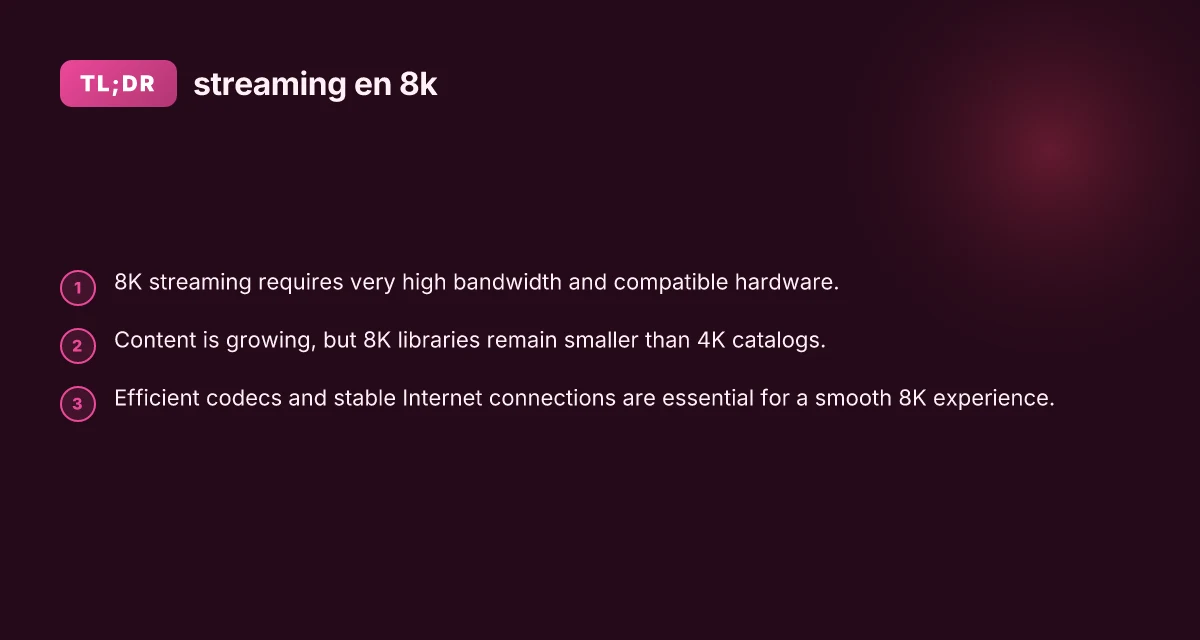
- Content is growing but still smaller than 4K libraries. You’ll mostly find 8K on-demand videos on major video platforms and occasional live streams or demos from industry players.
- The technical bar is high: you’ll want fast, stable internet, a compatible 8K display, and a capable playback device with support for modern codecs.
- Practical gains depend on screen size and viewing distance. The perceived improvement from 4K to 8K is most noticeable on very large displays or when sitting close to the screen.
- Your setup should emphasize bandwidth stability, codec compatibility, and robust hardware to maximize the chance of uninterrupted, high-quality playback.
Final recommendation If you’re curious about 8K streaming, start by auditing your current setup. Do you have an 8K-capable display, a device that supports the common 8K codecs (HEVC or AV1), and a high-speed, stable internet connection? If the answer is yes, experiment with accessible 8K content on platforms like YouTube to gauge the real-world difference for your viewing preferences. For most households today, 8K streaming is a future-facing feature that’s worth exploring gradually, prioritizing a solid network, a capable playback device, and content that truly takes advantage of the extra pixels. Starlink mini dish and router mini linked to deco mesh