A clear look at why VPNs can trigger access issues and how to fix common problems.
In today’s connected world, using a VPN should give you privacy and freedom. Yet many users run into websites that simply won’t load or behave oddly when a VPN is on. The short answer is that some sites actively detect or restrict VPN traffic, and your VPN setup can introduce other issues. Below is a practical guide to understanding why this happens and how to fix it.

VPN behaviors with sites — how different setups interact with websites
| Scenario | Likelihood of blocks | DNS leaks | IP address visibility | Works with streaming | Recommended when |
|---|---|---|---|---|---|
| No VPN | High block risk on geofenced sites | No leakage expected | Visible to sites | Often blocked for streaming | If you need baseline access |
| VPN with common servers | Moderate blocks | Possible leaks on misconfig | IP hidden, but leaks risk | Mixed; some services blocked | When easy, general use is ok |
| VPN with DNS protection | Lower blocks | DNS queries protected | IP hidden | More likely to work for streaming | When privacy and access both needed |
| Dedicated/rotating IP VPN | Low blocks | DNS protected | IP rarely leaks | Strong compatibility with geo-locked services | When reliability matters most |
| VPN + DNS-based blocking bypass | Variable | Possible leaks if misconfigured | IP exposure possible | Some sites block | When you need circumvention, careful setup |
Compiled November 2026; check the provider's site for current details.
Why some websites block or fail with VPNs
Websites and online services aren’t neutral terrains. They use a mix of network signals and logic to decide who can access them. Common reasons a site won’t work with a VPN include:
- IP address blocking: Some sites maintain a list of known VPN exit IPs and block or limit access from those addresses.
- Country or region restrictions: A site may only serve specific countries. Swapping your apparent location via a VPN can trigger blocks or errors.
- Anti-fraud systems: E-commerce, banking, and streaming services use behavior analysis. VPN traffic can resemble bot-like patterns, leading to extra verification or temporary blocks.
- Shared infrastructure: VPN providers route many users through the same IP range. If one user misuses a service, others on the same IP might suffer collateral blocks.
In many cases, the problem isn’t the VPN itself but how the site interprets VPN traffic. Some sites allow VPNs, but only from certain servers or during certain times, while others flat-out deny any VPN access to protect content or comply with licensing.
DNS and connectivity: the technical culprits
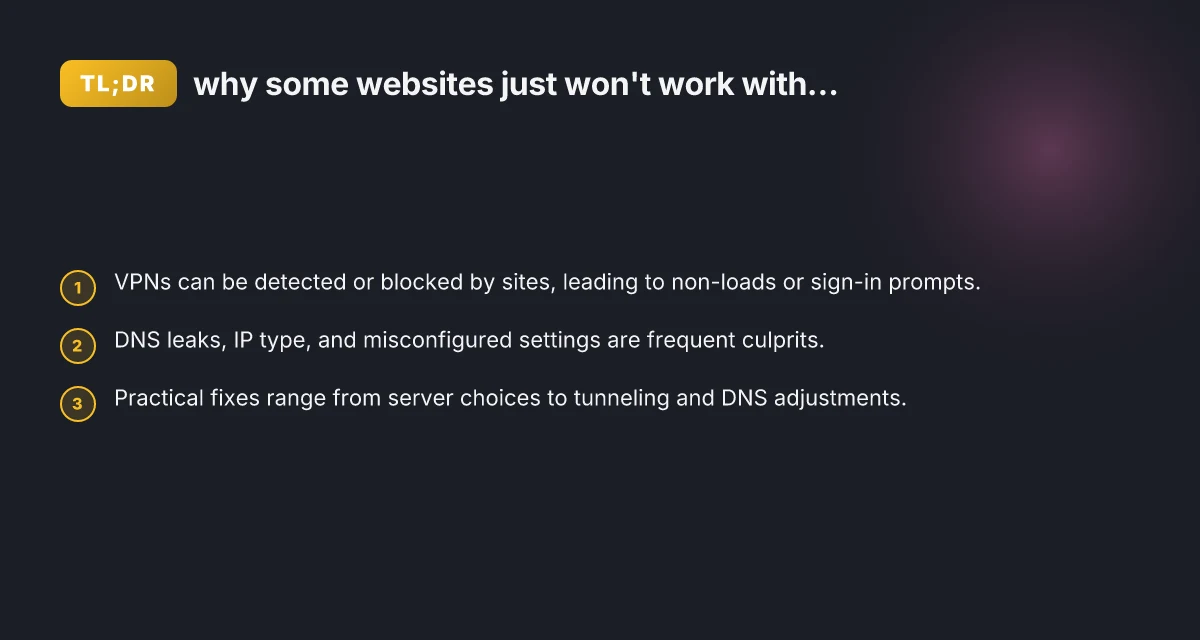
Even when a site isn’t outright blocking VPN IPs, you can still hit issues. Common culprits include DNS problems, IP leaks, and misconfigured tunneling.
- DNS leaks: If your device ends up asking a local DNS server (outside the VPN tunnel), you might see mixed results, such as partial pages loading or login prompts failing. This can also expose your real location to the site.
- IP leaks: Sometimes a VPN fails to route all traffic through the encrypted tunnel, letting some requests go directly over your regular ISP path.
- Split tunneling: If your VPN isn’t set up to route all traffic (or only some traffic) through the VPN, certain sites may bypass the VPN and trigger the same blocks as if you weren’t using one.
- Protocol and port choices: Some sites require modern TLS, certain ports, or nonstandard connections. If your VPN uses older protocols or blocks those ports, access can fail.
To diagnose DNS-related issues, you can run a DNS leak test while connected to the VPN. If you see your real DNS addresses, that’s a strong sign DNS leakage. Addressing this usually involves enabling “DNS leak protection” or switching to a VPN that tunnels DNS requests properly.
Common scenarios you might recognize
- Streaming sites that restrict VPNs: Many video and music services enforce regional licensing and actively block VPN exit IPs. You’ll often see messages asking you to turn off your VPN or select a non-VPN country.
- Banking and payment portals: These services are especially strict about location and device consistency. If you switch regions or appear from an unusual country, you’ll be asked to complete additional authentication, or the session might be denied.
- Social media and messaging apps: Sometimes these are fine with VPNs. Other times, anti-spam or anti-abuse tools flag unusual sign-ins, leading to temporary blocks or extra verification.
- News and ticketing sites: Frequent IP changes or unusual routes can trigger security checks or temporary blocks to prevent scraping or fraud.
A quick rule of thumb: if you’re on a VPN and a site suddenly behaves like it’s under surveillance or rejects the connection, you’re likely facing a site-side enforcement of VPN traffic or a DNS/IP issue. Why Mullvad VPN isn’t connecting
DNS and connectivity pitfalls — what to check in a setup
| Factor | Potential issue | Impact | How to verify | Typical mitigation |
|---|---|---|---|---|
| DNS handling | DNS leaks | Privacy risk | Test with dnsleaktest | Enable DNS leak protection |
| IP leakage | WebRTC/IP leaks | Site tracking | Use ipinfo.io test | Disable WebRTC, use VPN client protections |
| Split tunneling | Traffic leaks to local network | Access control risk | Check routing table | Use full-tunnel or strict rules |
| DNS over HTTPS/TLS | Mixed support | Privacy and compatibility | Check resolver settings | Enforce secure DNS, compatible resolvers |
| Connection stability | Dropouts | Frustration, retries | Ping/trace route | Use stable server, reload, or fallback |
| MTU/fragmentation | Packet drops | Slow performance | Run MTU tests | Adjust MTU, enable fragmentation handling |
Compiled November 2026; check the provider's site for current details.
How to troubleshoot: a practical checklist
If you’re trying to access a site and it won’t work on VPN, work through these steps in order:
- Check server location
- Switch to a different country or a nearby server within your VPN app.
- Some sites block specific VPN exit nodes. Changing the node often resolves the issue.
- Test without the VPN
- Temporarily disconnect the VPN and try the site. If it loads normally, the VPN is likely involved in the problem.
- Verify DNS behavior
- Run a DNS leak test while connected to the VPN.
- If leaks are detected, enable DNS leak protection in your VPN settings or switch to a provider that handles DNS inside the tunnel.
- Check for split tunneling
- If your VPN offers split tunneling, ensure the site you’re using routes through the VPN (not outside it) if that’s necessary for your privacy or access needs.
- Review protocol and port settings
- Some sites require modern TLS or specific ports. Try different VPN protocols (OpenVPN, WireGuard, IKEv2, etc.) and ensure the chosen protocol isn’t blocked on the site’s side.
- Clear caches and cookies
- Sometimes site-specific blocks are tied to stored data. Clear your browser cache and cookies or try an in-app browser if applicable.
- Disable conflicting extensions
- Some security or privacy extensions can interfere with VPN traffic. Temporarily disable extensions to see if access improves.
- Check for firewall or antivirus interference
- Local security software can block VPN connections or certain traffic patterns. Temporarily disable it to test access.
A practical comparison: VPN behaviors with sites
Here’s a quick comparison to help you understand how different site behaviors map to VPN configurations. This table is a general guide. Actual outcomes depend on the VPN provider, site, and location.
- Scenario A: Site blocks VPN IPs
- Likely outcome: Connection blocked or error message.
- Fix: Switch to a different server or provider, or contact site support to request whitelisting if appropriate.
- Scenario B: DNS leaks occur
- Likely outcome: Real IP shown in visits. Mixed page loads.
- Fix: Enable DNS leak protection. Use VPN with built-in DNS.
- Scenario C: Split tunneling misconfiguration
- Likely outcome: Some sites work, others show errors.
- Fix: Route the site through VPN by adjusting split tunneling rules.
- Scenario D: Data-center vs. residential IPs
- Likely outcome: Some sites block data-center IPs. Streaming services may deny.
- Fix: Use residential or highly curated IP ranges if the provider offers them, or use dedicated servers.
Table: typical fixes by problem type How jackery stacks up against 4patriots solar generators
- Problem: VPN IP blocked by site
- Fix options: Change server. Contact support. Try a dedicated IP if available.
- Problem: DNS leaks
- Fix options: Enable DNS leak protection. Use VPN DNS. Flush DNS after connect.
- Problem: Split tunneling too permissive
- Fix options: Include the site in VPN-tunneled traffic.
- Problem: Protocol incompatibility
- Fix options: Switch VPN protocol. Update app. Ensure ports are allowed.
When to use a dedicated or specialized VPN setup
If you regularly encounter sites that block common VPN IPs, you might consider:
- Dedicated IP VPN: A unique IP address assigned to you, less likely to be blocked by sites comparing against a shared pool.
- Obfuscated servers: Some VPNs offer obfuscated or stealth servers designed to resemble ordinary traffic, useful in restrictive networks.
- Residential IP networks: A few providers route traffic through residential connections, which can blend more naturally with typical user traffic.
- Split tunneling with smart routing: Fine-tuned rules that ensure privacy for sensitive apps while allowing non-sensitive traffic to use regular connections.
Caution: Dedicated IPs and residential IPs can come with higher costs and potential risks of being blacklisted if the IP is misused by others.
How to choose the right VPN strategy for your needs
- Define your priority: privacy, streaming access, or business purposes?
- Test multiple servers: If one server blocks a site, another might work.
- Consider DNS handling: Look for VPNs with built-in DNS protection and no leaks.
- Evaluate the protocol options: Ensure your VPN supports modern, fast, and reliable protocols.
- Check support and knowledge resources: Good providers offer clear guidance for accessing blocked sites and troubleshooting.
If you rely on VPNs frequently for work, travel, or privacy, it’s worth investing time to optimize your setup. A little customization often yields more reliable access and a smoother experience.
Practical decision matrix — choose your approach by scenario
| Scenario | Recommended approach | Pros | Cons | Quick test | When to switch |
|---|---|---|---|---|---|
| Accessing geo-restricted content | Use dedicated or rotating IP VPN | Higher success rate | Cost, management | Try streaming test | If blocks persist, switch endpoints |
| Sensitive browsing | Use DNS-protected, no leaks | Privacy retained | May reduce speed | Run leak test | If leaks occur, adjust settings |
| Public Wi‑Fi login | Full-tunnel VPN with protection | Max privacy | Slightly slower | Check for DNS leaks | If instability, try different server |
| Local site access with VPN | Disable VPN for local sites | Fast, direct access | No anonymity | Access site without VPN | If site blocks, switch to trusted server |
| Troubleshooting connectivity | Stepwise: DNS protection, then IP protection | Clear diagnostics | Takes time | Run sequence of tests | If issue persists, adjust routing |
Compiled November 2026; check the provider's site for current details. Turbo VPN extension for Edge
Final recommendations
- Start with a quick test: switch servers and test the site with VPN on and off. This helps you isolate whether the issue is location-based or VPN-specific.
- Prioritize DNS integrity: DNS leaks are a quiet but common cause of site access problems. Ensure your VPN routes DNS requests inside the tunnel.
- Use the right protocol and servers: In many cases, a newer protocol like WireGuard or a nearby server resolves the issue faster than standard OpenVPN routes.
- Consider a plan that fits your use: If you frequently access restricted sites or streaming services, a VPN with dedicated IPs, obfuscated servers, and robust customer support can save time and frustration.
- When in doubt, reach out: If a site consistently blocks your VPN, contact the site support to understand policy and alternatives. Conversely, your VPN provider’s support team can guide you through known compatibility issues and configuration steps.
In short, some websites won’t work with your VPN because they actively detect or block VPN traffic, or because of DNS and routing quirks within your setup. By methodically checking server location, DNS behavior, tunneling configuration, and protocol choices, you can usually restore access or find a reliable workaround.
| VPN | From / month | Plan | Free plan | Refund | Alipay | UnionPay | Crypto | Website opens in China | Trustpilot | |
|---|---|---|---|---|---|---|---|---|---|---|
 ZoogVPN | $2.49/mo | 27 months: $59.99 | Yes | 7 days | ✓ | ✓ | ✓ | ✓ | ✓ Yes (2.5 s) | 4.2/5 (195 reviews) |
 NordVPN | $3.49/mo | 27 months: $94.23 | No | 30 days | ? | ✗ | ✓ | ✓ | ✗ Blocked | 4.2/5 (51,628 reviews) |
 ExpressVPN | $3.00/mo | 28 months: $84 | No | 30 days | ✗ | ✗ | ✓ | ✗ | ✗ Blocked | 4.4/5 (29,706 reviews) |
 Surfshark | See site | See site | No | 30 days | ✗ | ✗ | ✗ | ✓ | ✗ Blocked | 4.3/5 (31,823 reviews) |
 Proton VPN | $2.99/mo | 12 months: $35.88 | Yes | 30 days | ✗ | ✗ | ✗ | ✓ | ✓ Yes (2.5 s) | 2.1/5 (1,040 reviews) |
 Astrill VPN | $12.50/mo | 24 months: $300 | No | See site | ✗ | ✗ | ✗ | ✓ | ✗ Blocked | 1.3/5 (110 reviews) |
 Private Internet Access | $2.03/mo | 40 months: $81.2 | No | 30 days | ✗ | ✗ | ✗ | ✗ | ✗ Blocked | 4.2/5 (11,033 reviews) |
 CyberGhost | $2.19/mo | 28 months: $61.32 | No | 45 days | ✗ | ✗ | ✗ | ✓ | ✗ Blocked | 4.0/5 (24,178 reviews) |
 PureVPN | $1.69/mo | 60 months: $101.55 | No | 31 days | ? | ✗ | ✗ | ✓ | ✓ Yes (2.6 s) | 4.4/5 (17,994 reviews) |
 AdGuard VPN | $2.99/mo | 24 months: $71.76 | Yes | 30 days | ✓ | ✗ | ✓ | ✓ | Official site blocked; our special link opens (2.3 s) | 4.3/5 (290 reviews) |
 Mullvad | $5.61/mo | €5/mo | No | 14 days | ✗ | ✗ | ✗ | ✓ | ✗ Blocked | 3.2/5 (192 reviews) |
 Windscribe | $5.75/mo | 12 months: $69 | Yes | See site | ✗ | ✗ | ✗ | ✓ | ✗ Blocked | 4.7/5 (13,355 reviews) |
 StrongVPN | See site | See site | No | 30 days | ✓ | ✗ | ✗ | ✗ | ✗ Blocked | 4.4/5 (2,695 reviews) |
 LightXtreme 闪连 | $7.08/mo | 12 months: $84.99 | Yes | 30 days | ✓ | ✓ | ✓ | ✓ | ✓ Yes (2.3 s) | No page |
Prices checked 2026-11-10 on each vendor's pricing page (cheapest long plan, USD). Check the vendor's checkout for the final price.
Payment methods checked 2026-11-10 on each vendor's payment pages: all 14 take cards and PayPal; ✗ = not listed, ? = the vendor's own pages disagree.
China access: whether the official website opens from mainland China networks (tests the website only, not the VPN connection). Last checked 2026-11-11 04:07 Beijing time.
Trustpilot score and review count checked 2026-11-10.