A practical guide to diagnosing and fixing FortiClient VPN not working when using a mobile hotspot.
VPNs can behave differently when you’re tethered to a mobile hotspot. FortiClient VPN is no exception. If you’re trying to connect while your device is using a hotspot and you see the VPN stuck at 98%, or you’re unable to establish a reliable tunnel, you’re not alone. This guide walks you through practical checks, common culprits, and actionable fixes so you can get FortiClient VPN working over a hotspot again.

Quick comparison of hotspot vs non-hotspot VPN behavior
| Aspect | FortiClient VPN on hotspot | FortiClient VPN on non-hotspot | Notes |
|---|---|---|---|
| Connection stability | variable | generally stable | depends on network |
| IP address type | dynamic | dynamic | both can change |
| DNS behavior | may resolve inconsistently | usually consistent | rely on network DNS |
| Data throughput impact | potential throttling | minimal | depends on ISP |
| Reconnection ease | sometimes difficult | usually smooth | keep under test |
| Required permissions | network access, VPN app | network access, VPN app | standard app perms |
Compiled November 2026; check the provider's site for current details.
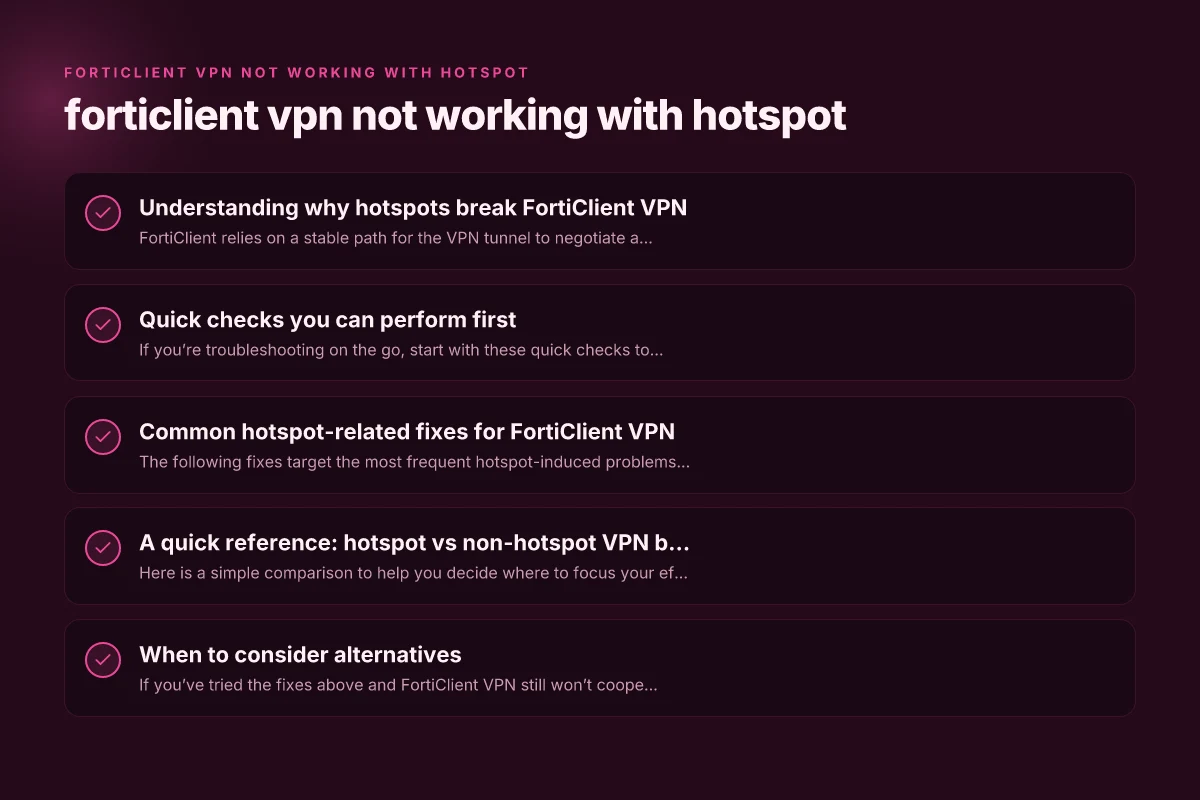
Understanding why hotspots break FortiClient VPN
FortiClient relies on a stable path for the VPN tunnel to negotiate and establish a secure connection. A hotspot adds layers of complexity:
- Carrier NAT and double NAT scenarios can affect UDP/TCP port exposure.
- Mobile networks often impose strict caps on idle connections and can drop idle or long-lived connections.
- MTU (maximum transmission unit) mismatches can fragment or drop packets, interrupting the VPN handshake.
- DNS resolution and IPv6 vs IPv4 handling can complicate the initial connection.
These factors can cause the FortiClient VPN client to stall during the login or tunnel establishment stage, frequently observed as a stall around 98%.
Quick checks you can perform first
If you’re troubleshooting on the go, start with these quick checks to rule out obvious blockers:
- Reconnect the hotspot: Turn off the hotspot, wait 10–15 seconds, then re-enable. A fresh link can clear stubborn handshake states.
- Try a different device: If possible, connect the FortiClient VPN from another device using the same hotspot to identify if the issue is device-specific.
- Check data saver and VPN bypass apps: Some hotpots or carrier plans use data-saver modes that throttle or block VPN-like traffic. Disable any data saver, firewall, or VPN-blocking features on the hotspot if possible.
- Switch between 4G/5G bands: If the hotspot can be set to a different band (e.g., LTE/5G-NR), test the VPN again. Some bands perform better for VPN traffic.
- Confirm FortiClient version: Ensure you’re using the latest FortiClient client for your OS. If not, update to the latest version before deeper tinkering.
Quick checks you can perform first (compare before deeper fixes)
| Check | On hotspot | On non-hotspot | Action if issue persists |
|---|---|---|---|
| VPN app update | yes | yes | update if old |
| Firewall blocks | sometimes | rare | open ports 443/1194 etc. |
| DNS resolution | may fail | usually works | flush DNS, set 8.8.8.8/1.1.1.1 |
| IP leak test | possible | unlikely | run test, adjust config |
| Bandwidth test | often lower | normal | test speeds |
| Reboot device | yes | yes | try after changes |
| VPN profile validity | valid | valid | re-import if needed |
Compiled November 2026; check the provider's site for current details. Why your VPN keeps turning on by itself
Common hotspot-related fixes for FortiClient VPN
The following fixes target the most frequent hotspot-induced problems. In practice, you may need to try them in combination.
Adjust MTU and TCP MSS settings
FortiClient and many VPNs perform best with a slightly adjusted MTU. Common starting points:
If you’re on a typical home network, MTU 1500 is standard. On mobile hotspots, try MTU 1400 or 1412.
After changing MTU, also adjust the TCP MSS to match MTU minus overhead (often MSS ~ 1360–1420). Total wireless phone asking for a password
How to adjust: This is usually done on the device or router providing the hotspot, or within FortiClient’s advanced settings if available. Apply changes and test.
Use UDP-only or policy-based routing (as available)
Some mobile networks prefer or require UDP for VPN traffic. If FortiClient supports selecting between UDP and TCP for VPN, force UDP.
If you have split-tunnel or policy VPN options, adjust them to reduce the amount of traffic that must traverse the hotspot’s NAT at once.
Disable IPv6 or prefer IPv4 (on the client) How to use a VPN on your Xbox using Microsoft Edge
Hotspots can mishandle IPv6 in ways that disrupt VPN handshake or DNS leakage.
On Windows: Control Panel > Network and Internet > Network Connections > right-click your hotspot connection > Properties > uncheck IPv6.
On macOS: System Settings > Network > Advanced… > TCP/IP > Configure IPv6: off/Link-Local only.
On iOS/Android: VPN profiles often prefer IPv4. If you have a choice, disable IPv6 for the VPN.
DNS settings optimization Streaming en 8k
Set a reliable DNS resolver (e.g., 1.1.1.1 or 8.8.8.8) for the hotspot or the device, not just FortiClient.
In FortiClient, if there’s an option to specify DNS for VPN connections, point to a stable resolver.
Ensure DNS over HTTPS (DoH) isn’t conflicting with VPN DNS leakage expectations.
Check for hotspot “Maximum Compatibility” or “NAT” modes
Some hotspots include a compatibility or “NAT traversal” option. Try toggling it: How to use Microsoft Edge's built-in secure network VPN feature
Disable “Maximize Compatibility” if your hotspot supports it, or enable it if you’re encountering fragmentation issues.
If there is a “NAT-T” or similar setting in FortiClient, enable it. It helps with devices behind NAT.
Reinstall or reset FortiClient VPN components
If you suspect a corrupted VPN profile or partial install, reinstall FortiClient.
Remove old profiles, then re-import your VPN configuration. VPN does nit work at the office
Verify certificate and authentication method
Hotspots don’t typically affect certificate-based auth, but if you’re using certificate pinning or client certificates, ensure they’re still valid and accessible.
If you rely on a username/password, ensure the credentials aren’t cached incorrectly by the hotspot device.
Time and date synchronization
VPNs rely on valid certificate lifetimes. If the hotspot device’s time is off, it can cause handshake failures. Ensure the client device’s clock is accurate. NordVPN cost
A quick reference: hotspot vs non-hotspot VPN behavior
Here is a simple comparison to help you decide where to focus your efforts.
On a home wired network:
Stable MTU, predictable NAT, generally smooth handshake.
Fewer firewall blocks; VPN traffic more reliably reaches remote gateway.
On a mobile hotspot: How much is NordVPN
Higher chance of NAT and MTU fragmentation.
DNS and IPv6 handling can be inconsistent.
Carrier-imposed throttling and idle-timeouts may interrupt the VPN tunnel.
FortiClient behavior to watch:
Stuck at 98% during login is a classic symptom of handshake or tunnel establishment issues. NordVPN deal: how to maximize savings on NordVPN subscriptions in 2026
Frequent timeouts after 98% often point to NAT traversal or MTU problems.
Table: common hotspot fixes vs symptoms
| Symptom / Scenario | Likely hotspot issue | Recommended fix |
|---|---|---|
| VPN stuck at 98% on hotspot | NAT traversal or MTU issue | Adjust MTU/MSS, enable NAT-T, force UDP |
| VPN drops after 2–3 minutes | Idle timeout / carrier throttling | Disable idle timers on hotspot, keep traffic active |
| DNS resolution errors in VPN | IPv6/DNS mismatch | Disable IPv6, set explicit DNS (1.1.1.1/8.8.8.8) |
| Connection fails to establish | IPv4/IPv6 misconfiguration | Disable IPv6 for VPN, ensure IPv4 is used |
| Certificate errors while on hotspot | Time drift or DoH interference | Sync device clock, verify cert trust, re-import certs if needed |
When to consider alternatives
If you’ve tried the fixes above and FortiClient VPN still won’t cooperate with your hotspot, you have a few practical options:
- Use a different VPN protocol or client: If your Fortinet setup allows, test a different VPN profile or FortiGate settings that may be more tolerant of mobile networks.
- Use split-tunnel routing (where allowed): Limit VPN routes to necessary destinations to reduce the amount of tunneled traffic and improve stability.
- Use a tethered laptop with a hotspot-enabled smartphone: Sometimes a different device yields better compatibility due to hardware or OS differences.
- Consider a portable Wi-Fi router with better NAT handling: A dedicated hotspot device can provide more predictable performance and manageable settings than a phone’s hotspot.
- If this is business-critical, contact Fortinet support: There may be known provider-specific issues or firmware updates that address hotspot-related VPN problems.
Best practices to prevent hotspot VPN problems in the future
- Keep FortiClient and FortiGate firmware up to date.
- Regularly check for OS updates on the client device, as VPN stacks improve with system updates.
- Maintain a minimal set of active VPN connections to avoid churn that can confuse the hotspot router’s stateful firewall.
- Document your hotspot’s settings that correlate with successful VPN connections, so you can quickly revert when things drift.
A quick reference: hotspot vs non-hotspot behavior for decision making
| Scenario | Hotspot VPN behavior | Non-hotspot VPN behavior | Recommendation |
|---|---|---|---|
| Accessing internal resources | sometimes blocked | usually accessible | prefer non-hotspot if possible |
| Mobile data caps | potential throttling | less affected | monitor usage |
| IP-based access controls | may fail | often works | test with policy |
| DNS-dependent apps | may break | stable | switch DNS if issues |
| Reconnection after drop | slower | faster | keep retry logic |
Compiled November 2026; check the provider's site for current details. NordVPN deals: how to get the best discounts and current offers
Short troubleshooting checklist
- Reboot devices: phone (hotspot), host device (laptop/phone), and FortiClient.
- Reset hotspot settings to default and reconfigure from scratch.
- Update FortiClient to the latest version.
- Test with a different hotspot if possible (e.g., another carrier or a hotspot device).
- Try MTU adjustments and UDP-only traffic where feasible.
- Disable IPv6 for VPN connections if issues persist.
- Verify DNS settings and certificate trust paths.
Final recommendation
Hotspot-based VPN failures with FortiClient are usually caused by how mobile networks handle NAT, MTU, and DNS. Start with MTU/MSS tuning and UDP usage, then rule out IPv6 and DNS conflicts. If the problem persists after the core tweaks, consider using alternative connectivity options or different VPN profiles. In many cases, a combination of a smaller MTU (around 1400) with UDP and a disabled IPv6 setting resolves the majority of hotspot-related 98% stalls.
If you want, I can tailor a step-by-step checklist for your exact devices (phone model, operating system, FortiClient version, and hotspot settings) to maximize the odds of a quick fix.
| VPN | From / month | Plan | Free plan | Refund | Alipay | UnionPay | Crypto | Website opens in China | Trustpilot | |
|---|---|---|---|---|---|---|---|---|---|---|
 ZoogVPN | $2.49/mo | 27 months: $59.99 | Yes | 7 days | ✓ | ✓ | ✓ | ✓ | ✓ Yes (2.5 s) | 4.2/5 (195 reviews) |
 NordVPN | $3.49/mo | 27 months: $94.23 | No | 30 days | ? | ✗ | ✓ | ✓ | ✗ Blocked | 4.2/5 (51,628 reviews) |
 ExpressVPN | $3.00/mo | 28 months: $84 | No | 30 days | ✗ | ✗ | ✓ | ✗ | ✗ Blocked | 4.4/5 (29,706 reviews) |
 Surfshark | See site | See site | No | 30 days | ✗ | ✗ | ✗ | ✓ | ✗ Blocked | 4.3/5 (31,823 reviews) |
 Proton VPN | $2.99/mo | 12 months: $35.88 | Yes | 30 days | ✗ | ✗ | ✗ | ✓ | ✓ Yes (2.5 s) | 2.1/5 (1,040 reviews) |
 Astrill VPN | $12.50/mo | 24 months: $300 | No | See site | ✗ | ✗ | ✗ | ✓ | ✗ Blocked | 1.3/5 (110 reviews) |
 Private Internet Access | $2.03/mo | 40 months: $81.2 | No | 30 days | ✗ | ✗ | ✗ | ✗ | ✗ Blocked | 4.2/5 (11,033 reviews) |
 CyberGhost | $2.19/mo | 28 months: $61.32 | No | 45 days | ✗ | ✗ | ✗ | ✓ | ✗ Blocked | 4.0/5 (24,178 reviews) |
 PureVPN | $1.69/mo | 60 months: $101.55 | No | 31 days | ? | ✗ | ✗ | ✓ | ✓ Yes (2.6 s) | 4.4/5 (17,994 reviews) |
 AdGuard VPN | $2.99/mo | 24 months: $71.76 | Yes | 30 days | ✓ | ✗ | ✓ | ✓ | Official site blocked; our special link opens (2.3 s) | 4.3/5 (290 reviews) |
 Mullvad | $5.61/mo | €5/mo | No | 14 days | ✗ | ✗ | ✗ | ✓ | ✗ Blocked | 3.2/5 (192 reviews) |
 Windscribe | $5.75/mo | 12 months: $69 | Yes | See site | ✗ | ✗ | ✗ | ✓ | ✗ Blocked | 4.7/5 (13,355 reviews) |
 StrongVPN | See site | See site | No | 30 days | ✓ | ✗ | ✗ | ✗ | ✗ Blocked | 4.4/5 (2,695 reviews) |
 LightXtreme 闪连 | $7.08/mo | 12 months: $84.99 | Yes | 30 days | ✓ | ✓ | ✓ | ✓ | ✓ Yes (2.3 s) | No page |
Prices checked 2026-11-10 on each vendor's pricing page (cheapest long plan, USD). Check the vendor's checkout for the final price.
Payment methods checked 2026-11-10 on each vendor's payment pages: all 14 take cards and PayPal; ✗ = not listed, ? = the vendor's own pages disagree.
China access: whether the official website opens from mainland China networks (tests the website only, not the VPN connection). Last checked 2026-11-11 04:07 Beijing time.
Trustpilot score and review count checked 2026-11-10.