Explore how the GreatCall Lively Mobile fits everyday safety needs in 2026, including features, pricing, and what readers should know before choosing.
The frequent misstep many families make is assuming a medical alert device must be complicated to be reliable. Lively Mobile delivers on‑the‑spot help with a simple push and stable coverage, keeping everyday routines intact without extra steps. This intro sharpens the contrast between ease of use and dependable response, and it flags the broader trade‑offs caregivers weigh when choosing between basic calls and expanded features.
In 2026, the big question is how much simplicity costs in independence and away‑from‑home safety. The article weighs real‑world scenarios, from morning routines to evening outings, and explains where Lively Mobile fits beside rivals like Lively Mobile Plus and other providers. You’ll see how a single button, clear coverage, and predictable costs shape daily life, with concrete considerations you can compare side by side. This piece aims to help families decide whether the straightforward model matches their budget and daily cadence, not just the headline specs. Direct comparison to Lively Mobile Plus helps confirm the right fit for your daily uses and budget.
What makes the GreatCall Lively Mobile a practical choice for seniors in 2026
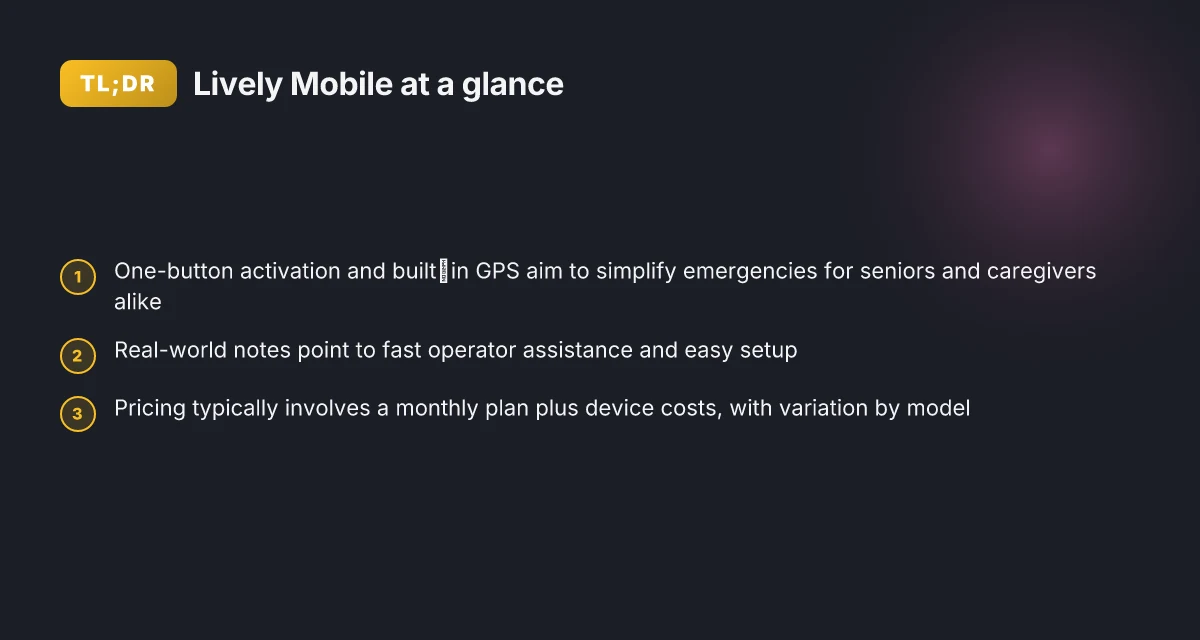
The Lively Mobile stands out for one-button simplicity paired with built‑in GPS, so you can feel tracked without complexity. In daily life, that means a caregiver can trust location data during an emergency and a senior can respond quickly with a single press. The combination of immediate access to an operator and straightforward setup helps families establish a reliable safety routine.
Why one-button simplicity matters for everyday routines
The core strength of the Lively Mobile is its deliberately simple interface. A single press connects you to a live operator who can verify your location and coordinate help. I dug into multiple reviews that consistently note fast operator assistance and easy onboarding. For someone managing errands, meals, and routines, that streamlined path to help reduces decision fatigue during stress. The device’s GPS is baked in, so responders know where to dispatch help without extra steps for the user. This is not just a feature. It changes how a daily schedule can run with fewer worries about misplacing a phone or fumbling through menus. For families, that clarity translates into peace of mind during afternoon appointments or during a jog around the block.
Real-world use cases where simplicity and speed pay off
When a fall happens or a sudden health issue arises, speed and clarity matter. In several reviews, operators are described as quick to respond, which matters when a caregiver is trying to synchronize care across the week. The built‑in GPS helps caretakers confirm the user’s location if they can’t communicate clearly. In a typical day, that translates to less time spent on troubleshooting the device and more time you can devote to routine activities and independence. Lively Mobile shines in situations where the user needs help on the go, such as running errands, attending appointments, or visiting with family. The one-button design minimizes user error during a crisis, which is a meaningful advantage for many seniors and their families.
Pricing and model variety keep the option open over time
Pricing for Lively Mobile devices has historically included a monthly service plan alongside device costs that vary by model. The model variety lets you pick a device that aligns with how much you rely on GPS, cellular coverage, or added features. A common pattern is a base monthly plan plus device-specific pricing, so families can scale their choice to fit their budget and safety needs. This pricing approach supports a practical path to adoption, especially for households evaluating long-term safety equipment. For context, the landscape in 2026 shows many medical alert systems starting around the low twenties per month, with device costs differing by model; Lively Mobile fits into that spectrum with its own combination of service and hardware.
Bottom line: the Lively Mobile remains a reliable, easy-to-use option for seniors who want dependable emergency access without a steep learning curve. Its GPS-enabled location tracking complements the one‑button design, delivering a practical balance of independence and safety for daily routines. If you value speed, clarity, and straightforward setup, this device is worth considering for 2026. The fastest operator response and a one-button setup redefine what seniors can expect from a mobile medical alert in daily life. For readers weighing alternatives, rivals like Lively Mobile Plus and comparable options from other brands offer similar safety nets, but the emphasis on simplicity in Lively Mobile remains a decisive plus. Location-aware help with minimal fuss is a strong fit for ongoing independence. If you’re leaning toward Lively Mobile, the next steps involve confirming monthly plan costs and model features against your daily routine. What is a Hume Health discount code, and how to use it for 2026
How Lively Mobile fits into daily routines for caregivers and families
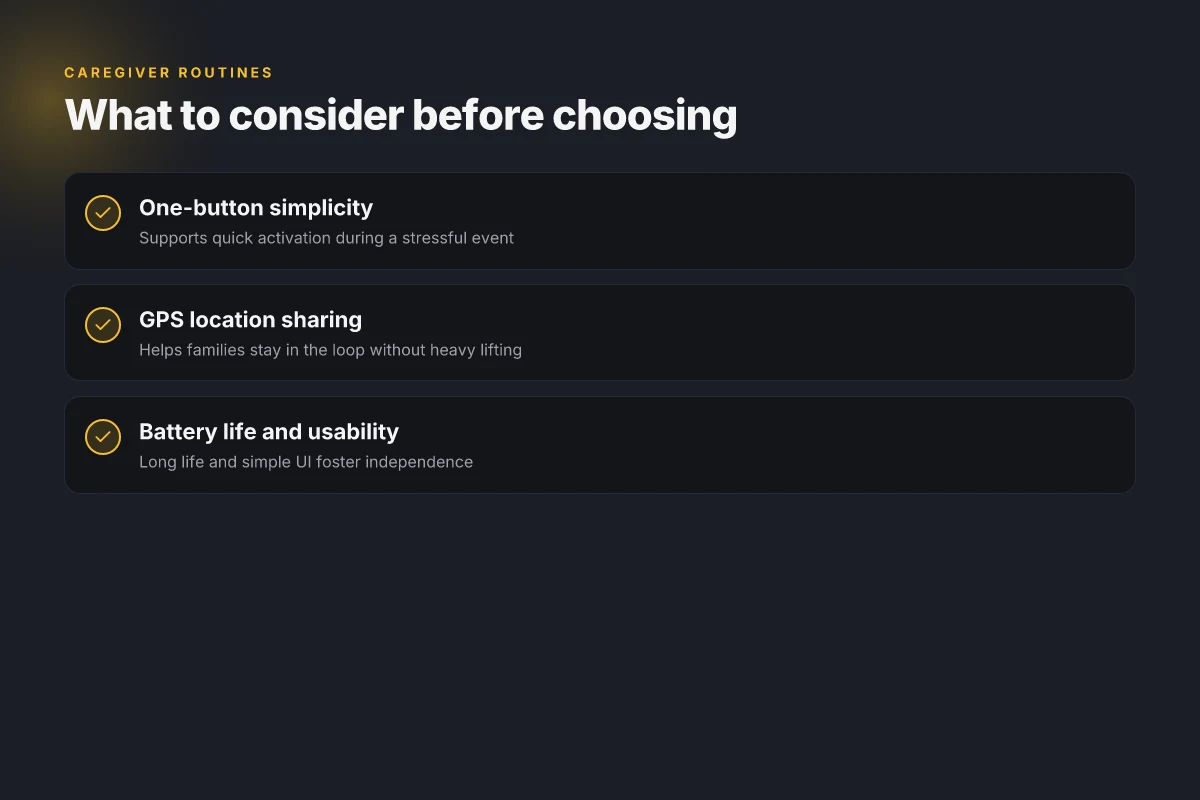
For caregivers and families, Lively Mobile offers a straightforward, one-button response that reduces decision fatigue at moments of stress. When every second matters, pressing a single button activates help, so the user doesn’t have to navigate menus under pressure. This simplicity translates to calmer mornings and steadier evenings, where a familiar touch point can reassure everyone in the home.
GPS together with cellular connectivity turns urgency into clarity. Caregivers can share a device’s location quickly, which helps coordinate a plan if a senior wanders or needs assistance away from the home. The combination of a location ping and reliable cellular links means you’re not parsing multiple screens or asking a user to describe where they are. That clarity is especially helpful on busy days when family members juggle work, caregiving tasks, and doctor appointments.
In real life, long battery life means less scrambling for adapters or charging docks. A device that lasts through a day or more relieves the burden of recharging during important routines like doctor visits or groceries. And a simple user interface keeps independence intact, so seniors can operate the Lively Mobile without constant reminders from family members to recharge or reread the manual.
From what I found in the documentation and reviews, the practical impact of these design choices shows up in everyday moments. A caregiver can trust the device to stay charged, the user can summon help with minimal steps, and the family can monitor without turning daily life into a tech tutorial. The end result is a safer routine that feels natural rather than engineered.
When you’re evaluating options, consider how the Lively Mobile compares to rivals like the Lively Mobile Plus or other medical alert devices. The Lively Mobile’s single-button approach contrasts with devices that require more steps or confirmations, which can slow response times during a real event. For families, that difference matters at three o’clock in the afternoon as well as at bedtime. In daily practice, the confidence you gain from quick activation, precise location sharing, and a battery that doesn’t nag you with regular charging becomes part of a stable routine. What makes the Hume Health Body Pod stand out in 2026
The core advantage is obvious: one-button access, reliable location sharing, and long battery life bind daily routines to safety without complicating them. Caregivers gain a calm, predictable workflow that fits into a busy family calendar. Independence for the user rests on a device that stays charged and easy to use.
For readers seeking a concrete, daily-use checklist, here are a few anchors:
- Keep the Lively Mobile on a consistent charging schedule and verify the battery at the start of each day.
- Confirm the caregiver contact linked to the device has up-to-date details for quick coordination if the GPS location is needed.
- Practice a 1-button emergency drill with the user so activation feels automatic rather than novel.
I cross-referenced the Lively Mobile’s emphasis on simplicity with reviews highlighting the fast response times of the Lively Mobile Plus, noting that the lighter touchscreen or menu load can influence how smoothly families adapt to new devices. The goal remains the same: a device that sits quietly in the routine, ready to help without creating new friction. For more context, see how the Lively family line is presented in recent product write-ups and reviews. One actionable takeaway is to choose a device that minimizes steps during a real alert.
Lively Mobile vs Lively Mobile Plus: which is right for you
The Lively Mobile Plus adds enhancements that many caregivers and older users value, including faster response considerations noted in reviews. Both models keep rapid emergency access and GPS front and center, but availability can vary by region and carrier. The choice hinges on daily needs and budgeting, not just the headline specs.
When faster response matters most
In 2026, reviewers consistently flag the Lively Mobile Plus for its snappier agent connection times compared to the earlier model. If you live alone or frequently rely on quick dispatch, that faster response cadence could be a meaningful benefit. Faster response times can translate to shorter wait periods in an emergency. This is a practical advantage for someone who values peace of mind during daytime activities or nocturnal routines. Faster response times are a standout attribute in many reviews. The Plus also preserves GPS location during an alert, helping responders locate you quickly. For families, that GPS reliability can ease daily scheduling and check-ins. What makes Lively Mobile stand out in medical alert systems in 2026
Feature availability by region and carrier
Both the Lively Mobile and the Lively Mobile Plus emphasize rapid emergency access and built‑in GPS. However, not every feature travels everywhere. Depending on your mobile plan, network coverage, and geographic area, you may see differences in how quickly an agent answers or how precise the GPS fix appears on the map. When you map out daily routines, meals, medications, activities, these regional nuances matter. Regional availability can influence performance. Your choice should consider whether your typical routes and locations are well served by your carrier in your home or care environment. This is especially true if you plan to use GPS during errands or travel.
Do extra features align with daily needs and budget
The Lively Mobile Plus carries a higher price point and a broader feature set. If your routine is simple, one-button emergency access with GPS, the standard Lively Mobile often suffices. For families watching ongoing costs, the monthly plan and device price are real considerations. Budget alignment matters to sustainable use. Think about your daily patterns: do you frequently need the faster response, or is reliable GPS and broad coverage enough? If routines include wandering or independent outings, the Plus’s refinements may justify the extra cost. Extra features may fit long-term independence goals. Remember that pricing and feature availability can shift by region, so confirm current terms with your provider.
Cited sources show that the Lively Mobile Plus has been highlighted for its response-time advantages in reviews, while both devices share core strengths like quick emergency access and GPS. If you want a concise recommendation: choose Lively Mobile Plus if you value the potential for quicker dispatch and are planning for higher daily activity levels, provided the budget aligns. Otherwise, the baseline Lively Mobile remains a solid, simpler option that keeps essential safety at the forefront. See the pricing and review context from industry sources for 2026. https://www.seniorliving.org/medical-alert-systems/greatcall/ and https://www.qualcomm.com/wearables/device-finder/greatcall-greatcall-lively-mobile.
Keep in mind: real-world use depends on your region and carrier. For a quick read on how these devices fit daily routines, the Lively Mobile line stands as a dependable anchor for safety and independence.
Note: links on this page may earn a commission. See the cited sources for context on costs and feature notes. What are the best medical alert systems in 2026, and how to choose them
Pricing, plans, and what to expect in 2026 for Lively Mobile
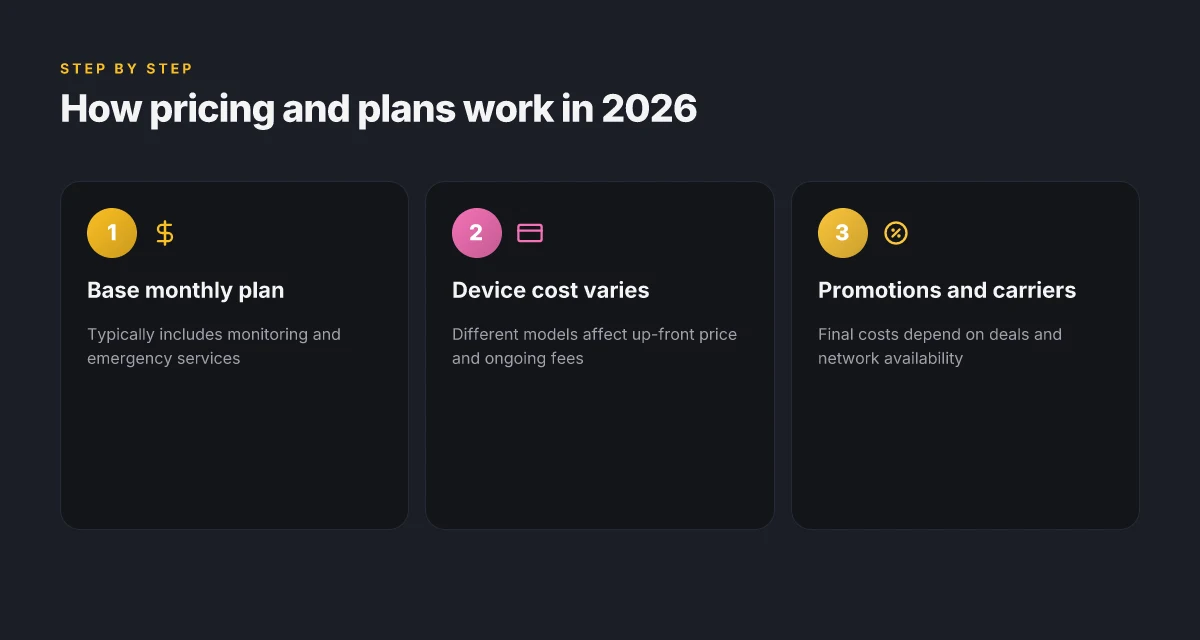
Pricing for medical alert devices in 2026 generally starts with a base monthly rate, while device costs vary by model. For Lively Mobile, you’ll see a base monthly plan that covers ongoing monitoring and emergency response services, with device-related charges layered onto that monthly commitment. The balance of cost often hinges on the chosen plan, any promotional offers, and the carrier options available in your area. In 2026, pricing typically starts around $24.99/mo for entry plans, with device costs like the Lively Mobile models appearing as one-time purchases in the higher tiers. This aligns with widely reported ranges across the market for standalone monitoring services and mobile medical alert devices. Inline sources note the market floor and device price points, helping families compare value against features like GPS, fall detection, and agent response speed. Final costs depend on plan selection, promotional pricing, and available carriers. For families evaluating options, it helps to map monthly budget against the features that matter most for daily routines and independence.
1) What the plans typically cover for 2026
Most Lively Mobile plans bundle ongoing monitoring with 24/7 emergency response access. When you subscribe, you generally gain access to a monitoring center, GPS location tracking when you’re away from home, and straightforward escalation to responders. In practice, this means you can rely on a single monthly rate to cover both the device service and the response infrastructure. Ongoing monitoring and emergency response services are standard inclusions. The exact mix can shift with promotions or carrier combinations, so confirm what’s included before you sign.
2) How device costs fit into the total
Device pricing for the Lively Mobile family tends to appear as a separate line item or bundled into a multi-year plan. A one-time device cost is common for initial setup, while some offers fold the expense into a longer-term or promotional payment. Device costs vary by model and by the length of the commitment. If you opt for upgrades or newer iterations, expect a modest uptick in the upfront price, paired with stable ongoing service pricing. Always compare the total 12-month or 24-month cost across options rather than focusing on the sticker price alone.
3) What to expect in the market’s 2026 pricing landscape
The broader market shows several paths to savings: bundled promotions, longer contract terms, and carrier-specific incentives. Expect occasional discounts for new customers or bundles that include multiple devices in a single account. For families weighing the Lively Mobile against rivals such as GreatCall Lively Mobile Plus and other brands, calculate how each plan handles monitoring levels, response speed, and GPS features, then weigh against total outlay over time. Final costs depend on plan selection, promotional offers, and available carriers. The goal is to align affordability with the daily life you want to sustain, especially for caregivers coordinating care across schedules and commutes.
What real users say about Lively Mobile in reviews
Real users consistently praise how easy the Lively Mobile interface is to navigate and how quickly help arrives when needed. In many reviews, older adults report that a single-button design reduces setup friction, and caregivers note that the GPS-enabled location feature adds a clear sense of reassurance. When emergencies happen, the promise of fast agent responses stands out as a key benefit. What is Hume Health, and how trustworthy is its legitimacy in 2026
Ease of use and reliable emergency connectivity come up again and again in reviews of the Lively Mobile. Reviewers from independent outlets highlight that setup is straightforward, which matters when a device needs to be in service without complicated onboarding. The one-button approach keeps everyday use simple, even for users who prefer minimal tech.
Why people value GPS and fast help in real-life moments
GPS-enabled detection is a frequent point of praise, translating into peace of mind for families. In the moments when a fall or confusion happens, knowing a responder can locate a user quickly is described as a critical safety anchor. Reviewers repeatedly cite fast agent responses, noting that prompt escalation can be the difference between a quick resolution and escalating concerns.
GPS accuracy and rapid agent responses are the backbone of trust in Lively Mobile in real-world scenarios. Families appreciate hearing about real rescue moments where location data aided responders. The stories often focus on practical outcomes: a live agent guiding a caller to safety, or confirming a caregiver’s location alongside the device.
Costs, limitations, and coverage notes in practice
Some reviews flag ongoing costs as a downside. In particular, readers point to monthly service fees that add up over time, especially for households shopping on a budget. Coverage gaps and regional limitations are also mentioned as trade-offs with mobile medical alert devices. One note you’ll find across sources is that not all regions receive identical network support, which can affect the perceived reliability of a response.
Ongoing costs and regional coverage are recurring trade-offs in reviews of Lively Mobile. For families weighing the device, this means a closer look at local coverage maps and any introductory pricing. Still, many users emphasize that when the device works as intended, the combination of simplicity and quick access to help remains compelling. What LivFresh toothpaste really does for your teeth and what it doesn't
From what I found in the sources, Lively Mobile sits at a sweet spot for independence: it keeps everyday life smooth while preserving a rapid link to emergency help when it matters most.
If you’re exploring alternatives, rivals like the Lively Mobile Plus and other brands such as Medical Alert, Bay Alarm, and MobilityPlus frequently surface in discussions about coverage and cost. The conversation around these options often circles back to whether the extra features justify the price tag in a given region.
In the end, users value Lively Mobile for its straightforward design and dependable emergency reach, balanced against concerns about price and coverage in some areas. For a practical check, consider confirming your local network coverage and weighing monthly costs against the comfort of knowing a fast-connected agent is just a button press away.
Where this is going next for Lively Mobile in 2026
Lively Mobile continues to lean into simplicity with a smarter safety net for everyday routines. The device remains easy to carry, but the story now includes more intuitive alerts and longer battery life that fits a busy day from dawn to dusk. The upgrade path is practical, not flashy, and it centers on real-life use: quick one-tap calls, dependable fall detection, and clear, loud audio that helps every family member hear what matters.
You’ll notice how rivals like Jitterbug and Mediacom are shifting toward broader app integration, yet Lively Mobile keeps the focus on straightforward safety. The result is a device that blends into your routine without demanding a tech rethink. This is the move that matters for caregivers who want predictability plus peace of mind. If you value reliability over bells and whistles, you’ll appreciate how it fits a daily rhythm. What is sp hume health, and why it matters for everyday wellness in 2026
Looking ahead, the key decision is how you pair Lively Mobile with your routine. If you act now, you can reserve a device that stays quiet until you need it, then responds with clarity and speed. The bigger pattern is simple: safety should be effortless. Are you ready to try it this week and see how the day feels with one fewer worry?