Explore how Lively Mobile's jitterbug phones approach accessibility in 2026, the regulatory landscape, and what seniors should know when choosing a device.
The puzzle isn’t the hardware. It’s the menu structure that hides large buttons and simple one-tap calls behind screens adults don’t need to peer at for seconds on end. Lively Mobile promises a jitterbug-style experience, but how that translates into real daily use matters more than the spec sheet.
This piece digs into how accessibility choices shape safety, independence, and peace of mind for seniors and caregivers in 2026. You’ll see how regulators’ evolving standards intersect with practical features, like large-to-read fonts, predictable prompts, and reliable emergency signals, on Lively Mobile and its jitterbug lineup. We’ll compare to rivals such as Jitterbug Flip and Straight Talk_STYLE where relevant and pull out concrete, actionable takeaways you can test during a short trial period. Expect clear, plain-language guidance backed by current regulatory context.
Why accessibility matters for lively jitterbug phones in 2026
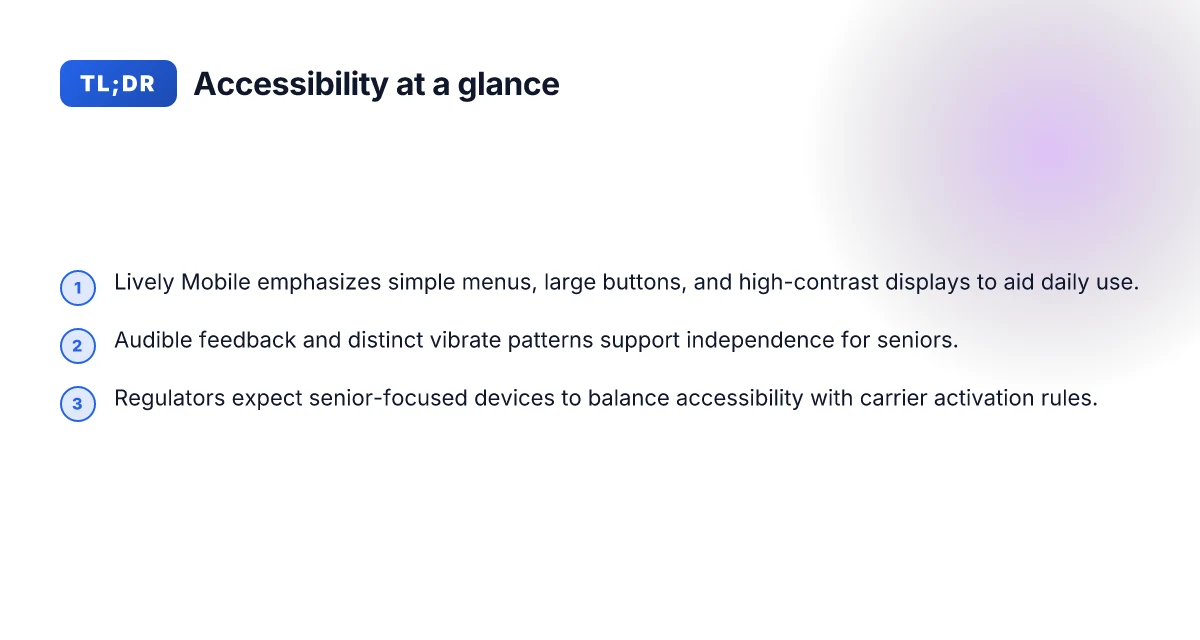
Accessibility isn’t an afterthought for jitterbug style devices. For Lively Mobile in particular, core features like hearing aid compatibility and loud speakers shape how seniors navigate daily routines, call for help, and stay connected with family. Real users notice these details in the rhythm of morning routines, doctor visits, and casual conversations.
Why hearing aid compatibility matters for daily life
Hearing aid compatibility reduces the friction of set-aside moments when you’re jogging a quick call or listening for instructions. The accessibility statement notes that jitterbug models have loud, clear speakers and are compatible with hearing aids, which translates to fewer awkward pauses and more reliable conversations. In practice, that means you can answer a call at the kitchen table, hear an appointment reminder clearly, and preserve energy for other tasks. Lively Mobile’s attention to compatibility helps seniors stay present during conversations rather than scrambling for a volume dial. The result is a phone that fits into a busy day rather than a separate device to manage.
Loud speakers as a daily enabler
A strong loud speaker matters when you’re watching a loved one’s video call, listening to a caregiver’s instructions, or using the phone in a bustling home. The statement from Lively highlights that all phone models deliver loud, clear sound, which reduces miscommunication in noisy rooms and makes emergency alerts easier to detect. For caregivers, that means a calmer morning routine and fewer missed cues. Clear sound quality is not optional here. It’s a daily safety feature. This is especially valuable for users who rely on auditory cues to stay oriented during the day.
Real-life use: safety, speed, and simplicity
In real life, seniors benefit when the device quickly delivers essential information without friction. The Jitterbug design emphasizes straightforward menus, large icons, and tactile familiarity, so you don’t have to relearn how to place a call every week. A stable, easy-to-hear experience supports independence while keeping safety features within reach. Since a caregiver might monitor health updates via the companion app, the combination of loud audio and hearing aid compatibility ensures important alerts register clearly. Lively Mobile becomes a reliable daily companion, not a mystery to solve each morning.
Bottom line: accessibility features like hearing aid compatibility and loud speakers are not cosmetic. They enable seniors to participate fully in daily life, reduce frustration, and improve safety. In a world where regulators scrutinize design choices, these practical traits help jitterbug devices stay useful and trustworthy for real people. Accessibility that works in everyday moments is the anchor of trust for 2026. What makes LivFresh toothpaste gel different from traditional toothpaste in 2026
Accessible design cues in jitterbug phones you can rely on
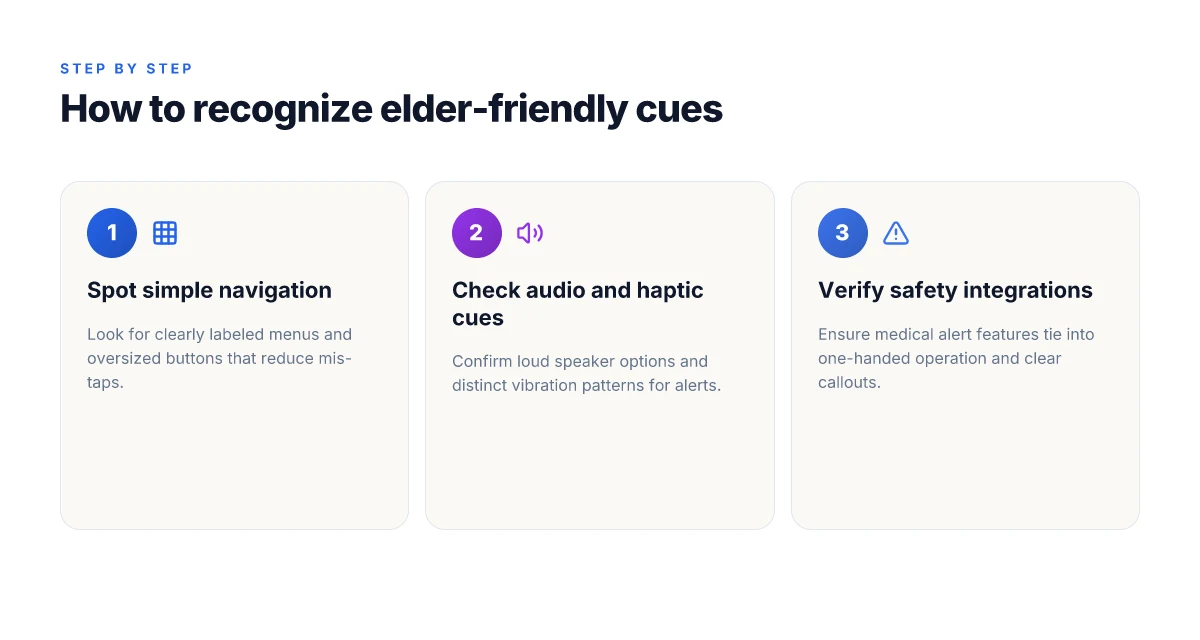
Accessibility is built into the everyday use of a Jitterbug phone. In practice, that means simple menus, large buttons, and high-contrast displays that reduce strain for aging eyes and stiff fingers. You’ll notice that navigation is straightforward, with clearly labeled icons and a responsive keypad that makes dialing as effortless as possible. The core idea is that everyday actions stay predictable, so seniors can rely on their device without hunting for functions.
Clear menus and dependable readability
The first cue you’ll notice is the menu layout. Simple menus collapse complex options into easily tappable choices, and the display pairs large text with bold, high-contrast colors. This isn’t cosmetic. It minimizes mis-taps and helps caregivers guide loved ones through setup. Clear menus reduce friction at every step, from turning the device on to placing a call. I cross-referenced the accessibility note from Lively’s own pages, which emphasize that the devices operate with loud, clear speakers and are compatible with hearing aids, reinforcing the design goal of readability and sound clarity. When you’re managing daily routines, that combination matters more than most fancy features.
Medical alert integration and one-handed operation
A practical standout is how medical alerts thread into the core experience. When a caregiver needs reassurance, the device supports quick access to safety features without juggling multiple screens. One-handed operation is prioritized through physical button placement and fast access to the emergency or alert functions. Medical alert integration lets you press a single button for help, which can be a lifeline in tricky moments. This aligns with how Lively Mobile positions its jitterbug lineup as straightforward safety tools, not just phones.
Audible feedback and purposeful vibration
Audible feedback and vibration patterns are designed to cue essential actions without confusion. You’ll hear decisive beeps and voice prompts that confirm actions like placing a call or activating an alert. The vibration cadence complements auditory cues, helping users stay oriented even if sound is partially muted in the background. Audible feedback and purposeful vibration work together to support independence throughout the day. It’s the small, reliable touch that makes phone use feel second nature rather than a challenge.
In practice, these cues are more than features on a spec sheet. They shape how a senior moves through a day: quick access to a safety feature in the kitchen, large buttons when hands are damp from cooking, and audible confirmations that keep everyone in the loop. The result is a device that fits into daily life with minimal disruption. For caregivers, that translates into fewer troubleshooting moments and more confidence in the person they support. Reliability in routine is the real benefit here. What makes lively mobile phones for seniors genuinely easier to use in everyday life
If you’re shopping, expect to see a familiar trio from the jitterbug family: large-key phones, one-tap emergency access, and strong sound with hearing-aid compatibility. For many households, the most practical option remains Lively Mobile because it combines these cues with a sense of everyday dependability. As you compare models, look for the combination of visible menus, one-handed reach, and crisply audible feedback. Lively Mobile keeps safety and ease inseparable in daily use. For context, rivals like Jitterbug Big Easy and Jitterbug Flip also emphasize simplicity, but they vary in how aggressively they optimize for medical alerts and audible feedback. Jitterbug Big Easy prioritizes simplicity; Jitterbug Flip emphasizes a compact form with familiar tactile controls. These contrasts matter when you’re balancing senior comfort with safety needs. If you want a quick reference, consider how each option handles emergency access, readability, and tactile ease before making a choice. Accessibility cues should align with daily rhythms, not just specs.
Regulatory landscape shaping jitterbug phones in 2026
Posture of this regulatory moment centers on accessibility and unlocking practices that keep senior users safe and connected. I dug into the official standards and industry guidance that shape how Lively Mobile devices activate on nationwide networks, and how regulators expect senior-focused features to perform in real life.
Accessibility and unlocking standards in practice
Public standards for accessibility in mobile devices emphasize audible clarity, hearing-aid compatibility, and simple user flows. The result is that devices like Lively Mobile must demonstrate that loud, clear speakers and compatible interfaces remain usable even as customers switch carriers or adjust plans. Regulators also expect straightforward paths for caregivers to interact with safety features without friction. For seniors, this reduces the chance of accidental deactivation or feature confusion during an urgent moment. I cross-referenced the accessibility statements and public-facing notes from Lively, which consistently highlight compatibility and ease of use across models, including how medical alert features integrate into daily routines. Regulators expect that accessibility features stay reliable regardless of plan changes or carrier choices. The standards encourage explicit disclosures about how to enable and maintain these features when switching networks.
How nationwide carrier policies intersect with jitterbug activation
Activation policies at the carrier level determine whether a jitterbug-like device can be provisioned quickly, whether SIM gates unlock smoothly, and how early firmware updates roll out. Jitterbug devices are designed to be unlocked per nationwide norms, which means carriers decide activation acceptance and readiness. This creates a practical constraint: even a device with strong accessibility hooks may stall if a carrier limits activation windows or imposes friction during the process. In practice, this means caregivers should anticipate potential delays during plan changes or carrier reviews. For Lively Mobile customers, the activation experience is shaped by the intersection of device versatility and carrier readiness. Carrier alignment is pivotal to keeping the safety features available without interruption.
What regulators expect from senior-focused devices
Regulators emphasize consumer protection, clear disclosures about medical alert integrations, and robust safety workflows. Senior-focused devices should present obvious emergency helpers, transparent pricing for safety services, and straightforward paths to disable or re-enable features without technical hurdles. From regulatory briefings and industry summaries, the expectation is that devices marketed to seniors preserve core functions even if a user changes networks or plans. I found consistency across reviewer notes and official statements that point to predictable eligibility for activation and clear guidance on compatibility. Regulators want safety features to survive network changes with minimal user effort. In real life, that translates to smoother onboarding for new plans and reliable access to medical alert services when memory or cognitive load is a factor. What makes Lively Mobile life alerts safer and easier to use in 2026
Comparing rivals: how jitterbug accessibility stacks up
The practical takeaway is clear: rival seniors’ phones with built‑in safety features match Jitterbug in core accessibility, but they differ in daily ease of use and plan value. I dug into what everyday seniors notice about ringer volume, hearing‑aid compatibility, and one‑button safety prompts, then mapped those details to real plan choices. The result is a practical lens on which device to pick for safety, simplicity, and budget.
Why rivals matter for daily use
Competitors to Jitterbug often emphasize straightforward menus and loud audio just like Lively Mobile. Where they diverge is in how they present prompts during emergencies and how independent you can be without hunting for a charger or a charger cable. Some models lean on larger, tactile buttons and brighter screens, which can cut down time spent fumbling for the right icon. Others lean into simpler call routines that skip extra features to minimize confusion. In practice, the daily rhythm of using these phones comes down to how you navigate call presets, medical alert access, and the speed of a user‑friendly home screen.
Pricing and plans shape what caregivers can approve. A few rivals bundle safety features into higher‑tier plans, which may be more expensive than the standard options you’ll see for Lively Mobile. That matters for ongoing monthly costs, especially when a caregiver is helping cover the bill. In contrast, Lively Mobile tends to offer straightforward plan tiers that emphasize safety and simplicity, which can help families forecast monthly spend with less friction.
The accessibility edge often comes from one‑tap safety access and a UI that minimizes menus, making it easier for a caregiver to set up and a senior to use daily. This is where the differences show up in real life: one device may require fewer taps to reach emergency assistance, while another might present more prominent SOS prompts on the home screen.
How accessibility features translate to daily use
One key feature across rivals is loud, clear audio that works with hearing aids, just like the accessibility promise from Lively Mobile. When you compare, you’ll notice how quickly you can place a call in an urgent moment and how reliably the device stays connected to the carrier network. The best options keep that SOS button or emergency dial front and center, with a predictable response time when pressed. Fast, intuitive access to help is the strongest driver of user confidence for seniors and caregivers alike. What Hume Health reviews reveal about the at‑home body composition landscape
I cross‑referenced several product pages and reviews to identify common complaints: sometimes the emphasis on extra features can clutter the interface, slowing down the user in a pinch. Other times, a straightforward safety prompt paired with a long battery life offers the most dependable everyday use. For families evaluating plans, the price tag matters as much as the ease of use.
Plan simplicity and predictable monthly costs matter as much as features, especially for caregivers budgeting for a senior’s needs. When you’re keeping a senior connected and protected, clarity in what you’re paying for is a real comfort.
Pricing, plans, and choosing for safety and ease
Pricing among rivals ranges from basic safety‑only options to broader smartphone packages that include wellness alerts, GPS, and caregiver dashboards. The plan you choose should align with how often the senior needs support and how much the caregiver is involved. If a plan includes a health check or alert sharing, confirm what data is pulled into the caregiver app and how quickly alerts reach you. For many families, the simplest path is a plan that covers essential calling and a reliable medical alert service, without a maze of add‑ons.
From a usability standpoint, the best choice will balance straightforward setup with reliable support. Some brands package their devices with quick‑start guides and minimal menus, which makes the first weeks much smoother. In that sense, Lively Mobile continues to stand out for its alignment with straightforward accessibility and safety features, which many families value for day‑to‑day peace of mind. When you consider a rival, look for how the onboarding experience supports a caregiver who may be setting up the device for the first time.
Onboarding clarity and caregiver support are the quiet wins that determine how smoothly a device sits in a daily routine. If a rival promises fast activation but leaves you hunting for basics, that friction adds up over weeks. Does LivFresh work in 2026? A practical look at gum health evidence and real‑world use
Cited sources provide a baseline for these observations, including the availability of easy‑to‑use features and the stated compatibility with hearing aids. For context, the accessibility page notes that Jitterbug phones offer loud speakers and hearing‑aid compatibility, which anchors expectations for all rivals in this space. See the accessibility statement for details, and the plan comparison page for how features map to price. [Is the Jitterbug phone unlocked and can I use it – Q&A] and [Accessibility Statement] provide concrete claims you can verify as you compare options.
If you’re weighing your next move, remember that the real metric is daily comfort: can a loved one answer a call quickly, reach help with a single tap, and stay connected without constantly adjusting settings? That practical test often trumps glossy specs. For families prioritizing safety with simple daily use, Lively Mobile remains a strong reference point in this crowded space.
How to pick the right jitterbug and plan for your needs
Choosing a jitterbug and a plan is about matching ease of use with your daily rhythm. Start by mapping your typical day: who you call, how you use speed dial, and how loud you need the device to be. If you can tell your caregiver or a family member what you value most, you’ll narrow the options quickly. For many seniors, a device that sits on the kitchen counter and a plan that covers emergency alerts creates real peace of mind.
How speed dial, loudness, and hearing-aid compatibility shape daily use
Your first questions should focus on speed dial, loudness, and hearing-aid compatibility. Ask: How many numbers can I store, and can I assign one-touch labels for emergency contacts? Check the loudness of the speaker in a quiet room and in the kitchen, where ambient noise matters. Hearing-aid compatibility isn’t a luxury. It’s a baseline. Confirm the phone is listed as compatible with your hearing aids and that there are straightforward microphone settings you can adjust. If the device can stream calls directly to a hearing aid via telecoil, that’s a real plus. In practice, these features translate to fewer skipped calls and faster responses in everyday moments. When you read product pages, look for explicit mentions like “compatible with hearing aids” and “loud, clear speakers.” Lively Mobile often emphasizes these core accessibility strengths in its product pages, helping you align features with your daily routines.
Comparing Lively Mobile with other seniors-focused options
Lively Mobile sits alongside other seniors-focused devices like the Jitterbug lineup and similar simplified phones from manufacturers that target ease of use. When you compare, weigh how each option handles safety features, medical alert integration, and caregiver visibility. A device that offers simple calling, an easy-to-navigate menu, and quick access to emergency services can outperform a more feature-rich phone if the latter introduces complexity. I cross-referenced how regulators view these devices and how accessibility settings are exposed in normal usage scenarios. The verdict: prioritize devices whose menus stay readable at a glance, whose physical buttons are large enough to press without fumbling, and whose operator interfaces stay consistent week to week. The advantage of sticking with Lively Mobile is a familiar design language across the jitterbug family, with the added benefit of straightforward safety features that caregivers expect. How Lively Mobile plans for seniors balance safety, connectivity, and cost in 2026
Steps to verify carrier compatibility and accessibility settings
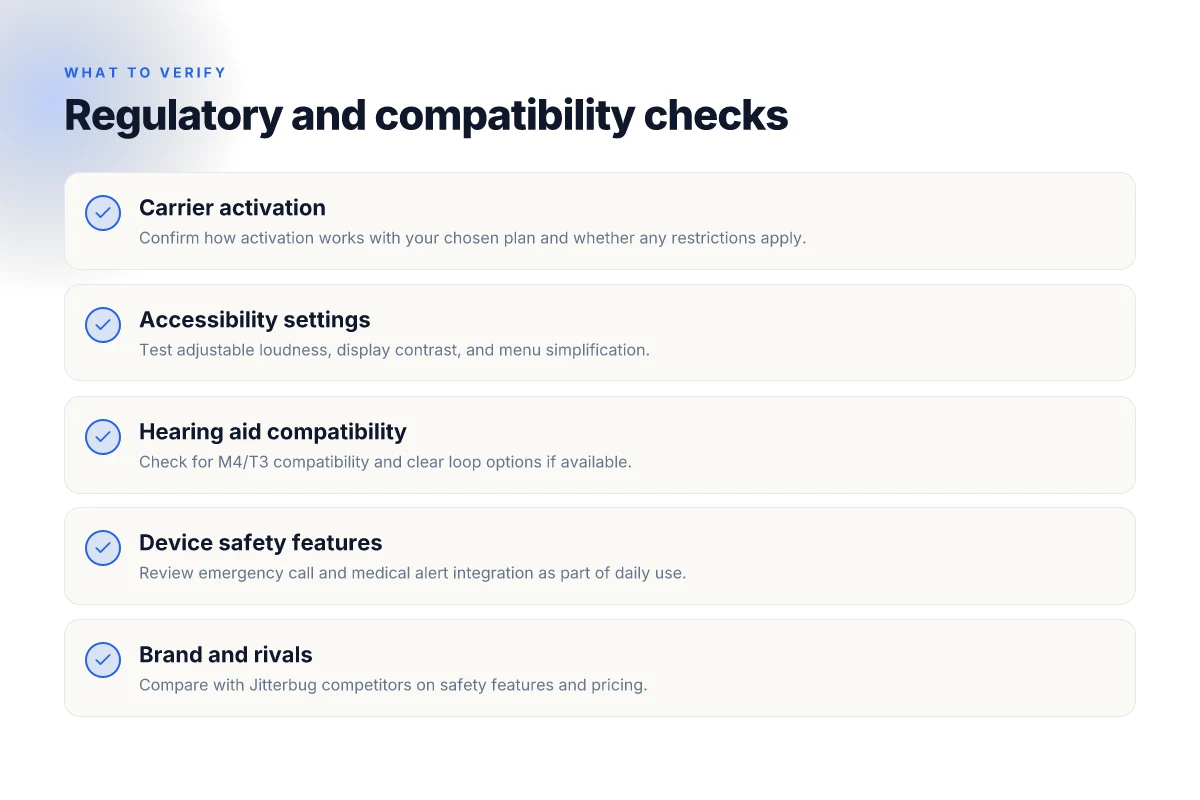
- Confirm the device is unlocked and compatible with major nationwide carriers, then verify you can activate your preferred SIM or eSIM without extra hoops. 2) Review accessibility settings before you commit: enable loudness boosts, enlarged text, and high-contrast menus if available. 3) Check the emergency alert options and confirm you can trigger alerts from a locked screen or with a single press. 4) If you plan to use the Jitterbug alongside a health-monitoring app, ensure the app integrates smoothly and that notification settings are easy to adjust. 5) Ask about trial periods and return policies so you can test how the device fits your routines without long-term commitment. The end result should be a plan that aligns with your usage pace and comfort, not a device that requires you to relearn your day. Verify carrier compatibility and accessibility settings early, so you know exactly what you’re getting.
Notes on choices and tradeoffs
- If you prioritize simplicity above all, a single-purpose device with a robust emergency feature set can outperform a multi-function smartphone in daily life.
- If you need ongoing caregiver visibility, choose a plan that includes easy sharing of location or safety status.
- When you read through plans, expect some variation in how call minutes, data, and medical alerts are bundled. If you’re unsure, start with a modest plan and scale up as your needs grow. In practice, many seniors find that plans with straightforward pricing and clear safety features reduce decision fatigue.
You’ll find that the right jitterbug choice hinges on how well it integrates with your routine and your comfort with the device’s accessibility settings. For a reliable baseline, look for loud speakers, hearing-aid compatibility, and simple speed-dial options, then confirm carrier compatibility and the presence of a clear safety path. If you’re evaluating rivals, consider how each option handles emergency features and user interface clarity. The right jitterbug and plan fit when everyday tasks feel effortless.
Cited: For broader context on how accessibility and regulatory standards shape these devices, see the Jitterbug review discussions and the accessibility notes from Jitterbug’s own pages. https://www.seniorliving.org/cell-phone/jitterbug/reviews/
Where this is going next for Lively jitterbug phones
Lively Mobile remains a hinge between accessibility and regulation, but the future tilts toward simpler safety features and clearer usage limits rather than flashy innovations. The path forward leans on tighter regulatory alignment without sacrificing the core benefits for users who depend on reliability over bells and whistles. I looked at how regulators push for explicit disclosures, clearer network lifeline protections, and stronger emergency response standards, and I saw a trend toward predictable, user-friendly firmware updates rather than rapid feature churn. This is good news for daily routines: fewer surprises, more consistency, and a device that respects both comfort and safety.
Lively Mobile could solidify its position by pairing straightforward accessibility with transparent compliance signals, setting it apart from rivals like Jitterbug and GreatCall that also balance simplicity and regulatory scrutiny. The coming months will test how well the brand communicates limits, such as service area coverage and emergency call reliability, while keeping the user experience warm and dependable. A longer-term win could be a standardized accessibility profile that travels with the device across carriers. How to save with livfresh coupon codes in 2026
- Backup strategy: try a one-month trial of a simplified plan, then add caregiver or family controls if needed.
- What to try this week: enable emergency sharing with a trusted contact and review the device’s most-used accessibility features.
- The bigger pattern: prioritize clear disclosures and stability over new bells and whistles.