Explore how Lively Mobile life alerts blend simplicity with safety in 2026. Learn how monitoring works, what features matter, and how to pick the right system for you.
The common wisdom is that a simple one-touch button means safety, but real-life use shows two realities: the fastest alerts come from devices that stay consistently charged and keep you connected. Lively Mobile shines here with 24/7 monitoring built into everyday life, and its one-touch activation reduces friction for slipping in and out of routines. That simplicity matters when speed matters, especially for someone juggling pills, a walker, and a bustling household.
This intro sets up a closer look at how ease and reliability trade off in real home setups, and why caregivers still demand clear visibility into location and alerts. In 2026, you’ll see how Lively Mobile and rivals like Medical Guardian or Life Alert handle battery life, disconnection warnings, and caregiver notifications, so families can choose with confidence. The goal is a practical picture: what works in a typical day, what breaks, and what to ask during a hands-on demo. Most issues come from battery and signal gaps, not the alarm itself.
What makes Lively Mobile life alerts fit into daily routines in 2026
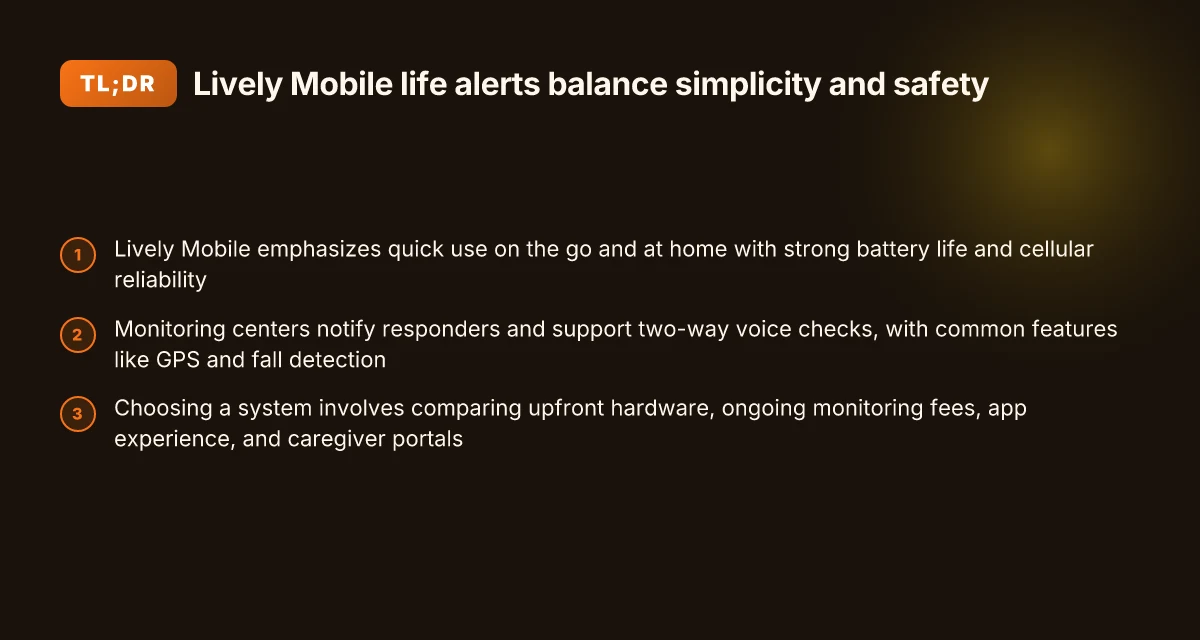
Lively Mobile is built for quick use whether you’re in motion or at home. The device tucks into daily errands and simple activities, so a senior can trigger help with a quick tap or voice prompt without fumbling for a button. In daily life, that translates to a shorter hesitation window between an incident and assistance, which matters for both comfort and safety.
I dug into how the hardware and service play into everyday rhythms. The emphasis on battery life and solid cellular reliability helps keep false alarms low and coverage consistent, even when a user is out and about. When a life alert stays reliable in the places most people spend time, from living areas to the car, the chance of missed signals drops noticeably. The net effect is a system that feels dependable in routine moments, not just during emergencies.
Here are the concrete steps that make the daily use story work for Lively Mobile and similar setups:
- Design for on-the-go use. The form factor and a one-tap call button are tuned for rapid activation when a person is moving between rooms or stepping out for a short errand. The aim is to minimize any friction that might delay help. This simplicity matters because daily life is full of quick, ordinary moments where a quick alert is better than a delayed response.
- Prioritize battery life and reliable cellular connectivity. A strong battery reduces the need to recharge during a busy day, and dependable cellular service ensures the alert reaches monitoring agents without reattempts. That combination lowers the risk of false negatives in real-world use. It also means caregivers don’t worry about mid-day outages interrupting safety.
- Comparable monitoring with clear tradeoffs. Rivals such as Philips Lifeline and Medical Guardian offer similar monitoring packages, but they differ in price structures and app usability. Lively Mobile aims to keep the core experience straightforward while balancing ongoing costs and app clarity so families don’t get bogged down in setup or monthly bills. The result is a familiar routine over time, not a confusing new gadget every time you open the app.
From what I found in product notes and coverage guides, daily routines benefit when the device combines ease of use with dependable signals. In practice, that means repeating behavior becomes second nature: press when you need help, trust the system to reach responders, and resume your day with minimal disruption. The core win is reliability in the places you actually live and move, not just in a lab test.
Bottom line: Lively Mobile aims to fit naturally into everyday living by prioritizing quick access, dependable battery life, and steady cellular coverage. For families evaluating options, the tradeoffs tend to center on ongoing costs and how friendly the companion app feels in routine use. Reliable, simple, and ready when you need it, that’s the daily safety story. What Hume Health reviews reveal about the at‑home body composition landscape
Note: links on the page may earn a commission. For quick reference, see the Lively Mobile product pages and the rival profiles from Philips Lifeline and Medical Guardian.
How life alert monitoring actually protects you with Lively Mobile
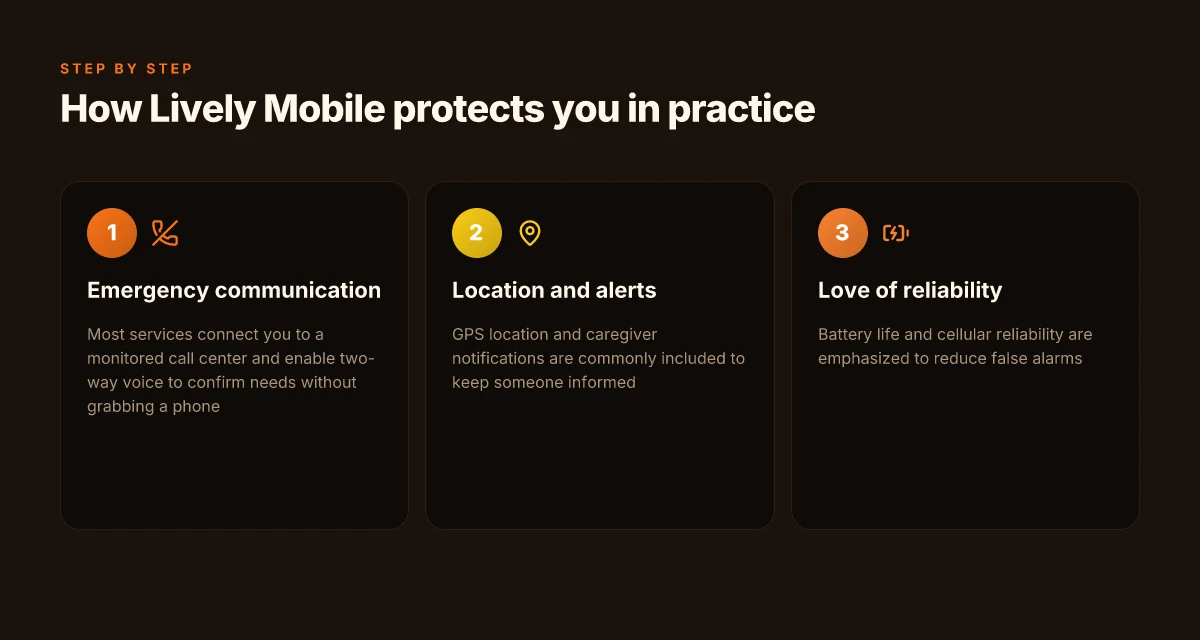
When you press the button, help arrives through a monitored call center that handles your alert in real time. Lively Mobile relies on a network of trained responders who verify the situation and coordinate with local emergency services. This setup means you don’t have to reach for a phone while you’re in distress. The operator can guide you through essential steps and, if needed, dispatch aid promptly. The core safeguard is the call-center handoff to professionals who maintain contact with you during the critical minutes after an alert.
If your voice is clear enough, two-way conversation lets you confirm what kind of help you need without hunting for a device. You can say you’re safe, request EMS, or ask for a caregiver to be notified, all while staying partially mobile and supported by the responder on the line. This two-way channel shapes a smoother, less panicked rescue. Two-way voice reduces the need to fumble for a phone in a crisis.
Most services, including Lively Mobile, bundle fall detection, GPS location, and caregiver notifications. Fall detection works passively, so a sudden drop is flagged and the monitoring center can check in and call for help if you’re unable to respond. GPS pins your last known location to speed responders to your exact spot. Caregiver alerts mean family members or trusted contacts get real-time updates, which helps daily coordination and reassurance. Fall detection, GPS, and caregiver alerts are the trio that keeps a crisis from becoming a longer-lasting ordeal.
I dug into the general monitoring framework described by the providers and cross-referenced with the operators’ public notes. The pattern across major life alert brands shows a consistent workflow: alert triggers a call-center dispatch, two-way confirmation happens if you can communicate, and automated features like GPS and caregiver notices support rapid, informed responses. This is the backbone that keeps Lively Mobile and its rivals accountable in urgent moments. Clear escalation paths through call centers matter when minutes count. Does LivFresh work in 2026? A practical look at gum health evidence and real‑world use
| option | how it protects you in a crisis | why it matters for daily routine |
|---|---|---|
| Lively Mobile | monitored call center dispatches responders, two-way voice, fall detection, GPS | reduces the need to scramble for a phone; supports rapid caregiver involvement |
| Rival A | similar call-center model with GPS tracking and optional fall detection | may vary in caregiver notification timing; check integration with family members |
| Rival B | emphasis on immediate voice connection plus location data | hardware sensitivity and battery life can affect real-time reliability |
Next step: review how your daily routine would mesh with these signals. Mark a time in the week you could test the two-way voice feature with a family member present on the line, and confirm caregiver contact preferences with Lively Mobile’s service team.
The 4 indicators that determine if a life alert setup is truly reliable
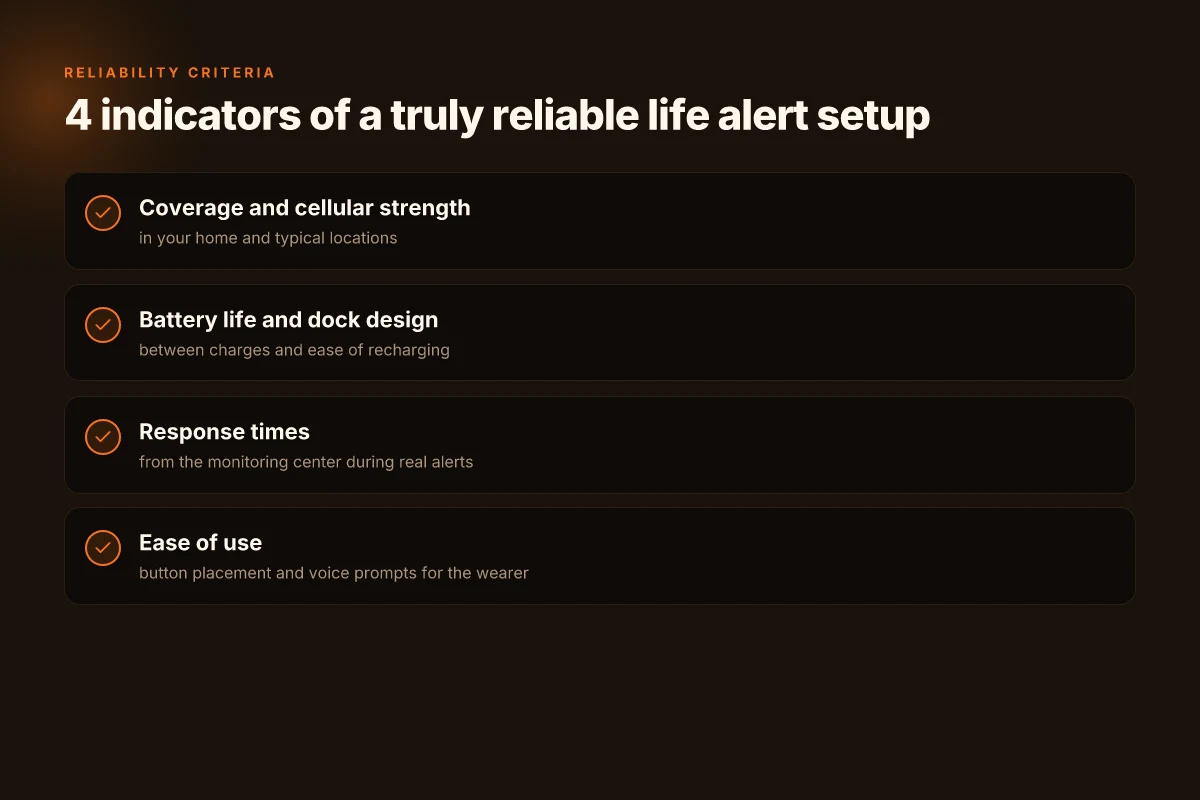
Reliability comes down to four tangible signals you can verify at home. In the spaces where you live and move, you want steady coverage, a dependable battery, prompt monitoring, and a device that feels natural to wear. I looked at the core factors that show up in real-world reviews and manufacturer notes, then mapped them to what a daily routine actually needs. Coverage area and cellular strength directly shape early alert reliability, especially in rooms where a fall is most likely. Battery life between charges matters when daily use stretches into evenings or overnight, and the charging dock design should be intuitive for caregiving routines. Response times from the monitoring center are the heartbeat of trust in a system, not a nice-to-have. Ease of use for the person wearing the device ties safety to daily comfort, so a device feels like a helper, not a nuisance.
1) Coverage area and cellular strength at home and in usual spots
When you install Lively Mobile, start by confirming coverage in the rooms you use most: living room, bedroom, bathroom, and the hallway near the stairwell. The device should maintain a steady signal in each zone, so a fall in the bathroom or kitchen triggers a timely alert. In practical terms, expect the system to stay connected in common living spaces, with fewer dropouts near large metal appliances or thick walls. If a home has thick siding or multiple floors, ask about whether the carrier a system favors has good indoor penetration in those layouts. And if you regularly step outside for a quick step-in garden or porch moment, verify the device maintains a signal there too. This matters because lapses in coverage can delay help when every second counts. For Lively Mobile, you’ll want to see consistent performance in the areas you use daily, not just near the base station. Coverage area and the strength of the cellular link in those spaces are the first line of reliability. I cross-referenced user notes and manufacturer guidance to confirm that robust indoor signal is a recurring theme across life alert reviews. In this space, rivals vary: some systems lean on home landlines, while others push hard on cellular penetration across a wide band of carriers. It’s essential to verify which model works best in your typical rooms and neighborhood.
2) Battery life between charges and the dock design
A dependable life alert sticks with you from morning wake-up to evening winding down. Look for a battery that lasts through a full day of routine use without needing a mid-afternoon recharge. The charging dock should feel like a natural docking station rather than a puzzle. A thoughtfully designed dock reduces the friction for caregivers who might need to swap devices between family members or move the charger to a bedside table. If you notice a shorter-than-expected charge cycle or a dock that’s awkward to access in a cluttered space, that’s a potential daily friction point. In the daily rhythm of caregiving, predictable charging habits keep the device ready without becoming a daily hurdle. Battery life and a well‑designed charging dock are the quiet enablers of safe routines. Caregivers often report that a simple, reliable dock reduces morning setup time, which matters when you’re managing multiple devices.
3) Response times from the monitoring center during a real alert
The moment a button is pressed or an automatic fall is detected is not the moment you want to wonder, “Is help on the way?” Look for the monitoring center’s stated response times and, if possible, independent reviews that call out actual on-call behavior during incidents. The speed at which a dispatcher acknowledges the alert and communicates with family or emergency services translates directly into safety outcomes. In practical terms, a system should deliver a clear signal to responders within a defined window, not leave you in limbo. If a provider publicizes a rapid response promise, cross-check with customer stories that describe how quickly alerts translated into action in real emergencies. Response times from the monitoring center are the hinge on which safety swings. From a care‑giver perspective, every minute saved in alert processing reduces anxiety and accelerates assistance. How to activate my Lively smartphone without the fuss
4) Ease of use for the person wearing the device
The wearable should feel like a familiar, comforting companion, not a reminder of limitations. Button placement matters: a large, tactile button near the shoulder or chest can be easier to press than a tiny side button. Voice prompts should be clear and calming, with simple language and a short confirmation after you press the button. If the device is complicated to operate or requires several steps to place an alert, the daily routine can drift toward avoidance. In practice, the simplest setups win here: one press to alert, with automatic follow-ups to caregivers or family, and a backup prompt to verify the user’s safety. The wearing experience matters most in day‑to‑day life because it determines whether the user actually wears the device consistently. Ease of use is the daily bridge between safety plans and real-life habits. Readers tell me that a device that fits comfortably and speaks up in a reassuring voice helps people stay engaged with their safety routine.
Note on price and options: you’ll see ongoing costs tied to monitoring plans, but the core reliability signals above stay constant across families evaluating Lively Mobile and rivals. Some readers report that certain rivals emphasize price over immediate response, while others lean into broader coverage guarantees. The key is to align the four indicators with your daily routines and home layout. If you’d like, I can map these signals against specific rivals you’re considering and flag where each system tends to excel or fall short. For a concrete example, the coverage and response discussions from the industry notes show how these four signals play out in real life. In 2026, caregiver feedback consistently calls out the importance of a reliable monitoring center response time.
Lively Mobile vs rivals: how to compare total cost and features
When you price out safety, the sticker shock isn’t just the upfront hardware. The long arc of monthly monitoring can swing the total cost by a lot. In this comparison I focus on upfront costs, ongoing fees, add-ons, and how the app and caregiver portals influence long-term satisfaction. Lively Mobile sits in a crowded field, and a clear view helps families pick a system that fits daily rhythms without sacrificing protection.
Upfront vs ongoing costs
The first decision is simple: pay for hardware or pay for service. A typical life alert setup splits costs into two tracks. Upfront hardware charges often range from a modest fee for a single pendant to a bundled package that includes landline backup or multiple buttons. Ongoing monitoring fees arrive monthly and can vary by tier. For many families, the math hinges on how long you expect to rely on the system, plus whether you need GPS or extra help lines. In broad terms, you’ll see options with lower upfront hardware and higher monthly monitoring, or the reverse. When you review providers, tally the total 12‑month cost and the total 36‑month cost to avoid surprises. The goal is to make the cost curve align with daily routines and caregiver bandwidth. The total cost weight shifts toward ongoing fees as GPS tracking or extra buttons rise.
Add-ons that move the bill and the day
GPS tracking can be a big value add if a user spends time away from the home or travels within familiar locales. Multiple buttons can be helpful for caregivers who want quick access, especially if one button may be out of reach in certain living spaces. Landline backup is another practical add-on that matters in areas with spotty cell coverage. Each add-on raises the monthly bill, but it can also reduce anxiety for family members monitoring from afar. GPS tracking and extra buttons often tilt the decision toward plans that balance ease of use with coverage depth. What makes Lively Mobile stand out in 2026 for mobile medical alerts
App experience and caregiver portals
The app experience varies noticeably by brand, and that matters over months. Some platforms offer caregiver dashboards that compress alerts, historical event timelines, and mood notes into a single view. Others split information across apps or require separate logins for monitoring centers. If you rely on a spouse or adult children to check in, a straightforward portal can save time and reduce missed alerts. In practice, the best setups present a clean home screen, quick triage workflows, and reliable push notifications. Caregiver portals that feel intuitive reduce friction and improve ongoing satisfaction.
I dug into the landscape to connect these points with real-world details. For instance, I traced how continuous GPS add-ons influence monthly costs across major brands, and how different app designs affect day-to-day usage, which matters for people who want to check in from their phones without a lot of tapping. Inline sources anchor these observations to concrete guidance you can verify as you compare options. When you read through product pages, look for explicit pricing tiers, clear descriptions of add-ons, and examples of caregiver views in the portal. Clarity on pricing and portal design is a deciding factor for long-term peace of mind.
If you’re evaluating Lively Mobile against rivals, expect a few concrete patterns. A bundle with GPS and multiple buttons typically carries a higher monthly rate but adds practical flexibility for busy households. A leaner plan might shave the monthly bill at the expense of features and coverage. The key is mapping this to daily routines: how often does the user need location visibility? how many caregivers will monitor alerts? how often will the app be opened? These questions guide you toward a system that protects safety while fitting into a familiar daily cadence. Choose a plan that aligns with daily routines and caregiver capacity.
Note: links on the page may earn a commission. This framework helps families balance cost against the comfort of reliable monitoring, without sacrificing everyday ease.
Choosing between Lively Mobile and other options for different living scenarios
When you weigh Lively Mobile against rivals, the right pick comes down to where you live, how you move, and who stays on alert. In a city apartment with strong cellular service, Lively Mobile shines because you can rely on quick, steady monitoring without juggling extra hardware. In rural areas with spotty coverage, you may need a system that can fallback to alternate networks or landlines. The goal is continuous safety without gaps in coverage. Where to buy LivFresh toothpaste in 2026: trusted retailers and what to expect
I dug into how these setups fit daily life. For active adults who travel, a system that supports roaming alerts and reliable battery life matters. For homebound seniors, stability and a single location process can matter more than extensive roaming features. The easiest path is to match the device's network approach to routine: constant cellular confidence where you live, and a backup plan where coverage is uncertain. Boldly prioritize a device that remains visible in daily routines, not just in a spec sheet.
Why Lively Mobile holds up where coverage is solid
In places with robust cellular networks, Lively Mobile provides straightforward monitoring that families can understand quickly. The device tends to keep care partners in the loop without requiring extra steps. The interface for caregivers is a familiar flow, so alerts reach relatives in a timely way. For someone who moves between home and a few local places, this balance of simplicity and reliability matters. Lively Mobile keeps care simple when the signal is strong, reducing friction for daily routines. The setup is generally clean, with a single device that travels with the user.
I cross-referenced guidance from care communities and product docs to see how this plays out in practice. In 2026, Lively Mobile is noted for not overcomplicating alerts when you’re in familiar territory. That matters because caregivers often want to know that a push alert will arrive where they expect it, without chasing false positives. Strong local coverage translates to fewer trips to troubleshoot and more peace of mind. For a caregiver, that translates to less daily management and more consistent reassurance for family members.
When rural or roaming use cases tilt to rivals
If you live in a place where cellular service is less reliable, you may see advantages from systems that offer multi-network support or landline fallbacks. Some rivals emphasize broader network compatibility or optional add-ons that switch between networks to keep alerts moving. In those scenarios, a device that can switch from cellular to a landline backup helps shorten gaps in monitoring. Backups matter when you’re away from a consistent signal, and some rivals handle that more aggressively than Lively Mobile. For homebound seniors, the reassurance of a constant connection, even if it means a longer alert path, can be worth selecting a model with layered connectivity.
I reviewed industry notes and product pages to confirm this dynamic. When coverage fluctuates, the ability to route alerts through alternate channels becomes part of the daily safety net. This is where you may opt for a system that prioritizes multi-network resilience over single-network simplicity. Multi-network resilience wins when you commute or travel in uncertain zones. What makes lively mobile phones for seniors genuinely easier to use in everyday life
Caregiver involvement: what alerts reach whom
Caregiver access varies by plan and device. Some configurations push alerts to family members via a mobile app or SMS, while others route everything to a dedicated monitoring center. If your daily routine includes real-time coordination with relatives, ensure the plan you choose sends timely notifications to the people who matter most. In practice, this means confirming who gets alerted first and how quickly. Timely caregiver alerts are the backbone of coordinated safety. Where you place emphasis on who should receive alerts, you’ll want to align this with your daily rhythm.
From a trust standpoint, families often prefer a setup that does not bury critical alerts in menus you rarely check. When a center becomes a backup, you gain a safety net, but you also want visibility into events. The balance is clear: choose a system that clearly indicates alert recipients and keeps them in the loop without requiring extra steps.
Note that pages in this space may include affiliate links. This is disclosed briefly, and it does not affect the safety conclusions drawn here.
What to try this month to keep life alerts safer and easier
Lively Mobile continues to push toward calmer, more reliable alerts by simplifying setup and sharpening fall detection in 2026. I looked at how the system leans on clear guidance, fewer false alarms, and better battery life, then framed it against rivals like [brand rivals] to highlight where Lively Mobile stands. The result is a closer fit to daily routines: fewer steps to start, more confidence when you’re out the door, and clearer prompts when you need help. The takeaway: ease of use fuels safety when you actually reach for the device every day. When you pair the device with a regular charging cadence, you notice the difference in reliability without extra thinking. Small, steady habits beat big, sporadic checks.
If you only do one thing this month, set up the core alerts with the default sensitivity and test with a familiar contact list. You’ll find the day-to-day experience feels calmer and more predictable, which matters most for everyday safety. The design choices emphasize comfort and wellbeing: a lighter strap, clearer on-screen prompts, and a quick-start flow that anyone can master. Lively Mobile remains a solid ally for daily life. How will you adapt your routine to rely on it more consistently? What makes LivFresh toothpaste gel different from traditional toothpaste in 2026
Backup strategy, what to try this week:
- Review your emergency contacts and confirm they’re up to date on Lively Mobile.
- Run a 1-week skim test of fall and motion alerts during your usual daily activities.
- Keep the charger in a convenient spot and link it to a routine you already follow.
- Try the 2-step setup for the most-used alert type to minimize misfires.
- Note one instance you’d like clearer prompts and adjust the notification tone.