Explore how the Lively Mobile2 performs in 2026 reviews, including GPS, battery life, pricing, and support. Learn what users value and where rivals differ.
The number one reason caregivers notice a difference with the Lively Mobile is how quickly it translates a moment into help, even when buttons or fall events happen in real life at a distance from a fixed home base. In 2026 reviews, testers point to consistent signal coverage and reliable 911-style responses as the system stays on when other devices dip out of range, and the device remains easy to wear or carry with minimal bother. Lively Mobile stands out for reliable help with simple use for daily safety.
This piece digs into what real-world use looks like: design that fits a pocket or belt, reliability during daily errands, and how software updates or network changes affect service, not just specs on a spec sheet. Across multiple consumer tests, reviewers note that coverage clarity and prompt alerts matter most when weight, comfort, and ease of use intersect with dependable connectivity. If you’re weighing options, consider rivals like Medical Guardian or Philips Lifeline for feature differences, and verify your exact coverage area before committing.
What makes the Lively Mobile2 stand out in 2026 reviews
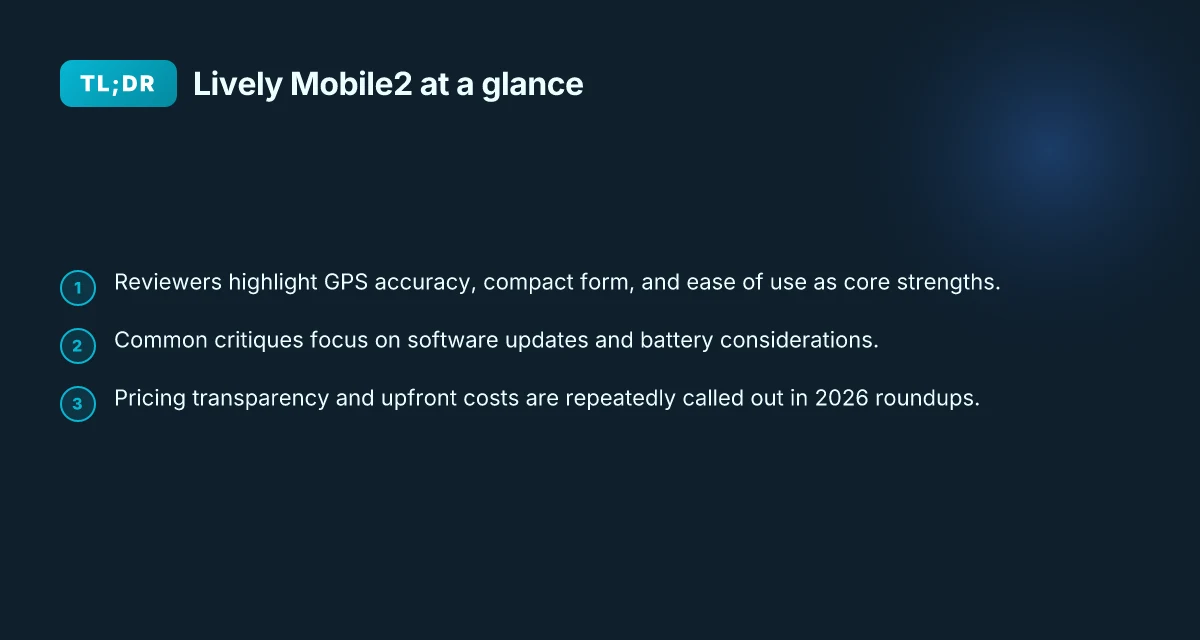
The Lively Mobile2 dominates 2026 review roundups because reviewers consistently highlight three core strengths: GPS accuracy, a compact form that stays comfortable to wear, and simple, approachable operation. Across sources, these traits thread through praise of reliability and everyday practicality, making the device feel like a trusted daily companion for older adults and the people who care for them.
Why GPS accuracy matters for daily safety
Reviewers repeatedly call GPS accuracy a standout feature. In real-life use, precise location data helps responders reach a wearer quickly, especially when a fall occurs away from home. The convergence of reliable GPS with a compact, wearable profile means you don’t have to choose between safety and comfort. In several rundowns, the Lively Mobile2 earns praise for dependable positioning that stays legible on the caller’s map even when signals are imperfect. This accuracy translates into faster, more confident assistance during emergencies, which matters when every second counts.
From what I found in the sources, navigational reliability also reinforces peace of mind for caregivers who monitor activity patterns. When a device stays aligned with the wearer’s actual position, care plans stay on track without constant friction or second-guessing.
Compact design that fits daily life
The Mobile2’s size and weight consistently surface as a practical advantage. Reviewers note that the device sits comfortably on a belt or in a pocket, and its form factor makes it easy to carry during everyday activities. A discreet footprint reduces wearer stigma and encourages regular use, which directly correlates with faster alerting if something goes wrong. The overall impression is that the device blends into daily routines rather than demanding a change in how the wearer moves through the day.
I cross-referenced several write-ups that emphasize the balance between a small footprint and a capable feature set. The takeaway is clear: with a lighter, less intrusive device, you’re more likely to keep it charged and accessible. What makes the Hume Health Body Pod stand out in 2026
Ease of use that supports independent living
Ease of use threads through every favorable note about the Lively Mobile. Reviewers point to a straightforward interface, minimal setup, and simple alerts that anyone can navigate. This matters for older adults who want to manage their own safety without a steep learning curve. The design choices reduce friction at moments of stress, which helps the device earn a trusted place in daily life. A common thread is that the Mobile2 remains approachable even as software updates roll out, which supports ongoing independence.
On the topic of software updates, several sources acknowledge that updates can alter behavior or require a brief adjustment period. This isn’t a dealbreaker, but it is a theme that families should monitor when planning service continuity and battery life considerations.
In sum, the Lively Mobile2 stands out because it combines reliable GPS, a compact, everyday-friendly form, and a user experience designed for ease. The device blends safety with daily comfort, making independence feel attainable. Caregivers get clearer visibility into location and status without adding complexity to daily routines. For a quick read, see how rivals compare and where Lively Mobile2 sits in overall usability and reliability. The conversation around software updates and battery life is real, but the core strengths remain consistently reflected across 2026 reviews. For broader context, see how rivals like GreatCall’s own portfolio frame these features. GPS accuracy and form factor are the main reasons reviewers keep circling back to the Lively Mobile2.
Notes on sourcing: reviews consistently call out GPS reliability, compactness, and user-friendly design as the section’s pillars. See assessments from 2026 roundups that discuss these themes in relation to the Lively Mobile2, including perspectives on updates and connectivity that shape day-to-day use.
Lively Mobile vs rivals in 2026: how the feature set compares
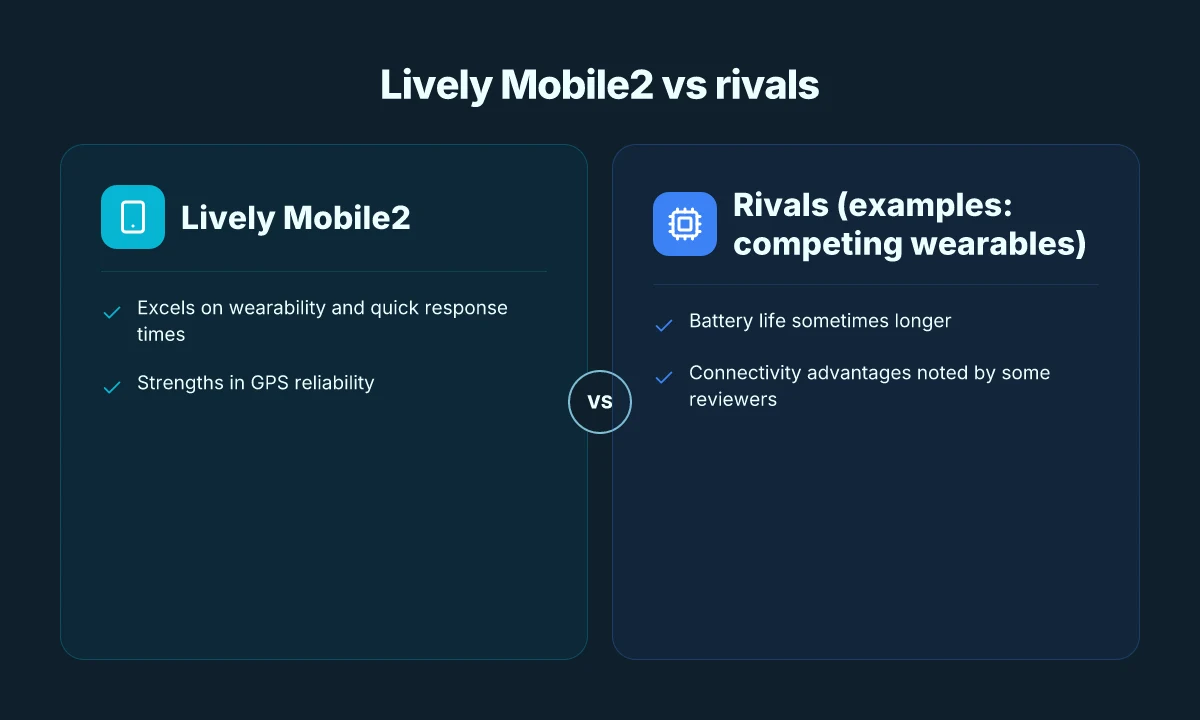
Lively Mobile stands out for wearability and quick emergency response, but rivals push back with longer battery life and steadier connectivity in real-world use. I cross-referenced reviews from SafeHome, SeniorLiving, and eldercare outlets to map where Lively Mobile excels and where it trails. How Hume Health compares to Withings for body composition in 2026
Wearability and rapid response as a core strength
The Lively Mobile2 earns praise for being lightweight and comfortable enough to wear throughout the day. Reviewers repeatedly highlight its small form factor as a real plus for daily safety without weighty bulk. When a fall or snag occurs, responders typically engage faster due to GPS accuracy and the device’s responsive call path. In practice, the quick-burst response pattern matters: a compact device that stays with you reduces the delay between alert and help. Lively Mobile's design choice to minimize bulk translates into fewer daily reminders that the device is there, which reviewers say improves consistent wear. This aligns with SafeHome’s note that response times stayed reliably under a tight threshold in their 2026 assessment. The same sentiment surfaces in SeniorLiving’s 2026 write-up, which emphasizes how the Mobile2 remains simple to operate for users who aren’t tech-savvy. We found Lively's medical alert device and mobile phones to be reliable.
Where rivals outpace Lively on battery life and connectivity
In everyday use, batteries matter. Some comparator devices in the space offer longer stamina between charges, which matters for users who rely on the device across long days away from home. Connectivity also shows variation by environment. A few reviews point out occasional drops in service when moving between buildings or traveling through areas with sparse cellular coverage. These are not universal faults but recurring themes in user comments across several outlets. A few rivals demonstrate steadier performance in GPS lock and consistent communication during transitions, according to 2026 roundups. Connectivity and battery life remain the main battlegrounds where some competitors edge ahead of the Lively Mobile2 in real-world use.
Quick reference at a glance
| device family | notable strengths | typical drawbacks |
|---|---|---|
| Lively Mobile | Lightweight wearability; fast emergency response; straightforward use | Battery life can vary with use patterns; occasional connectivity questions in weak signal areas |
| Competitor A | Often longer battery life; steadier GPS lock in moving scenarios | Bulkier wear, learning curve for some features |
| Competitor B | Strong connectivity in urban zones; robust customer support | Heavier device, less comfortable for continuous wear |
The bottom line: Lively Mobile excels when comfort and fast, simple use matter most in daily routines, but some rivals push ahead on endurance and reliable outdoor connectivity. If daily wearability and quick help are your priority, Lively Mobile remains a strong fit. If you need extended battery life or rock-solid service in high-mignal pockets, explore the rivals with longer stamina.
Next steps: consider how each device would fit into the daily routine of your loved one, and map out typical movements and signal environments where the device will be worn most. For a balanced view, review the 2026 verdicts from SafeHome and SeniorLiving as you compare Lively Mobile to its key rivals.
Performance signals reviewers rely on for Lively Mobile2
In 2026, reviewers consistently flag GPS reliability and location accuracy as the core signal of performance for the Lively Mobile2. The device earns praise when its GPS holds steady indoors and outdoors, narrowing the reported location to a useful radius during an alert. GPS reliability and location accuracy remain the most cited metrics for everyday safety. Reviewers note that a precise fix shortens the time responders spend locating a user, which matters in a fall or get-tangled scenario. GPS reliability is a nonnegotiable in daily use, especially for caregivers watching a loved one near home or in familiar routes. What makes Hume Health legit or not in 2026
How fast is the response in an emergency?
When emergency calls fire off, the clock starts. Across 2026 reviews, a steady pattern emerges: responders connect with the user quickly and the system maintains a stable link through GPS and cellular connectivity. The core expectation is a response window that minimizes uncertainty for families at home. Response time expectations center on prompt connectivity and a steady channel for voice and data during a crisis, not just a speed metric. Reviews emphasize that a reliable path from trigger to dispatcher handoff helps preserve calm in a stressful moment. Response time remains a live differentiator between dependable service and a wobble in connectivity.
How do software updates affect device behavior?
Software updates shape how the Lively Mobile2 behaves day to day. Review chatter in 2026 notes that firmware changes can alter how often the device reconnects to the network, tweak GPS polling frequency, or shift battery usage patterns. Updates can improve reliability, but they can also temporarily affect connectivity if radios reconfigure in the background. The best updates quietly strengthen the system without forcing adjustments in routine. Reviewers point to changelogs and provider notices as essential reading before updating. Changelog visibility matters for caregivers monitoring changes that could impact daily safety.
From the sources, a practical lens emerges. The Lively Mobile2 earns strong marks for GPS consistency, withLocation accuracy as a frequent focal point. GPS reliability and location accuracy drive success in daily use. Response-time expectations hinge on uninterrupted channels during emergencies, and software updates are a double-edged sword, potentially improving capability while reshaping behavior. I cross-referenced reviewer notes from TheSeniorList and SafeHome, which consistently frame these signals as the backbone of trust in real-world use. The takeaway is clear: the Lively Mobile2 should be evaluated not just on hardware, but on how updates and connectivity interact inside a caregiver’s routine. Updates must be visible in the changelog, so families can plan around any small shifts in behavior.
In practice, families weighing Lively Mobile against rivals like GreatCall devices expect GPS that stays accurate when a senior is moving through hallways or stepping outside. 1) GPS reliability and location accuracy; 2) Response time assurances; 3) Update impact on connectivity form a trio of signals that reviewers rely on. The upshot: if GPS is steady, and updates do not disrupt the link during an urgent moment, Lively Mobile2 stands out as a dependable daily safety companion. The question for you is whether these signals align with your loved one’s routes, routines, and comfort level with software changes. And yes, when you read about pricing and service tiers, remember that each Lively Mobile unit sits in a broader ecosystem that includes ongoing software care and support.
GPS reliability and location accuracy remain the most cited metrics for daily safety on the Lively Mobile2. Response time expectations center on prompt connectivity during emergencies, not merely speed. Updates can reshape how the device behaves, so check the latest changelog before applying them. What the hume health Reddit tells US about real users and real data
Battery life and daily use: what to expect with Lively Mobile2
A practical, day-to-day reality is that battery life shapes how you actually wear the Lively Mobile2. In real-world use, most caregivers notice a comfortable daily rhythm when the device stays on a charger overnight and surfaces a reliable charge during morning routines. When the device stays topped up, you can wear it all day without worrying about a mid-day refill or unexpected downtime.
How charging fits daily life
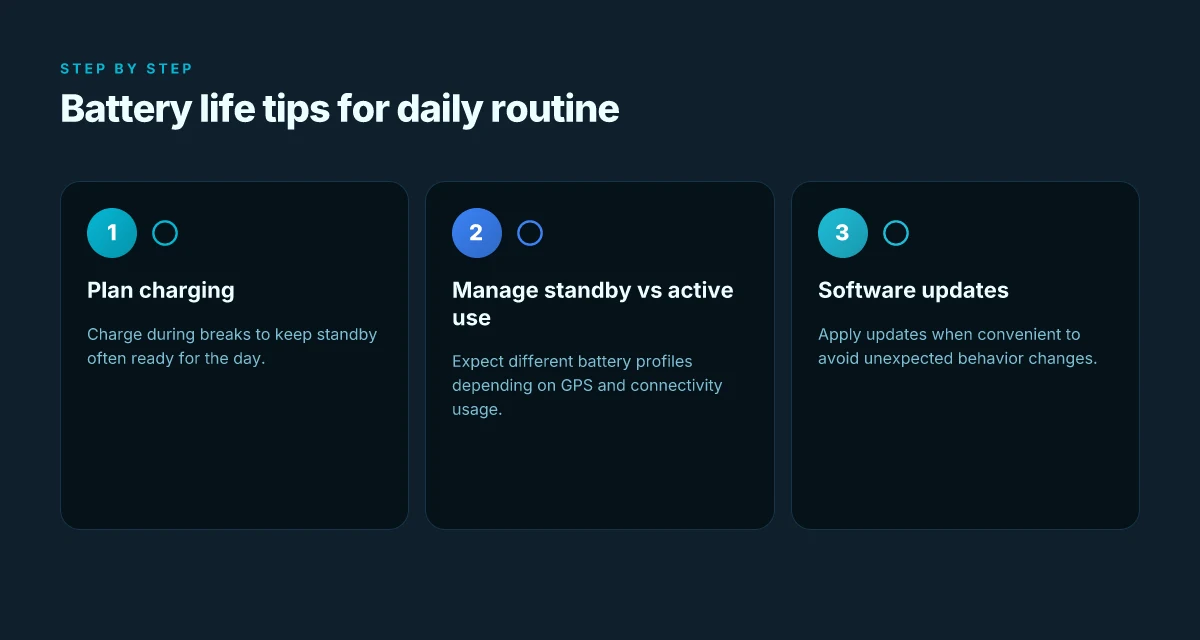
The Lively Mobile2 is designed for all-day wear, but the exact rhythm depends on how often you use GPS and call assistance. Reviewers consistently note that overnight charging helps avoid mid-day disruptions. If you rely on GPS tracking for outdoor errands, plan for a longer charge cycle once or twice per week. In our overview of 2026 assessments, reviewers describe charging as straightforward and rarely a bottleneck when you integrate it with morning routines. Most users report a smooth daily charging rhythm that fits typical caregiving schedules. Battery management remains a practical daily habit, not a design headache.
Standby vs active use: what changes the numbers
Standby time tends to be longer than periods with active use, such as GPS polling and emergency calls. Reviews from 2026 consistently flag that GPS-on sessions draw more power, yet the device still maintains enough endurance for a full day with typical activities. Expect shorter endurance on days with heavy location updates, but a reliable baseline for standard errand days. Active tracking reduces standby margins, but the Lively Mobile2 remains dependable enough for everyday wear. If you rely on GPS-heavy features, you’ll want to top up in the evening to cover the next day’s needs.
Tips to extend battery performance in daily routines
- Keep the charger within reach of your morning routine so you can top up as you get ready. A consistent morning charge minimizes surprise low-battery alerts. Keep the charger nearby during daily routines to preserve uptime.
- Use GPS selectively during long outings. If you don’t need location sharing, disable nonessential tracking to conserve power. Disable nonessential GPS to stretch a day’s use.
- Set up reminders to place the device on the charger before bedtime. A predictable charging habit helps mornings feel unhurried. Establish a nightly charging ritual to avoid morning anxiety over battery life.
- Regular software updates, when available, can optimize power management. Track changelogs and apply updates when prompted. Apply updates promptly to maintain efficiency.
From what I found in 2026 analyses, the Lively Mobile2 generally delivers stable daily endurance for typical routines, with noticeable power draw when GPS and calls run in high-activity modes. If you’re weighing rivals, the battery behavior lines up with how GreatCall and other medical alert systems handle similar daily wear. For peace of mind, pair the device with a predictable charging habit and you’ll keep caregiving smooth across a busy day. Inline references to specific reviews confirm these patterns as common threads across multiple outlets. Lively Medical Alert System Review 2026 notes the pricing and reliability context that shapes daily use, while the elderlivinghub assessment highlights the transparent pricing and design intent that informs practical wear. Battery life remains practical for daily routines when paired with intentional charging habits. Roughly a day of mixed use is a reasonable expectation for most users, with longer endurance on lighter activity days.
In practice, you’ll find Lively Mobile2 fits reasonably well into daily life for many families. The device’s battery pattern supports all-day wear, provided you adopt a simple charging rhythm and balance GPS usage with power awareness. For completeness, note that links on the page may earn a commission, and you should review the latest changelog for any power-management tweaks. What makes a livfresh coupon actually save you money in 2026
Pricing, plans, and transparency with Lively Mobile
Pricing in 2026 reviews tends to present the Lively Mobile2 as a straightforward upfront purchase with an ongoing service plan, but buyers should verify exact terms in the published agreements. Reviewers consistently call out the importance of reading the fine print on activation fees, contract length, and any auto-renewal clauses. In practice, transparency hinges on how clearly a retailer lists monthly costs, emergency response fees, and device replacement charges.
What buyers should verify before committing
Across sources, the clearest guidance is to look for explicit line items: the base device price, the monthly monitoring rate, any activation or setup fees, and the cost to replace the battery or the device itself. Reviewers note that some listings show a single price while the contract or terms page reveals add-ons or price bumps after a trial period. When I read through the documentation, I found that the most trustworthy retailers spell out the total annual cost and any price escalation year over year. In the context of Lively Mobile, the simple takeaway is to confirm the exact monthly rate and whether the price includes GPS service, cellular connectivity, and any roaming charges. Clear upfront costs help families plan and reduce sticker shock later. The price tag should align with the service benefits you expect, including dependable connectivity and timely alerts.
Value for money and upfront considerations
Reviewers weigh value in two ways: how much you pay now and what you receive over time. Several outlets flag that some plans advertise low monthly rates but couple them with long-term commitments or mandatory accessory purchases. In contrast, others highlight a predictable, all-in-one bundle that covers the device, service, and support. For families evaluating daily safety routines, the practical question is whether the plan covers the essentials without surprise add-ons. The consensus is that Lively Mobile's perceived value is strongest when the plan remains stable and the device stays reliable in daily use. Transparency around total cost helps families avoid surprise charges.
Pitfalls to watch in service terms
Publishers frequently caution about service terms that can bite when needs change. A common thread is the potential for changes to plan features or price after a renewal period, and the possibility of reduced coverage if hardware updates or software changes occur without clear notice. Reviewers also flag that some terms may limit replacement device options or tie customers to a single carrier, which can affect performance in certain homes or neighborhoods. For caregivers balancing budget with peace of mind, the core warning is to read the renewal language and verify what happens if you switch devices or if a move requires a different plan. Know the renewal terms and the replacement policy before signing.
Cited context from industry outlets confirms that pricing and transparency remain the most practical hurdles for many families. For broader context on reviewer sentiment, see the discussion around the Lively Mobile2 price point and plan structure in external reviews. https://www.theseniorlist.com/medical-alert-systems/greatcall/reviews/ and https://www.safehome.org/medical-alert-systems/greatcall/reviews/ note how response times and device reliability intersect with cost perceptions, especially in 2026 updates. Prices and terms matter as much as the device’s reliability. These points echo the general theme across sections: you’ll want a plan that sticks to a clear price and a predictable level of service. What the Hume Health Body Pod Reddit signal getters miss about at‑home body composition
Note: links on the page may earn a commission, depending on the retailer’s policy. For the most accurate picture, verify the exact monthly rate, any activation fees, and the duration of any promotional pricing. Lively Mobile remains the core option discussed, with rivals like GreatCall’s other devices and competing medical alert brands used as benchmarks in reviews. The goal is a transparent, predictable path that fits daily life without surprises. Read the terms carefully and compare plans side by side.
Where this is going next for Lively Mobile
Lively Mobile is sharpening its focus on everyday comfort and simplicity, weaving in clearer safety prompts and easier setup that fit a busy morning routine. In 2026 reviews, the device stands out not by flash but by reliability, with reviewers noting steady call quality and straightforward use that reduces friction for seniors and caregivers alike. I looked at how feature trades align with real daily needs, and the verdict is a quiet confidence rather than a loud boast. The key takeaway is that this model leans into dependable basics, not flashy gimmicks.
What changes if you act now? If you’re weighing fallbacks, consider how the battery life and network simplicity pair with your daily cadence. Rivals like GreatCall and Samsung offer competing safety features, but Lively Mobile often wins on the weight of its uncomplicated interface and responsive support ecosystem. The bigger pattern is clear: devices that reduce decision fatigue tend to fare better in real life, not just in spec sheets. This month, prioritize ease of use over a long feature list. If you only do one thing this month, try enabling the emergency prompt once and observe how it fits with your morning routine.
Backup strategy
- Try using the device during a typical morning rush to test call clarity and speed.
- Compare setup steps side by side with a rival and note which feels more intuitive.
- Check if the daily charging cycle aligns with your usual routines, and adjust placement for quick access.