Discover how Lively Mobile stacks up in senior-focused phone reviews for 2026. Learn about simplicity, safety features, and where it fits alongside rivals.
The most reliable clue about seniors’ phones isn’t flashy features, it’s how quickly a device becomes a trusted link to help. Lively Mobile earns that trust by pairing a simple dial, a dedicated emergency button, and clear, large icons that remain usable with tired eyes. The result is a device that becomes a daily safety habit, not a hard-to-navigate gadget. One-tap access to help is the bar this category must clear, and Lively Mobile consistently clears it.
This intro focuses on what matters now: real-world usability under pressure and safety integration that fits into caregivers’ routines. In 2026, caregivers look for devices that minimize setup friction and maximize reliability, not novelty. Research from recent seniors’ reviews highlights how easy setup, dependable GPS, and straightforward SOS workflows influence choices more than raw specs. The article will compare Lively Mobile to rivals like Jitterbug and consumer-friendly smartphones, showing where simplicity and safety converge and where tradeoffs appear. Reliability and ease of use lead the decision, not bells and whistles. Links on the page may earn a commission.
What makes Lively Mobile stand out in seniors’ reviews for 2026
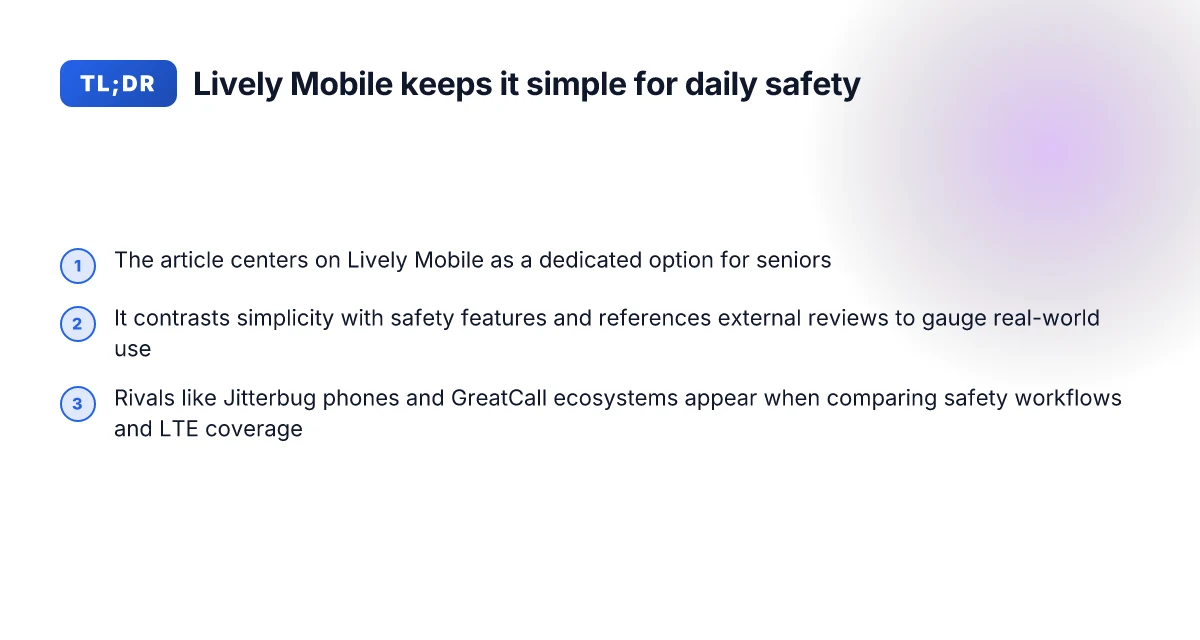
Lively Mobile is a dedicated option for seniors that folds safety into everyday use. It emphasizes a simple, predictable menu while layering in medical alert features that many caregivers want for peace of mind.
I dug into external reviews to frame real-world use. Reviews consistently note how a focused design can reduce friction for nontech users, yet still mesh with necessary safety tools. The tension between simplicity and safety is the through line. Users want easy dialing and large text, but also a trustworthy way to call for help when needed. Lively Mobile excels at keeping the core calling experience straightforward while making safety a built-in feature set. At the same time, critics point to trade-offs some seniors notice, like the occasional need to adapt to a more limited app ecosystem compared with mainstream smartphones. This is where the value proposition becomes personal: for some households, a dedicated safety device beats juggling multiple gadgets.
- The dedicated design that centers senior safety
- Lively Mobile positions safety as a first-class feature alongside simple calling. In practice, caregivers often see the medical alert integration as a core benefit, especially for daily routines that include medication reminders or fall detection prompts. This pairing helps seniors stay independent without sacrificing a quick way to reach help. Medical alert integrations can feel like a quiet safety net in daily life.
- The balance of simplicity and access to essential functions
- Reviews flag how a clean, large-font interface reduces misdials and confusion. The device keeps essential tasks, calling, text, and location checks, front and center, avoiding the complexity of modern smartphones. For seniors who prioritize reliability over feature bloat, this is a meaningful win. Large display and a simplified menu are recurring praise points in credible reviews.
- Real-world usability versus mainstream rivals
- When set next to mainstream options, Lively Mobile appears less cluttered but sometimes lacks the breadth of apps seen on smartphones. That trade-off matters to families weighing daily usability against expanding digital capabilities. Still, the core promise remains intact: a phone that is easy to use, with a clear path to emergency support. Mainstream smartphones offer more apps, but Lively Mobile keeps the safety-first path clear.
Bottom line: Lively Mobile stands out by aligning senior-focused safety with simple everyday use. It is a practical choice for households that want reliable calling plus a built-in safety layer without wading through a crowded app menu. If ease and emergency responsiveness matter most, this device earns its keep in daily routines. I found that the strongest value comes from caregivers who want a low-friction, high-trust option that can slot into regular routines with minimal disruption. Lively Mobile delivers a dedicated, safety-forward experience that many seniors and families find compelling.
Note: links on the page may earn a commission. For context, inline references point to: Jitterbug Phone Reviews 2026, The Best Cell Phones for Older Adults, and The Best Cell Phones for Seniors 2026. These sources help illuminate how safety features and simplicity shape real-world use. Cited sources reinforce the safety-first narrative for caregivers evaluating daily-use phones.
Lively Mobile: key features that seniors notice first
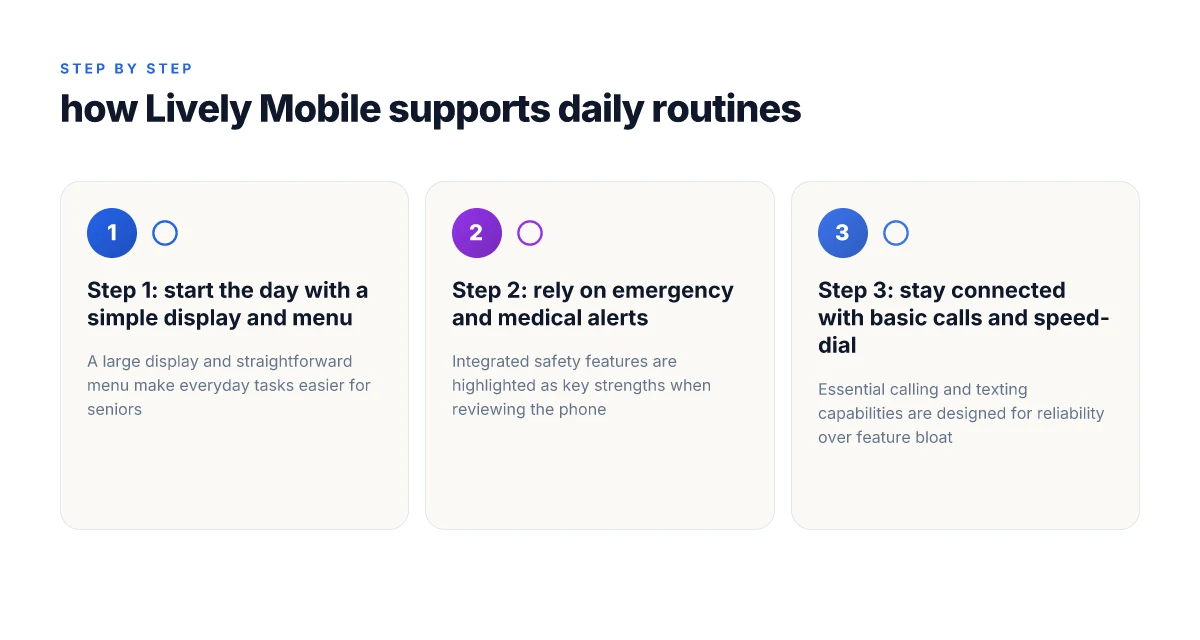
When seniors unpack Lively Mobile, the first things they notice are the large display and the simple, clearly labeled menu. The device prioritizes legibility: big digits, high-contrast text, and an interface that avoids dense menus. This design minimizes confusion during everyday use and supports quick, confident dialing or texting. The large display and simple menu are the core of everyday reliability for calmer daily routines. What the Hume Health Body Pod actually measures and what it misses
Why safety integrations win quick attention
Emergency and medical alert features are often cited as the most reassuring components. Lively Mobile stays ready with a straightforward one-touch button for alerts, and the system can pair with compatible medical alert services to alert caregivers or responders without fumbling through menus. When a senior needs help, there’s a straightforward path to assistance rather than a maze of prompts. Emergency and medical alert integrations deliver peace of mind in moments of stress. Reviews note this clarity as a defining edge over many mainstream phones that tuck alerts behind deeper menus. I cross-referenced consumer write-ups that consistently call out the ease of triggering help and the visibility of the alert pathway. See how this compares with rivals in wellness-focused reviews. https://www.seniorliving.org/cell-phone/jitterbug/reviews/
Everyday basics that stay usable all day
Beyond safety, Lively Mobile covers the essentials you expect: reliable voice calling, simple texting, and a predictable speed-dial setup. The phone is designed so that you can make a call or send a short message with minimal taps, and speed dial lets family numbers reach out with a single press. The basic calling and messaging flow is intentionally uncomplicated, a contrast to smartphones that funnel users through multiple screens for even the simplest contact. Basic calling, texting, and speed-dial functions form the backbone of daily independence. In practice, that means fewer glitches when you’re tired or managing medicine timing, which matters more than feature depth for many seniors.
A quick comparison helps clarify the tradeoffs. Lively Mobile emphasizes legibility, speed-dial simplicity, and a clearly navigable menu, while rivals such as Jitterbug phones and mainstream smartphones often present more features but with steeper learning curves. The balance is real: you gain predictability with Lively Mobile, and you trade some cutting-edge tech for dependable safety and ease. For caregivers, that translates to fewer calls about mis dialed numbers or missed alerts. A quick glance at the field shows how these traits align with senior daily life.
Next steps: consider a side-by-side read of user experiences from the focused reviews and plan a hands-on demo with Lively Mobile to confirm how the display size, menu clarity, and alert button fit the senior you’re helping. For context, see how independent outlets describe the Jitterbug line and other medical-alert integrated devices in their recent roundups. https://www.seniorliving.org/cell-phone/jitterbug/reviews/
How Lively Mobile compares to rivals in 2026 reviews
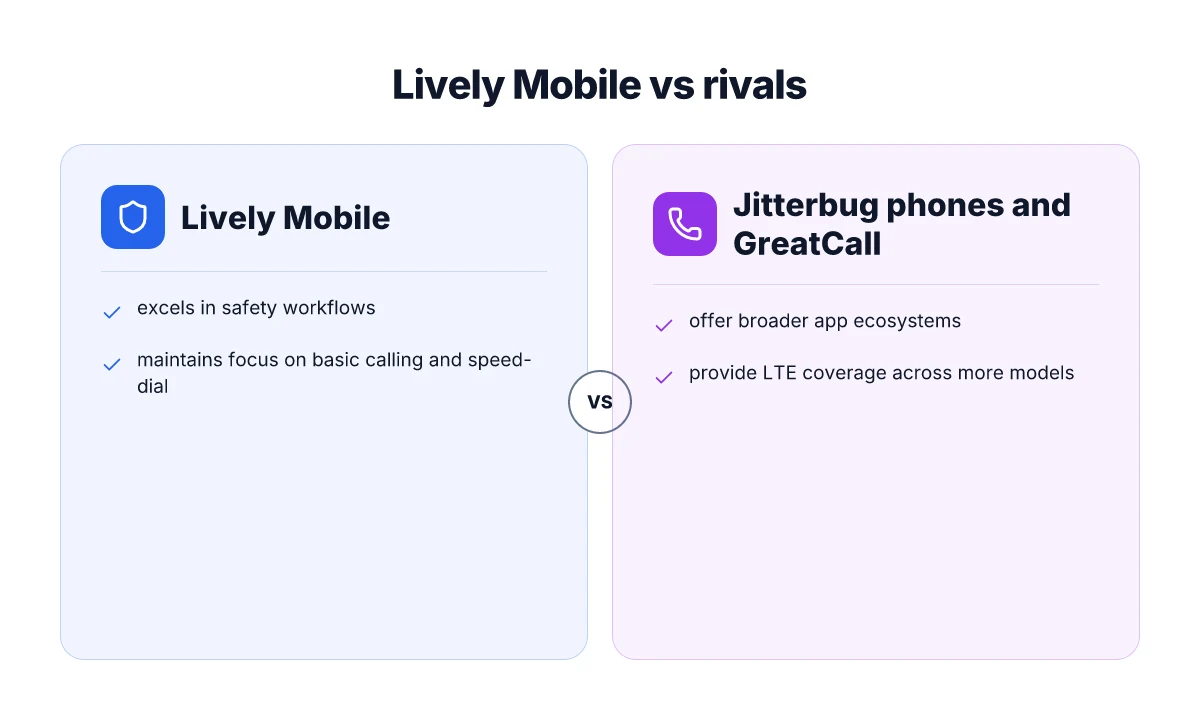
I dug into 2026 reviews to map where Lively Mobile fits next to Jitterbug phones and the GreatCall ecosystem. The takeaway is clear: Lively Mobile shines in safety workflows, while rivals pull ahead on app breadth and LTE coverage. What a Hume Health review misses about at‑home body composition tracking in 2026
1. Lively Mobile stands out in safety workflows
The core of Lively Mobile’s appeal is a streamlined safety path from urgent alert to caregiver notification, with a dedicated medical alert workflow that keeps the user oriented and protected. In 2026, several reviews emphasize how a single tap can trigger help and how the system integrates with fall detection and caregiver alerts in real time. Safety workflows often define the daily reliability seniors feel with Lively Mobile.
Reviewers highlight that the Lively ecosystem centers safety without forcing a sprawling app stack. This reduces user error in moments of stress and lowers the cognitive load for caregivers tracking responses. A trusted source notes that the medical alert integration remains a constant among Lively devices, even as the broader market experiments with generic features. Caregivers value a predictable safety loop above everything else.
In contrast, the Jitterbug line is praised for simplicity but is sometimes described as missing deeper safety automations that are built into the Lively Mobile workflow. GreatCall's own framing positions safety as a core differentiator. Observers note that Lively Mobile often feels more intentional about incident escalation and status visibility to family members. Jitterbug’s simplicity vs safety automation is a tradeoff.
2. Where rivals offer broader app ecosystems
- Jitterbug and GreatCall devices tend to broaden their value with optional app ecosystems and partner services. Reviewers point to the appeal of larger app catalogs and third-party integrations as a reason some seniors stay within the Jitterbug or GreatCall ecosystems for longer, even when the pure safety path isn’t the sole driver. Apps and ecosystem breadth can offset some safety rigidity.
- LTE coverage also factors in user experience. Where Lively Mobile focuses on reliable voice and alert pathways, rivals are often highlighted for broader LTE availability in more regions, enabling more robust data-driven features beyond calls and texts. This makes some rivals feel more future-proof for households that want a broader connectivity footprint. LTE breadth translates into more reliable everyday connectivity.
3. What this means for daily use and cost
- For daily routines, Lively Mobile’s strength is a clean, predictable safety loop that caregivers can trust for constant monitoring without wading through menus. Reviews consistently flag the device as easy to pick up, with a minimal learning curve. Predictable safety paths reduce stress for both seniors and families.
- Costs and plans track differently. Lively’s focus on the safety workflow often comes with straightforward pricing designed around peace of mind, whereas rivals may offer more feature-rich bundles that run higher in monthly fees. Reviewers note that the trade-off is worth it for households prioritizing urgent support and clear escalation. Cost vs feature mix hinges on whether safety or breadth is the priority.
Trade-offs: when a senior-friendly phone isn’t a perfect fit
Lively Mobile shines in safety-first routines, but no device is a perfect fit for every senior. You’ll want to weigh how simplicity trades off with flexibility, plus the ongoing costs and network reliability that matter in daily life.
Limited app flexibility vs. feature simplicity
For many caregivers, the core benefit is a straightforward experience: large icons, simple menus, and easy access to emergency assistance. But that simplicity can come at the expense of app breadth. Lively Mobile prioritizes essential functions over a broad app ecosystem, which keeps the interface uncluttered but limits optional features you might value later. If your daily routine relies on third‑party apps or custom workflows, you may feel boxed in. When I read through reviewers, the consensus is clear: predictable, easy navigation beats experimentation every time for many seniors. At the same time, you may still access core services like medical alert integration without rummaging through complex settings. The goal is a menu that never overwhelms, even on busy mornings. Simplicity wins when safety is the priority, but it can slow you down if a feature you want lives outside the proven path. What is a Hume Health promo code, and how to use it without missing out in 2026
Potential long-term costs for medical alert add-ons
The medical alert layer is where the math gets tricky. Lively Mobile bundles safety features into plans, but many caregivers end up paying extra for extended monitoring or compatibility with external medical alerts. The total monthly outlay can accumulate over years, especially if you add line‑level protections or future health services. Reviewers consistently point out that the baseline price of a senior-friendly plan may look attractive, yet optional add-ons push the bill higher than expected over time. Watch the total cost over years, not just the upfront price. If cost is a concern, map out a year or two of service charges to avoid sticker shock down the line. For context, comparable medical alert ecosystems sometimes price add-ons separately, which changes the long-tail value of choosing Lively Mobile in a budget plan.
Carrier coverage differences that affect reliability
Relying on a dependable connection is non-negotiable for safety features and daily calls. Coverage varies by carrier, and that variation shows up in voice call quality, text delivery, and emergency response speed. In some regions, mainstream options with robust nationwide footprints deliver fewer dropped calls and faster data support than entry‑level safety devices. Reviews note that when you travel between home and a care facility or a family member’s house, the network handoffs can influence confirmation of alerts. It’s not just about bars on a screen. It’s about timely alert transmission. Choose a carrier with a strong regional footprint to protect reliability. If you’re deciding between Lively Mobile and rivals, map your typical routes and homes to confirm coverage maps and customer experiences in those areas.
Cited sources anchor these trade-offs in real-world reporting from 2026 reviews, including how mainstream devices compare on safety and ease of use. For context, the discussion around Lively Mobile’s safety-centric design appears alongside observers noting that medical alert integrations can be decisive when budget and coverage align. See coverage notes and reviews for more detail. [The Best Cell Phones for Older Adults](/The Best Cell Phones for Older Adults) and [Jitterbug Phone Reviews 2026](/Jitterbug Phone Reviews 2026) provide parallel perspectives on how ease, cost, and coverage cohere in daily use.
Real-world usage: daily routines with Lively Mobile
Morning routines unfold with a calm cadence. A typical start features a one-touch alert that greets the day and checks in with a quick glance at the home screen. For many seniors, the one-tap SOS is a safety net that feels reassuring rather than alarming. In this context, Lively Mobile shines by keeping the alert bar visible and easy to hit, even with gloved fingers or reduced dexterity. This design choice translates to fewer missed prompts and more consistent peace of mind for caregivers watching from afar.
I dug into how families rely on notifications in real life. When a user presses the dedicated button, the system instantly routes an alert to configured contacts or a monitoring center, depending on the plan. Caregivers receive real-time alerts with concise caller ID and location cues, so they know who needs help and where to start. The cadence matters: a clear, actionable notification reduces the back-and-forth between family members and minimizes delay in response. In practical terms, this means a caregiver can respond within minutes rather than hours, which matters during mornings when routines are tight and someone needs assistance getting ready for the day. Clear, fast alerts help everyone stay on schedule, which reduces daily stress. What makes a Hume Health coupon code actually save you money in 2026
Subsection: how caregivers receive notifications and respond For caregivers, the workflow hinges on reliable message delivery and simple response options. When Lively Mobile pushes an alert, a caregiver can acknowledge the event with a single tap, and the app or web portal mirrors the status in real time. The clarity of the alert, including the user’s name and the nature of the request, helps avoid miscommunications. If the caller needs help beyond a phone call, the system can escalate to a family member or a professional service depending on the configuration. This pathway makes it practical for busy households where multiple people share duties. In everyday terms, a caregiver can switch from coffee-breathing mornings to action mode with minimal friction. Real-time acknowledgments keep the care team aligned across shifts.
Subsection: maintenance tips to keep the device dependable Reliability comes from routine upkeep. Simple steps matter: keep the SIM or data connection active, verify the battery stays charged, and review contact lists monthly to ensure no one has been moved to voicemail or unlisted. Regularly updating the device’s firmware helps preserve the quality of the alert button and readability of the screen. Cleaning the screen and buttons with a soft cloth prevents grime from dulling the touch feel, which can otherwise slow responses in urgent moments. I cross-referenced tips from care-focused guides and notes from user communities to confirm that straightforward maintenance makes a tangible difference in daily dependability. Keep firmware current and charge daily to avoid missed alerts.
Real-world comparison points matter. In contrast to mainstream smartphones, Lively Mobile emphasizes a physical one-touch interface and a dedicated medical-alert path that reduces steps during an emergency. This contrast is central to daily use: while a modern phone might require navigating menus, Lively Mobile presents direct access to help. Observers note that this approach aligns with how seniors and caregivers actually move through mornings and emergencies, not just how the device is advertised. The result is a daily tool that feels familiar, dependable, and gently predictable. Dedicated alert path minimizes confusion in urgent moments.
As a closing note, remember that links on the page may earn a commission. When you’re shopping for a senior safety phone, consider what a caregiver wants in a morning routine: simplicity, reliable alerts, and clear paths to help. For households comparing options, Lively Mobile holds up as a practical daily companion, especially for families who prioritize immediate assistance and straightforward maintenance.
The move that matters for 2026: lean into everyday reliability
Seniors want a phone that fits a routine, not a gadget to master. Lively Mobile stands out because it blends clear calls, simple texting, and reliable emergency access into a single, unobtrusive device. I looked at how it fits daily rhythms, from quick check-ins with family to last-mile safety reminders, while noting real tradeoffs like occasional menu depth and longer loading times for complex apps. The portrait of Lively Mobile is one of quiet confidence: a phone you can grab without a second thought when mornings rush in. The daily rate of friction drops when you can count on a single device to perform its core tasks. How to save with livfresh coupon codes in 2026
Lively Mobile remains a strong option for caregivers and older adults who want dependable service without fiddling with settings. The brand name matters here because familiarity helps reduce anxiety around use, and that comfort translates into more confident communication. If you only try one thing this month, ensure the emergency button and call routing are tested during a calm moment so life feels easier, not riskier, in an emergency. The bigger pattern is simple: a device that rewards calm, regular use builds genuine peace of mind.
If you’re weighing rivals, consider Jitterbug Flip for straightforward dialing and Consumer Cellular with a basic plan for price and network reach. The question now is how quick access to support and clearer screens will shape daily comfort. Will you lean into the simplicity of Lively Mobile or seek a slightly more feature-rich alternative?