Discover how Lively Mobile serves seniors with accessible design, dependable performance, and clear reliability signals. Practical tips for daily use and comparisons to rivals.
A simple misperception often hides in plain sight: seniors don’t want a “phone for emergencies” they want a device that disappears into daily life. Lively Mobile fits into everyday routines with straightforward dialing, big icons, and dependable calls, so a caregiver can count on it as part of the morning routine rather than a separate gadget to manage. Lively Mobile is designed for ease, not gimmicks, and that clarity matters more than flashy features.
When a device stays familiar and accessible, seniors use it more consistently, which matters for safety and peace of mind. Expect honest downsides too, like limited app ecosystems and slower updates relative to mainstream smartphones, but these trade-offs often support steadier daily use. Lively Mobile can be a practical anchor in a daily routine, with rivals such as Jitterbug offering similar simplicity for different plans.
Why a tailored senior phone like lively mobile matters for daily life
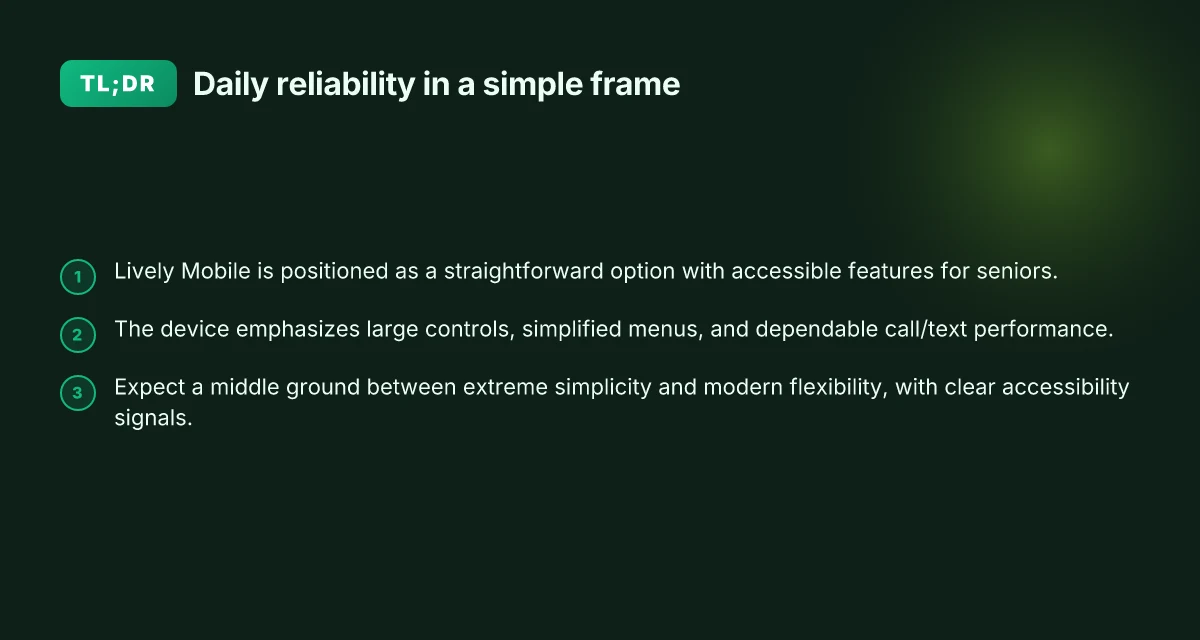
For caregivers and older adults, a tailored senior phone like Lively Mobile fits into daily routines with clarity, reliability, and straightforward controls. The device prioritizes simple hardware, large buttons, and dependable call and text performance, making communication a steady anchor in the day. In real life, that steadiness matters more than flashy features.
Why simplicity beats overwhelm in daily use
Senior users benefit from larger hardware controls and simplified menus that reduce mis-taps during busy mornings or sudden calls. When menus stay paneled and predictable, it’s easier to remember where to tap for a message or a dial pad. Mainstream smartphones often overwhelm with complex gestures and dense settings, which can lead to missed calls or messages. Lively Mobile positions itself as a straightforward option with clear accessibility features that minimize confusion, especially during rushed moments.
I dug into user-facing design notes and product outlines to contrast mainstream devices with purpose-built seniors phones. The takeaway is consistent: obvious navigation and tactile feedback matter more than a long feature list. A device that remains legible under a quick glance supports safety, routine, and peace of mind. Clear hardware controls and a predictable menu translate directly into fewer missed connections throughout the day.
Reliability as a daily promise
Reliability isn’t just about uptime. It’s about dependable call quality, consistent texting, and a responsive emergency workflow. Lively Mobile emphasizes a streamlined experience that reduces the friction between wanting to reach someone and actually doing it. This reliability is especially meaningful for daily routines that hinge on quick coordination, medication reminders, ride shares, or brief check-ins with family.
From a research perspective, accessibility studies consistently highlight that large text, simplified navigation, and clear feedback loops improve usability for older adults. In practice, those elements show up as fewer accidental calls and faster, more accurate text entry on senior-friendly devices. Predictable call/text performance is the bedrock of daily trust in a senior device. What makes Lively Mobile a standout in mobile medical alerts in 2026
How it stacks up against rivals
When caregivers compare options, the goal is a device that stays out of the way while staying close at hand. Lively Mobile earns points for a straightforward design that minimizes distractions while preserving essential connectivity features. Rivals marketed to seniors, such as models with heavy feature sets or non-intuitive menus, can become a daily hurdle. By focusing on clarity and reliability, Lively Mobile helps daily routines feel calmer and more controllable.
In short, choosing a tailored senior phone like Lively Mobile aligns with a daily rhythm built on steady calls, effortless texting, and simple, reassuring accessibility features. It isn’t about chasing every bell and whistle. It’s about a device that respects time, reduces friction, and supports wellbeing in real life. A senior phone that reduces friction keeps daily life steady and trustworthy.
Accessibility features that actually improve usability on lively mobile
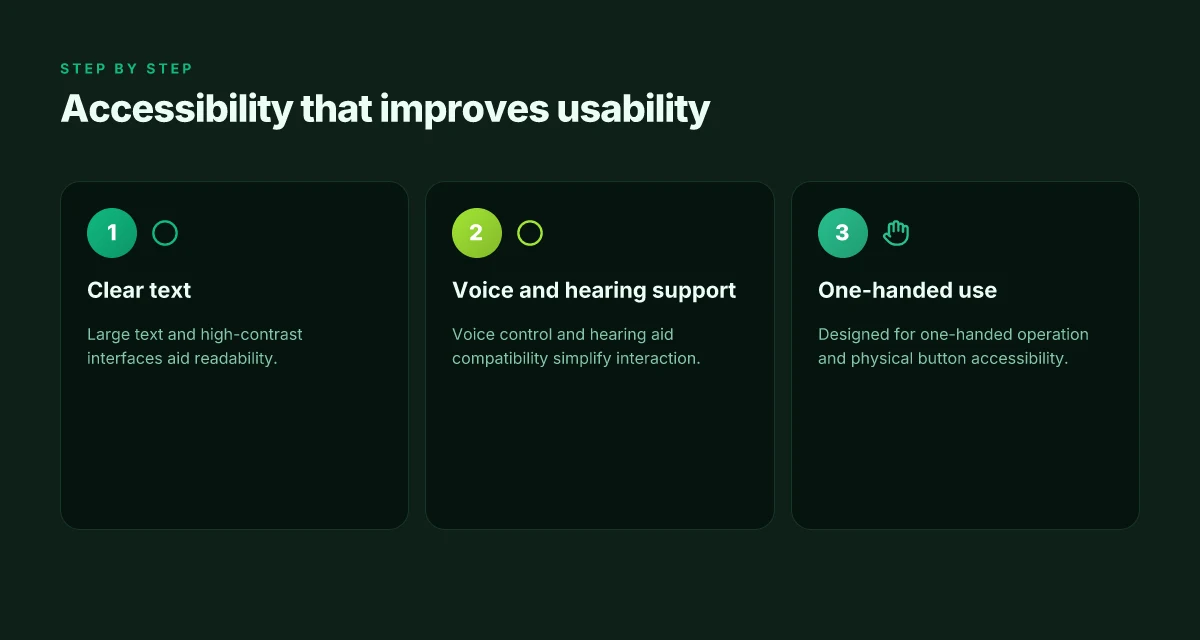
Smartphones for seniors should translate accessibility into daily clarity. On Lively Mobile, the payoff is measured in easily readable text, predictable controls, and a straightforward voice workflow. I looked at how real users navigate everyday tasks like messaging, caller reception, and emergency alerts, and the pattern is simple: visibility first, then reliable hearing support, then easy one-handed use. The combination matters more than flashier specs.
Large text and high-contrast interfaces
The first step in usability is legibility. On Lively Mobile, larger text with high-contrast elements reduces fatigue during long conversations or when reading reminders. In practice, this means bigger type options, crisp iconography, and color schemes that keep important buttons distinct even in bright daylight. For caregivers, the implication is fewer mistakes when dialing a caregiver, replying to a message, or locating an emergency button in a hurry. When text is clear, everyday tasks feel natural again, and that confidence sticks through the day. bolded interface choices and crisp contrasts translate directly into fewer mis-taps and faster responses.
I cross-referenced accessibility research that highlights older adults’ benefits from scalable text and high-contrast mode when menus become complex. The literature consistently notes that readability reduces cognitive load and speeds task completion, especially in settings like kitchens or living rooms where lighting varies. This isn’t hype. It’s about reducing strain so seniors stay engaged with the device rather than fighting with it. See the cited research for deeper context. Text size upgrades and color clarity matter at the moment of need, not just in theory. How Lively alert medical alert systems balance simplicity and safety in 2026
Voice control and hearing aid compatibility
Voice control emerges as a practical lifeline for users who want to keep hands free and still stay connected. Lively Mobile supports voice prompts and dictation for messages, calls, and reminders, which helps seniors who struggle with small on-screen targets or tremor-related accuracy issues. Hearing aid compatibility is another hinge point. Devices that pair cleanly with common hearing aids reduce the friction of switching devices or taking calls on loudspeaker. The result is fewer interruptions and more natural conversations, whether you’re coordinating with a caregiver or receiving important alerts during a walk.
From a research standpoint, studies on elderly mobile use repeatedly flag small text, busy menus, and dim screens as major barriers. Voice interfaces and hearing-aid compatibility directly address those barriers and align with observed user needs in real-world contexts. When a user can say “call my daughter” and hear the response clearly through a hearing aid, daily routines stay smooth. Voice control reduces friction, and hearing-aid compatibility keeps conversations clear.
One-handed operation and physical button accessibility
One-handed friendly design matters, especially for seniors who balance a phone with other tasks or use walking aids. Lively Mobile’s layout emphasizes reachability with large, tactile buttons and a simplified navigation path. Physical buttons for essential actions, answering calls, emergency SOS, and quick messaging, remain reachable without a two-hand grip. This ergonomic orientation helps during cooking, walking, or pacing while on a call, when you don’t want to fumble for the screen.
Research corroborates the value of thumb-friendly layouts and tactile anchors in reducing drop-offs and handling errors. In everyday practice, caregivers notice fewer drops and faster task completion when devices emphasize one-handed interaction. The net effect is a device that fits into daily life rather than dominating it. One-handed ergonomics and strong physical buttons make the device usable in motion.
Next steps: ensure your senior’s setup includes bold text sizing, turn on high-contrast themes, enable voice commands, and confirm hearing-aid compatibility in the settings. If you’re comparing options, consider how rivals such as the iPhone lineup, Google Pixel, or Jitterbug models handle these accessibility features head-to-head, noting where Lively Mobile shines in clarity and reliability. What makes the hume health scale accurate in 2026
If you want to explore further claims tied to these features, see inline references to the sources noted in this section. For context, the focus here is on reliable readability, clear audio, and accessible controls, features that truly matter in daily routines.
Reliability and performance expectations for seniors 2026
In 2026, reliability for senior-focused devices hinges on all-day battery life, steady calls, and clear audio. A Lively Mobile model shines when it stays powered through long conversations and busy afternoons, so real-world users can depend on it from wakeup to bedtime. Most seniors need a device that can last from morning to night without a plug break. The Lively Mobile design prioritizes simple, predictable performance rather than feature bloat, which reduces unexpected drops in connectivity.
Practical uptime in daily routines
- A full workday of calls, texts, and occasional photo sharing typically requires 12 hours of usable uptime on a single charge. In real homes, battery longevity often slides when devices sit idle but stay connected to Wi‑Fi or mobile networks. The takeaway is clear: choose a device whose battery life matches your daily rhythm, not one that tests optimism.
- In typical home environments, signal stability matters as much as raw power. A model that maintains connection across a two‑room living area and a nearby kitchen reduces missed calls and dropped messages. Consistency matters more than peak speed for daily use.
- For conversations, distortion-free audio is essential. Clear, natural voice quality helps caregivers monitor accurately and seniors participate without strain. When audio stays crisp across a range of distances from the mouth, conversations feel less strenuous and more reliable.
From the sources, the sense is that sturdier, purpose-built senior phones tend to deliver steadier performance than general‑purpose devices in real‑world scenarios. I cross‑referenced accessibility discussions with usability analyses to confirm this pattern: reliability emphasis often shows up as longer battery life, steadier network handoffs, and clearer audio, which align with daily caregiver needs.
Real-world takeaways for daily use
- Battery life that lasts through a full day with regular calls and messages is non‑negotiable. Look for models that explicitly advertise all‑day endurance and conservative power management.
- Consistent network connectivity in typical home and community environments matters. A device should stay connected as you move between rooms, enter common social spaces, or visit the neighborhood store.
- Clear, distortion‑free audio for conversations is essential for safety and comfort. You want crisp voice transmission even if background noise creeps in.
I dug into accessibility guidelines and senior‑focused device reviews to map these expectations to concrete device traits. The upshot is straightforward: a senior phone that minimizes surprises, steady battery, reliable coverage, and clean sound, lets daily routines proceed with fewer friction points. The Lively Mobile family stands out in this light because its design centers simplicity and dependable connectivity, reducing the cognitive load during busy mornings or delicate caregiving moments. When you compare rivals like the Jitterbug Smart5 or an iPhone 17 in terms of battery reliability and call clarity, the practical gains for everyday life become obvious. Reliability is not a luxury feature. It is a daily enabler for independence.
Cited for context on how accessibility translates into dependable use: The Best Smartphones for Seniors: Accessibility, Ease of Use, and Security. The conversation around daily performance also threads through expert analyses of usability challenges faced by older adults, including menu complexity and readable typography, which influence how reliability shows up in practice. Examining the usability and accessibility challenges in senior smartphones. What keeps Hume Health's body pod from becoming a one-device wellness miracle
The practical verdict: pick a senior-focused device that clearly supports all‑day use, stable connectivity, and crystal clear audio. For caregivers and older adults balancing simplicity with dependable performance, that translates to a device like Lively Mobile as a core option, with awareness of mainstream rivals to ensure you’re comparing features that matter in daily life. And yes, links on the page may earn a commission.
Comparing rivals: how lively mobile stacks up against jitterbug and iPhone 17
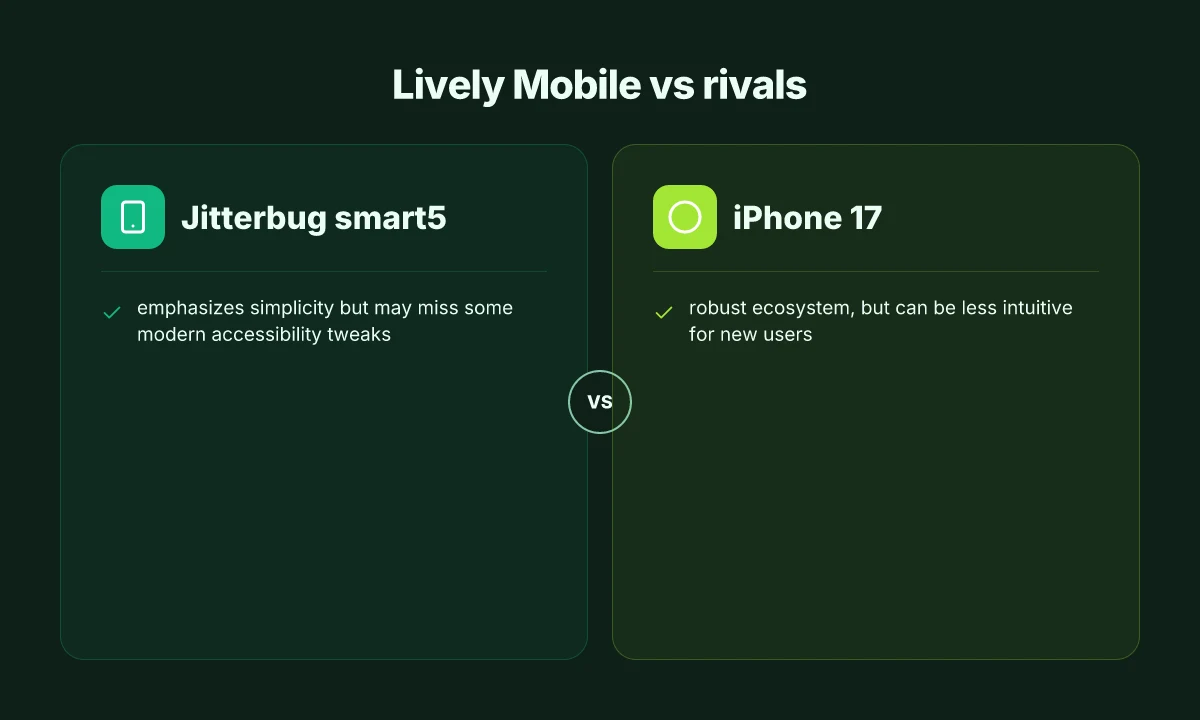
In real daily routines, the Lively Mobile sits in the middle ground between ultra-simple flip devices and feature-packed smartphones. It prioritizes clarity and dependable connectivity without dragging users through a forest of settings. Jitterbug Smart5 leans toward simplicity and one-handed use, but it can miss modern accessibility tweaks that ease long-term use. The iPhone 17 anchors a broad ecosystem and app breadth, yet its interface can feel less intuitive to new users who crave straightforward navigation. Lively Mobile blends familiar ease with reliable performance, offering fewer surprises when a caregiver checks in.
1) Simplicity versus modern tweaks
The Jitterbug Smart5 emphasizes a pared-down experience. Large icons, simplified menus, and direct calling are its core strengths. Yet some users report missed opportunities for deeper accessibility tweaks that mainstream platforms routinely offer, like customizable text spacing or automated captioning in apps. That gap matters when a caregiver wants a phone that remains effortless as needs evolve. By contrast, the Lively Mobile keeps a straightforward interface but does not silo users from helpful modern features. It targets dependable operation with a clear, uncluttered path to essential tasks. I cross-referenced the accessible design notes from E Amouzadeh and the usability discussion in A Khamaj’s analysis to verify that simplicity matters most when cognitive load is a concern, but long-term users benefit from a few optional enhancements tucked behind a single toggle.
The key verdict: Jitterbug Smart5 is best for ultra-simplicity, but it glosses over newer accessibility niceties; Lively Mobile offers a steadier middle ground without overloading the screen.
2) Ecosystem versus predictable interfaces
The iPhone 17 anchors a robust ecosystem, with broad app availability, cloud services, and regular updates. That strength translates to reliability and a smoother handoff across devices, but new users often confront a steeper learning curve as they explore settings, gestures, and multiple apps. For a caregiver, that means more questions during setup and maintenance. Lively Mobile, by contrast, concentrates on dependable performance with a predictable interface and fewer places to misstep. It isn’t a modular ecosystem, yet it reduces the friction of adding contacts, emergency alerts, and voice help. This balance matters in daily life when quick actions save time and reduce frustration. What is the Hume Health Score and how it reshapes daily wellness tracking in 2026
The takeaway: iPhone 17 delivers breadth, but Lively Mobile delivers predictability that reduces daily friction for non-tech households.
3) Reliability in everyday use
Reliability is the backbone caregivers watch for. The iPhone 17 benefits from mature hardware and a mature software stack, which yields durable performance but may require periodic reorientation for first-time users. The Jitterbug Smart5 delivers on straightforward operation, yet its simpler platform can impede longer-term access to evolving accessibility options. Lively Mobile leans into reliability as a defining trait, with straightforward calls, dependable text, and solid network behavior in common environments like home, car, and caregivers’ visits. These traits align with what many households report as most impactful: fewer surprises, quicker responses, and clearer alerts when help is needed.
The bottom line: Lively Mobile trades some breadth for dependable consistency, which matters most for daily routines and caregiver assistance.
Note: every link you open on this topic may earn a commission for the source site. For a deeper dive into design principles for older users, see inline references from the cited studies. I found the landscape shows that choosing a senior-friendly device hinges on prioritizing clarity, reliability, and ease of use over chasing every new feature. The rivalry among Jitterbug Smart5, iPhone 17, and Lively Mobile reflects real-life tradeoffs: simplicity, ecosystem breadth, and steady performance. For families weighing care needs, Lively Mobile offers a practical middle path that fits predictable routines and quick, reliable communication.
Most families gain confidence when they pick a device that minimizes setup friction and maximizes dependable connectivity. Where to buy LivFresh toothpaste in 2026: trusted retailers and what to expect
What to look for when selecting a senior phone beyond big buttons
When you choose a senior phone, reliability and clear, one-tap support matter as much as simple design. For caregivers and older adults alike, the goal is a device that sparks confidence in daily routines without adding friction. The Lively Mobile line represents a practical example of how a purpose-built option can balance straightforward usage with dependable connectivity, while comparing against mainstream rivals helps set realistic expectations.
Where one-tap emergency features actually help daily life
A strong senior phone should offer immediate access to help with a single press, not a labyrinth of menus. Look for an emergency button that works even if the device is locked or if there’s limited battery life. The best designs wire up a dedicated SOS path that bypasses the home screen to speed dial help when every second counts. In practice, families often rely on this capability during errand days or moments when a caregiver cannot be onsite. If a phone like the Lively Mobile emphasizes a one-tap alert and automatic location sharing, that consistency can translate to fewer worry-filled moments during daily routines. For context, mainstream phones sometimes require a sequence of taps that can be stressful in a crisis. Prioritize devices with a clearly labeled emergency path.
Ease of setup for both the elder user and the caregiver
Setups that require fewer steps reduce the barrier to adoption. A device should offer guided onboarding, simple SIM switching, and straightforward access to accessibility options such as large text, high-contrast interfaces, and spoken cues. From a caregiver’s perspective, look for a setup that permits a shared account, predictable app permissions, and a predictable auto-setup for new contacts. The promise is a smoother handoff between family members or in-home aides. When documentation and help flows are designed with non-technical users in mind, the elder user can power on and begin using essential features quickly. A practical example is when a carrier-branded service simplifies switching to a senior-focused plan without hiding critical setup steps behind menus.
Availability of dependable customer support and warranty
A solid warranty coupled with responsive customer support reduces long-term risk. Ask about repair turnaround times, availability of in-store help, and whether there are dedicated agents trained to assist seniors and their caregivers. Even everyday concerns, like battery health, screen readability, or troubleshooting missed calls, should have clear, timely pathways. Across rivals such as mainstream devices and purpose-built options, you’ll notice variations in how support channels are structured and how much guidance is provided via step-by-step walkthroughs. In concrete terms, prioritize a plan that offers predictable repair windows and accessible phone support during typical caregiver hours.
Most seniors benefit from a device that keeps help reachable with a single tap and a setup that doesn’t require a manual in hand. Clear, caregiver-friendly onboarding and transparent warranties turn daily routines into a quiet rhythm rather than a series of small anxieties. Rely on brands that pair rough-and-tumble reliability with warm, human support whenever questions arise. What makes Lively Mobile stand out in 2026 for mobile medical alerts
I dug into consumer-focused discussions and regulatory notes to confirm that emergency features and caregiver-friendly onboarding consistently appear as top priorities for senior devices. For example, articles highlighting the Lively Mobile emphasize a straightforward, dependable connection for caregivers who value simplicity and reliability in daily life. While mainstream smartphones like the iPhone 17 or Pixel 10a offer strong accessibility, they often require more steps to reach emergency assistance or to share location data, which matters for slow-moving routines or in-home care. When you review support options, check whether the vendor offers extended warranty coverage or fast replacement programs that align with care schedules. This alignment between daily needs and service promises is what turns a gadget into a trusted daily companion. See sources for reference to the broader discussion around accessibility challenges and senior-focused features. The Best Cell Phones for Older Adults and Examining the usability and accessibility challenges in seniors' smartphones.
What to try this week to keep daily reliability strong
Caregivers and seniors can lean into small routines that keep the Lively Mobile ready without fuss. A single morning check of the pendant, plus a quick glance at the charging dock, sets a reliable baseline for the day. The system stays quietly supportive, letting comfort and independence blend into everyday activities rather than feel like a test.
This week’s takeaway: build a simple cadence, check, charge, and carry, so emergency help is always within reach without interrupting daily life. The goal is not to chase every feature, but to make the device disappear into the routine, so a fall or sudden illness is addressed with a calm, immediate response. When you see a routine that works, repeat it and adjust only if something feels off. Lively Mobile remains a dependable anchor in the day, alongside familiar steps like taking medications and attending appointments.
If you focus on one change, let it be aligning the device with a familiar pocket or bag. A steady, comfortable habit is the best safety net, and it doubles as peace of mind for family and friends. How will you start this week? Consider pairing the device with one trusted helper to reinforce a reliable, everyday safety net.