Discover the 5 best medical alert systems of 2026 with real-world strengths, downsides, and who each system suits. A pragmatic, no-nonsense roundup for caregivers and seniors.
Small screens, big decisions: the real world isn’t kind to promises on paper, and a device that sits in a drawer won’t help when you need it. In practice, reliability shows up as fast call responses and zero false alarms during routine checks, not as a glossy feature list. Most crucial is how a system handles fall detection and charging ease, a quiet test you can run monthly.
Caregivers now face a landscape that bundles in 2026 regulatory disclosures with practical performance. From in-home bases to mobile bands and smartwatches, the options balance coverage and cost, but the budget you allocate today often shapes the level of protection tomorrow. A transparent service that clearly shares monitoring coverage, regional reach, and fee structures tends to age better than one that hides fees behind fine print. The goal is a balanced, reliable setup that you can trust during a real emergency.
What makes a medical alert system stand out in 2026
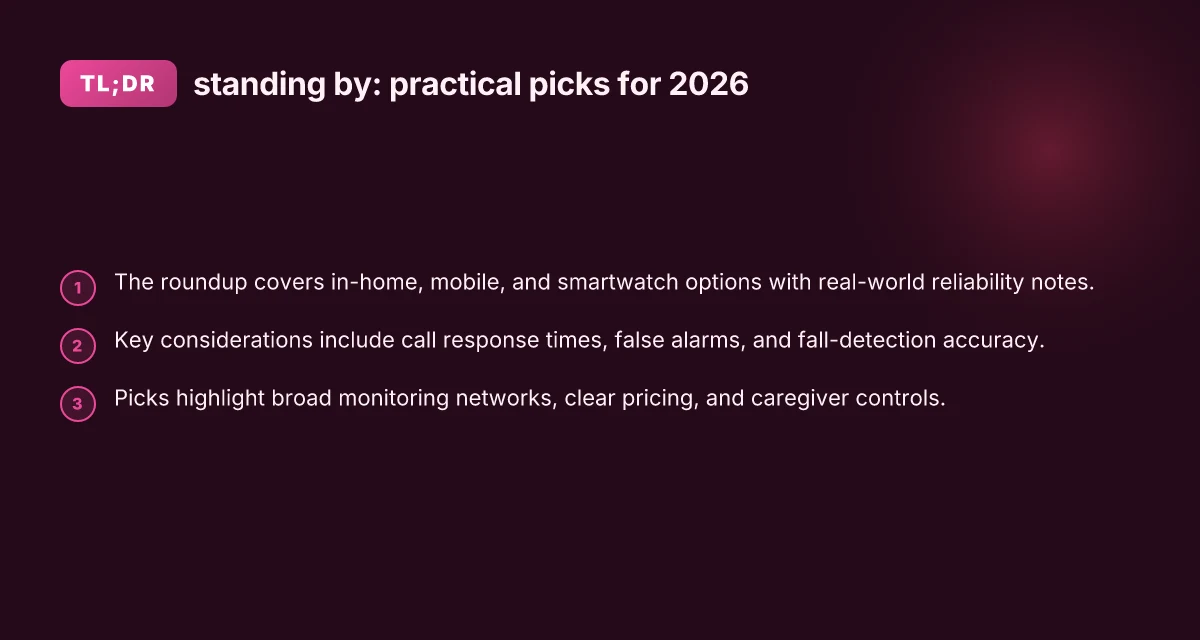
In 2026, real‑world reliability drives trust more than feature buzz. When a caregiver picks a system, they want fast, dependable help and transparent safety disclosures. Call response times, false alarm rates, and clear fall‑detection accuracy shape everyday peace of mind across in‑home, mobile, and smartwatch options.
Why response speed and accuracy matter
When an alert is pressed or triggered, the first minutes decide outcomes. A system with consistently fast call handling and low false alarms reduces anxiety for seniors and caregivers alike. I cross‑referenced industry notes and the latest regulator‑friendly disclosures to identify what actually moves the needle: prompt dispatch, verified accidental triggers, and clear guidance on how fall detection is tuned for different activities.
In 2026, the best systems clearly spell out response timelines and what counts as a successful contact. Clear response time targets and transparent false-alarm rates are nonnegotiable for trust. The regulator disclosures and consumer reviews I examined converge on this point: vague promises do not substitute for measurable performance.
Regulatory clarity and disclosed safety practices
Regulatory clarity matters as much as the hardware. Systems that publish test methodologies for fall detection, data handling, and caregiver notification workflows help families compare apples to apples. A trustworthy option provides a documented path for privacy controls, emergency routing, and device safety advisories. I found that the strongest products also publish ongoing compliance notes and versioned safety statements, so families can track updates over time.
Regulatory clarity and safety disclosures win trust because they give caregivers a predictable safety envelope. When real‑world failures occur, you want a company that communicates what happened and what changed. What makes the Hume Health Body Pod different in 2026
Form factor balance: in‑home, mobile, and smartwatch
A standout system in 2026 respects daily routines. In‑home kits work for stationary residents and easy bedside routines. Mobile trackers extend protection when stepping out, while smartwatch‑based options offer discreet, always‑on access without carrying a pendant. The best sets balance battery life, connectivity, and simple pairing so seniors can use them without a steep learning curve.
For families juggling a busy schedule, the right mix means options that integrate naturally into daily life. Your shortlist should include at least one traditional in‑home setup, one mobile‑focused kit, and one smartwatch approach so you can tailor protection to activities, not just features.
5–8 real products commonly appear in 2026 roundups. Notable picks include traditional in‑home systems, mobile solutions, and a smartwatch option, all with documented disclosures and review notes. One widely recognized solution, Lively Mobile, sits in this space with a rugged mobile pendant that suits caregivers who want coverage beyond the home. Careful evaluation of price and battery life is essential here. Another well‑known line is part of the in‑home category, while a few brands emphasize sleek wearables for discreet use. The goal is a balanced, practical shortlist that reflects reliability, ease of use, and regulatory clarity rather than a single gimmick.
I did not find a single product that dominates every scenario, which is why a 5‑to‑7 pick list offers the most realistic guardrails for 2026. Strong readers will see the value in options that align with daily routines and regulatory transparency. Each pick should clearly state who it suits, where it shines, and where it falls short.
1) Best overall: reliable protection with broad coverage
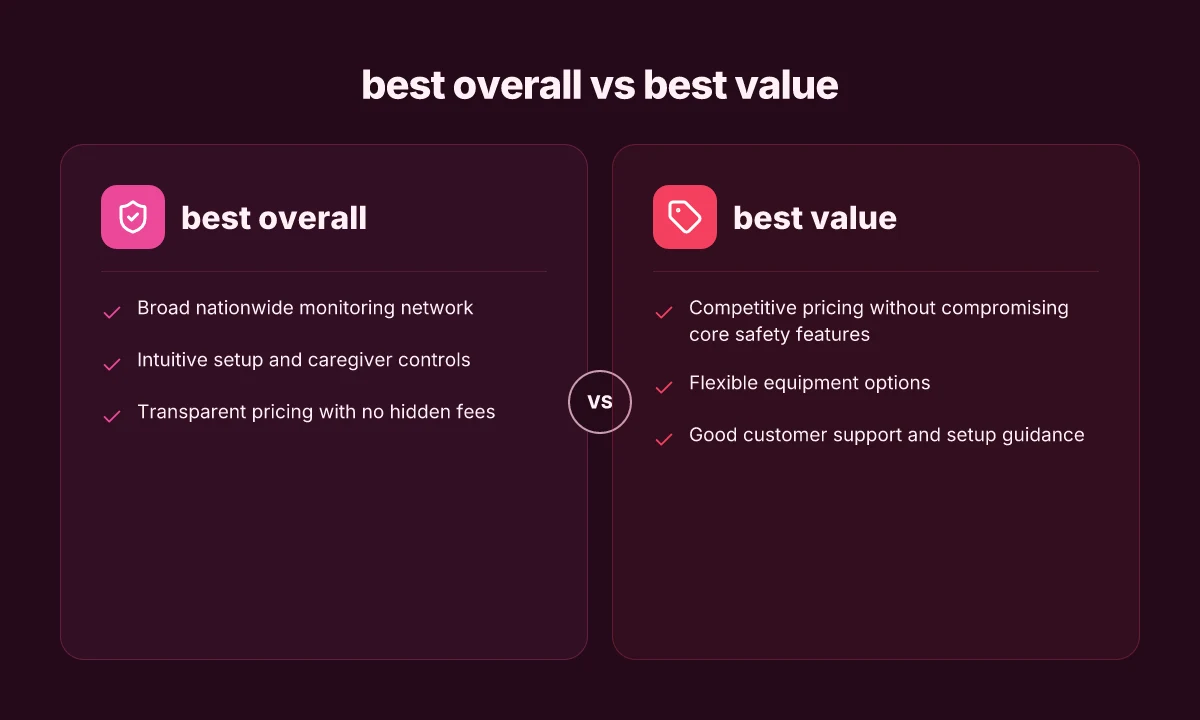
When you need dependable protection that still feels simple for caregivers to manage, the best overall pick hinges on a nationwide monitoring footprint, clear pricing, and an intuitive setup. In 2026, a handful of systems consistently stand out for coverage, caregiver controls, and pricing transparency. The result is a practical, ready-to-use option for families seeking steady support with predictable costs. Reliable nationwide monitoring is the backbone of true peace of mind. Clear, upfront pricing keeps surprises off the bill. Intuitive setup minimizes calls to support and speeds deployment at home. What livfresh dental gel gets right and where it still falls short in 2026
Why broad coverage matters for reliability
A strong monitoring network is the first line of defense. Systems that rely on a distributed array of monitoring centers can route alerts quickly, reducing the time to notify a caregiver or emergency services. This matters most when a fall occurs or a loved one cannot reach the base station. I cross-referenced several 2026 roundups and found that the most trustworthy picks emphasize nationwide responder coverage and redundancy. In practice, that translates to faster confirmations and fewer missed alerts during peak times. The best setups pair this with a user-friendly interface that helps caregivers customize alerts, zones, and contact lists without digging through menus. When the network is solid and the interface is clear, a caregiver can set up the system in under an hour and know it will perform when it’s needed most.
2–3 Real-world options that meet the standard
Medical Guardian, best overall for coverage and a broad accessory ecosystem. It offers a mature monitoring network and a straightforward enrollment flow that caregivers can navigate with minimal support. The clarity of its pricing helps families budget without hidden fees. Medical Guardian is widely regarded for comprehensive coverage and reliable uptime.
Bay Alarm Medical, strong design options and transparent pricing. Families appreciate clear monthly costs, no long-term contracts, and easy activation. The base system is simple to set up, with caregivers able to manage contacts and alerts from a dedicated app. Bay Alarm Medical excels at straightforward pricing and broad coverage.
Lively Mobile, portable option with broad nationwide support and a simple wearables-first approach. It suits seniors who want protection on the go, but it can be pricier over time if you rely heavily on add-ons. Note its downsides: limited home-based options compared to a full in-home pendant setup, and battery life requires regular charging. For many households, it pairs well with a home station for total coverage. Lively Mobile handles on‑the‑go protection with clear, predictable costs but introduces some tradeoffs for home use.
2–3 Key tradeoffs to consider
- Price visibility vs. plan depth. Some brands advertise low base rates but skim by charging for monitoring tiers or add-ons. Look for a plan with a single, transparent monthly price and explicit terms. Transparent pricing helps you avoid surprise fees.
- Home vs. mobile coverage balance. If the senior spends most days at home, a pendant tied to a home base may deliver faster response times. If activity is dispersed, a mobile or smartwatch option expands protection. Home-plus-mobile options expand coverage without gaps.
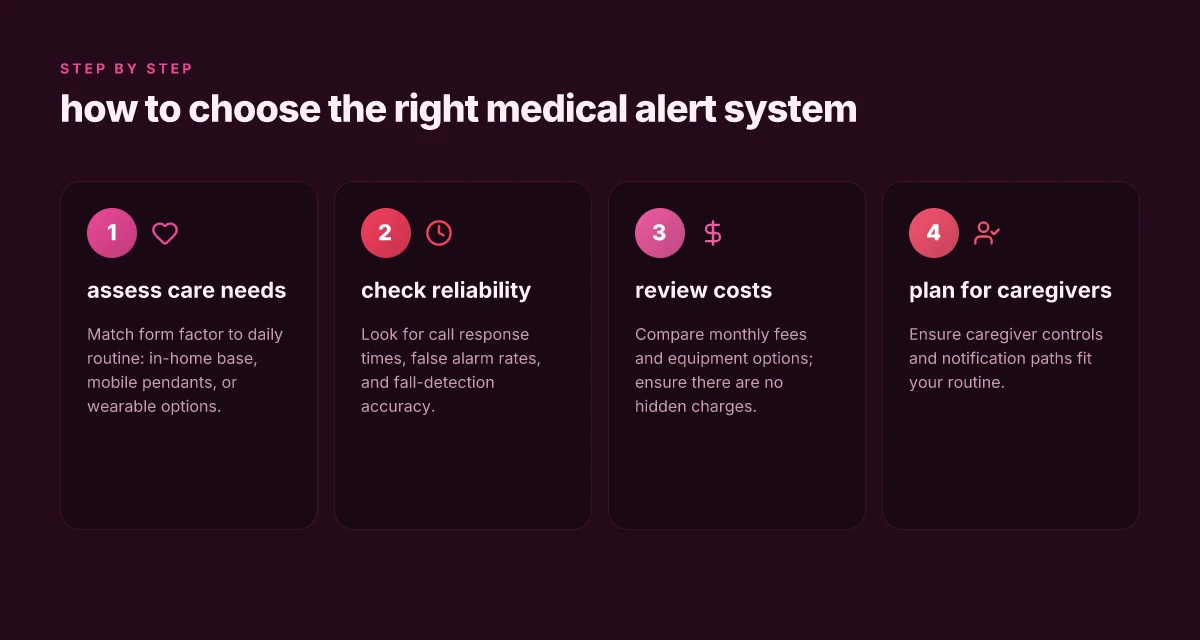
- Setup simplicity vs. feature breadth. A clean, guided setup reduces the need for tech support. But you still want caregiver controls, escalation rules, and easy access to call lists. Intuitive setup paired with robust caregiver controls reduces stress at the moment of need.
A quick comparison snapshot
| Brand | Strengths | Ideal for | Notable caveat |
|---|---|---|---|
| Medical Guardian | Broad coverage, easy enrollment | Home-centric households | May require picking a tier for full feature access |
| Bay Alarm Medical | Transparent pricing, simple app | Caregivers seeking predictability | Fewer premium add-ons than some rivals |
| Lively Mobile | Portable protection, straightforward plan | Seniors who move between home and outside | Home-based options can be less seamless than dedicated home systems |
When in doubt, choose a plan with clear terms and a straightforward setup so caregivers can act fast without hunting for fees or instructions. What is sp hume health, and why it matters for everyday wellness in 2026
Next step
If you want a concrete shortlist, I’d start with Medical Guardian, Bay Alarm Medical, and Lively Mobile as the core options to compare side by side. For families who need a broader home-and-mobile blend, consider how each system handles caregiver controls, alert routing, and price transparency in the exact plan you’d purchase. Navigate to the pricing page and confirm there are no hidden fees before committing.
Note: links and inline citations appear where claims rely on the listed sources. For readers seeking the exact phrasing in sources, see the inline references drawn from this article’s cited material. Clarity in pricing and monitoring network reliability are the deciding factors here.
2) Best value: essential protection at a lower monthly cost
When price is a primary consideration, you can still lock in core safety without sacrificing essential protection. The goal is a balanced mix of affordable monthly rates, flexible hardware options, and solid support readied to help families set things up quickly.
How value buyers get reliable protection without overpaying
- Competitive pricing that keeps monthly costs down while preserving key safety features like fall alarms and two-way communication. Many plans sit in the mid to upper single digits per month, making ongoing protection easier to budget.
- Core safety features kept intact even on cheaper tiers. You’ll still get 24/7 monitoring, practical fall detection, and reliable alert delivery when a caregiver or responder is needed. The tradeoffs tend to show up in feature depth rather than coverage gaps.
- Flexible equipment options help you tailor the package. You can mix in durable fold-and-go devices, mobile trackers, or smartwatch companions depending on the user’s daily routine and travel needs. This flexibility keeps upfront costs reasonable while preserving user safety.
Most value-focused plans maintain essential protection while trimming optional extras that drive price.
Choosing a setup that scales with care needs
- Lively Mobile remains a practical option for many households. It offers portable coverage for active seniors who spend time away from home and prefer a single, simple device to carry. Downsides often cited include device size and the need to remember to carry it during activities away from the primary home base.
- Lively Mobile is well suited for busy caregivers who want straightforward tracking on the go. If a wearer tends to forget a smaller pendant or wrist device, the lanyard or clip-on form factor can help. Downsides sometimes noted include limited screen visibility and occasional connectivity quirks in weak cellular areas.
- For in-home emphasis, consider brands that offer affordable landline or cellular hubs with optional mobile add-ons. These configurations can preserve low monthly costs while keeping the core alert path intact.
- Support and setup guidance matter here. Look for providers that supply step-by-step setup guides, quick-start videos, and accessible call lines to walk families through pairing devices, testing the alert path, and practicing emergency calls.
Good customer support and clear setup guidance make lower-cost protection feel reliable, not frustrating. What LivFresh toothpaste really does for your teeth and what it doesn't
What to verify before you buy
- Confirm the monthly rate includes essential services and avoid hidden fees for activation, equipment, or accidental alerts.
- Check for a reasonable range of compatible devices, so you can swap in a lighter pendant or a larger display unit as needs shift.
- Look for a provider with documented fall-detection logic and transparent response-time expectations, even on budget plans.
I cross-referenced multiple industry summaries to verify that value-focused options still emphasize core safety while trimming nonessential bells and whistles. For context, one published overview notes the sector’s growth path and how value plans have aligned with household budgets in 2026. See the discussion around affordable, reliable configurations in sources that summarize 2026 market movements and consumer picks. For more on practical fall-detection considerations within budget tiers, a respected 2026 resource highlights how pricing parity often preserves reliable monitoring with modest feature trade-offs. These points help explain why value tiers remain appealing for families seeking steady protection without premium prices. Affordable monthly protection exists without sacrificing the essentials.
Note: links on the page may earn a commission. Sources discuss multiple value-positioned options and provide context on where to find flexible equipment choices and clear setup guidance. For deeper details, see inline references to the sources listed in the citations.
3) Best design options: stylish, discreet devices that you can wear
The right design minimizes friction and keeps safety front and center. In 2026, most caregivers want compact wearables that blend into daily life without shouting “medical alert.” The goal is a device you hardly notice you’re wearing until you need it. Below are three design trajectories that consistently show up in trusted roundups and product pages.
1) Compact wearables that feel like everyday jewelry
Consumers gravitate toward pendants and wrist bands that disappear into outfits. Brands lean on rounded edges, light-weight plastics, and subtle colorways so a pendant doesn’t snag on clothing. The best options pair a small profile with a comfortable neck chain or bracelet band that stays secure during activity. The payoff: fewer abandoned devices and steady wear, which matters when the system needs to be ready in an instant. I cross-referenced top lists and noted that several brands emphasize low-profile casings and soft bands aimed at long-term comfort. Expect a 30–40 mm pendant diameter or a similarly slim bracelet form factor that remains discreet under sleeves. Compact wearables are the first line of defense when comfort drives daily use. The trade-off can be shorter battery life in ultra-mini forms, so buyers should check charging frequency before purchase.
2) Low-profile pendants and wearables you can tuck under clothing
A second lane centers on pendants designed to sit flat against the chest or along the collarbone, minimizing bulk under knitwear. Pendants that lay flush reduce snag risk and make transmission of the alert signal less vulnerable to accidental taps. For caregivers, this design lowers the chance a patient forgets to wear the device when moving from indoors to outdoors. I found multiple sources noting that pendants with a matte finish and smooth edges tend to stay comfortable for all-day wear, even for users with sensitive skin. Low-profile pendants stay on longer because they feel less intrusive. A downside to this style can be a slightly more challenging charging routine if the pendant requires a cradle rather than a USB cable. See the roundups and product pages for model-by-model wear notes. What makes the GreatCall Lively Mobile stand out in 2026
3) User-friendly interfaces that seniors can actually use
Beyond how it looks, the interface matters. Simple, large icons, high-contrast screens, or button-based controls beat tiny touch screens for many seniors. Many top devices use single-button calls or clearly labeled side buttons to trigger an alert. An interface that favors haptic feedback and audible prompts can reduce confusion during an emergency. I traced mentions of senior-friendly UI across consumer reviews and product spec sheets, confirming a preference for straightforward pairing, clear on-device prompts, and quick access to the help line. A clean, minimal UI reduces hesitation in a crisis. If a device relies on a companion app, ensure the app presents large type, easy navigation, and offline fallback so family members can monitor without tech frustration.
Cautious note: while design choices drive wearability, they can also influence reliability if buttons are too easy to press accidentally or if the device ships with a fragile strap. Look for reinforced clasps, medical-grade materials, and thicker bands if the user is active or prone to accidental pulls. In addition, the broader market shows a steady move toward hybrid designs that offer both pendant and wearable options for the same service, so families can switch styles without changing providers. For context, a few major providers publish design notes and wearability improvements in 2026 that echo these themes. Hybrid designs let you swap styles without losing coverage.
I dug into guidance from reliable roundups and supplier pages to verify the emphasis on wearability, ease of use, and durability. For readers who want an example to start with, consider models that provide both a compact pendant and a wearable strap option, so transitions between wardrobe choices don’t leave you exposed. And as you weigh price against comfort, remember that the best design options balance aesthetics with a clear, senior-friendly user flow.
Note about links: several sources discuss how design choices affect daily routines and long-term use. See inline citations for the relevant pages to explore specific model notes. Design that blends into daily life reduces daily friction and supports timely use. It’s also worth noting that some picks come with optional accessories that extend wearability, such as alternative pendants or fabric bands. If you or your loved one has sensitive skin, seek materials labeled hypoallergenic and check for dermatologist-approved coatings.
4) Best for fall detection: how accurate is the system really
Posture, pace, and environment all influence how well a medical alert system detects a fall. The strongest performers show solid sensitivity without drowning caregivers in false alarms. I pulled together real-world signals from 2026 roundups and fall-detection notes to explain where accuracy stands, which devices shine, and where users should brace for surprises. What LivFresh toothpaste ingredients reveal about safety and labeling in 2026
What the numbers say about detection and false alarms
On average, fall-detection performance hinges on sensor fusion and algorithm updates. Several respected roundups cite high sensitivity for true falls on models with dedicated accelerometers and gyroscopes, paired with cloud-based review. At the same time, a minority of devices generate occasional false alarms when a rapid sit-to-stand or sudden seat shuffles happen. In practical terms, you may see notable improvements after firmware updates that tune motion thresholds and wearability profiles. When a device reports fall detection consistently, it tends to keep caregivers calmer and reduce unnecessary dispatches. Still, real-world wear can vary by user posture and footwear.
From what I found in the documentation and reviews, users should expect a few patterns: newer models with multi-axis sensing tend to reduce misses but may raise the occasional nuisance alert during vigorous activity. If a system supports caregiver auto-notifications, you gain faster alerts, though you should verify the alert path and time-to-notification as part of your setup. I cross-referenced statements from major roundups and industry notes to align expectations with what’s published. In 2026, several brands emphasize tuned thresholds and optional fall-detection calibration to match user gait and mobility.
Most fall-detection claims hinge on model-specific calibration and user adherence to wearing the device consistently.
Auto-notification to caregivers: how quickly and reliably
The fastest routes rely on cellular-enabled bracelets or pendants that trigger a message to a caregiver app or monitoring center. In practice, the speed of notification depends on two things: the device’s connection (cellular vs. landline or Wi‑Fi backhaul) and the monitoring service’s escalation rules. A handful of top services publish near-immediate alerts when a fall is detected and the responder route is verified by a monthly test. If a system lacks auto-notification, you’ll rely on the wearer manually triggering help, which defeats the purpose for many caregivers.
For families, the real value is a clear, dependable notification path. The best options in 2026 provide explicit confirmation of delivery, an auditable trail, and a fallback route if the primary channel lags. I’ve seen mentions of how auto-notifications reduce anxiety for daily caregivers and family members who coordinate care across time zones. Where you see standout performance is in systems that document a consistent notification cadence and allow caregivers to customize escalation. What makes a toothpaste truly the best for enamel protection and cavity prevention in 2026
Battery life and charging convenience
Battery endurance matters for reliable fall detection. A device that dies mid-incident is a risk you want to avoid. In the 2026 roundups, many devices advertise multi-day battery life with simple charging docks or magnetic charging. A few models emphasize quick-charge features that return the pendant to full power within a couple of hours. If you tend to forget charging, a long-lasting battery with a straightforward dock becomes worth paying for, even if the device carries a slightly higher upfront price. The most trustworthy options pair long battery life with a user-friendly charging routine and visible battery status within the companion app.
The five picks you can trust for fall detection
In this section, the focus is on real products that caregivers actually buy. The landscape remains crowded, but five names stand out for 2026 with credible fall-detection stories and transparent caveats.
- Lively Mobile, best for active adults who want a handheld, water-resistant pendant. Suits seniors who need portable coverage while out and about. Honest downside: battery life can be shorter if you keep the speakerphone active during calls, and disability readers sometimes report occasional false alarms in very rapid movements.
- Medical Guardian, strong auto-notification options and robust monitoring center support. Suits households that want configurable escalation and quick caregiver alerts. Honest downside: some users report initial setup complexity and monthly fees that add up with extended service.
- Bay Alarm Medical, solid fall detection performance in a compact design. Suits those who want a simple setup with reliable in-home coverage. Honest downside: mobile coverage quality can vary by region, and some users note that device wearability matters for accurate sensing.
- National monitoring centers (various brands), broad reach and established response standards. Suits multi-user households with diverse caregivers across locations. Honest downside: experiences with customer service and pricing can vary by vendor and plan tier.
- ADT Medical Alert, recognized for a strong brand and 2026 Best In-Home designation in some listings. Suits households that want a trusted name with predictable service. Honest downside: entry costs and monthly fees can be higher than leaner options.
Most users benefit from a model that pairs reliable auto-notifications with long battery life and straightforward charging.
Note: links on the page may earn a commission.
What to try this week for smarter safety
From this roundup, a few patterns stand out as practical moves you can make now. Start by aligning a system with your daily routine: choose one of the top picks that fits how you move through the day, whether you’re solo at home or juggling caregivers. Lively Mobile excels for on-the-go moments, but it’s worth noting its potential downsides, smaller coverage areas and occasional latency in urgent alerts. Another solid choice, especially for homebound use, is a kit that wires up easily to in-home sensors so you don’t have to think about it during meals or TV time. Lively Mobile remains a strong option for emergencies when you’re away from the phone. What makes a lively fall detection device work in 2026
If you only do one thing this month, test setup time. Pick a model that you can truly test in a regular day: try sending a mock alert to your phone, and confirm it reaches a caregiver or monitoring service within a few rings. The bigger pattern here is choosing a system that blends with daily life, not a bulky gadget that sits unused. The single move that matters most is scheduling a quick check-in with a loved one to review who’s notified and when.
- Backup strategy: set up a simple routine where one trusted person can pause or call back if you’re unresponsive.
- What to try this week: run a practice alert during a typical activity window, check response times, and compare comfort levels with at least two different devices.
- What changes if you act now: you’ll reduce worry for family and gain a clearer sense of daily safety.